
With each Red Hat OpenShift release, we aim to improve the user experience of the console UI to make it even easier for our customers to use. We prioritize what we work on based on the feedback we hear directly from customers, and this release, one of the most exciting enhancements we have added, addresses a major pain point: Previously, on our Import YAML page, you could add only a single YAML entry at a time. Now, you can easily import multiple YAML definitions at a time by simply dragging and dropping them into the console.
How it works
Navigate to the Import YAML page by clicking the + icon in the masthead. The page description has been updated to provide instructions on how to import multiple YAML files.

There are three main ways you can import multiple YAML files:
- Drag and drop a single YAML file with multiple resources defined and separated with the YAML delimiter, - - -.
- Drag and drop multiple files into the YAML area at once.
- Manually enter multiple definitions in the editor, using - - - to separate them.
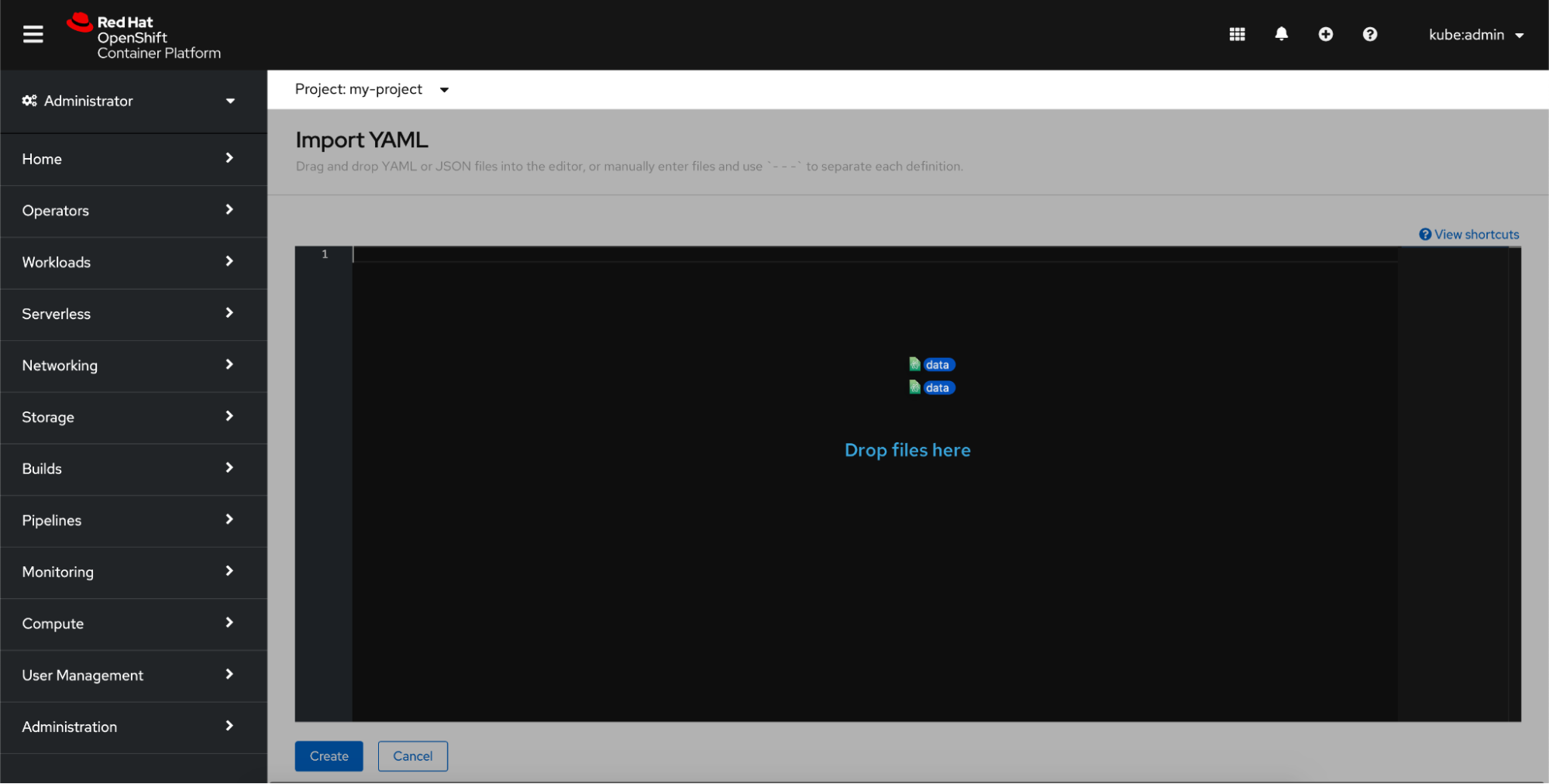
Each method of uploading the YAML files shows the definitions in the editor. Here, you can view or edit your definitions before creating them.

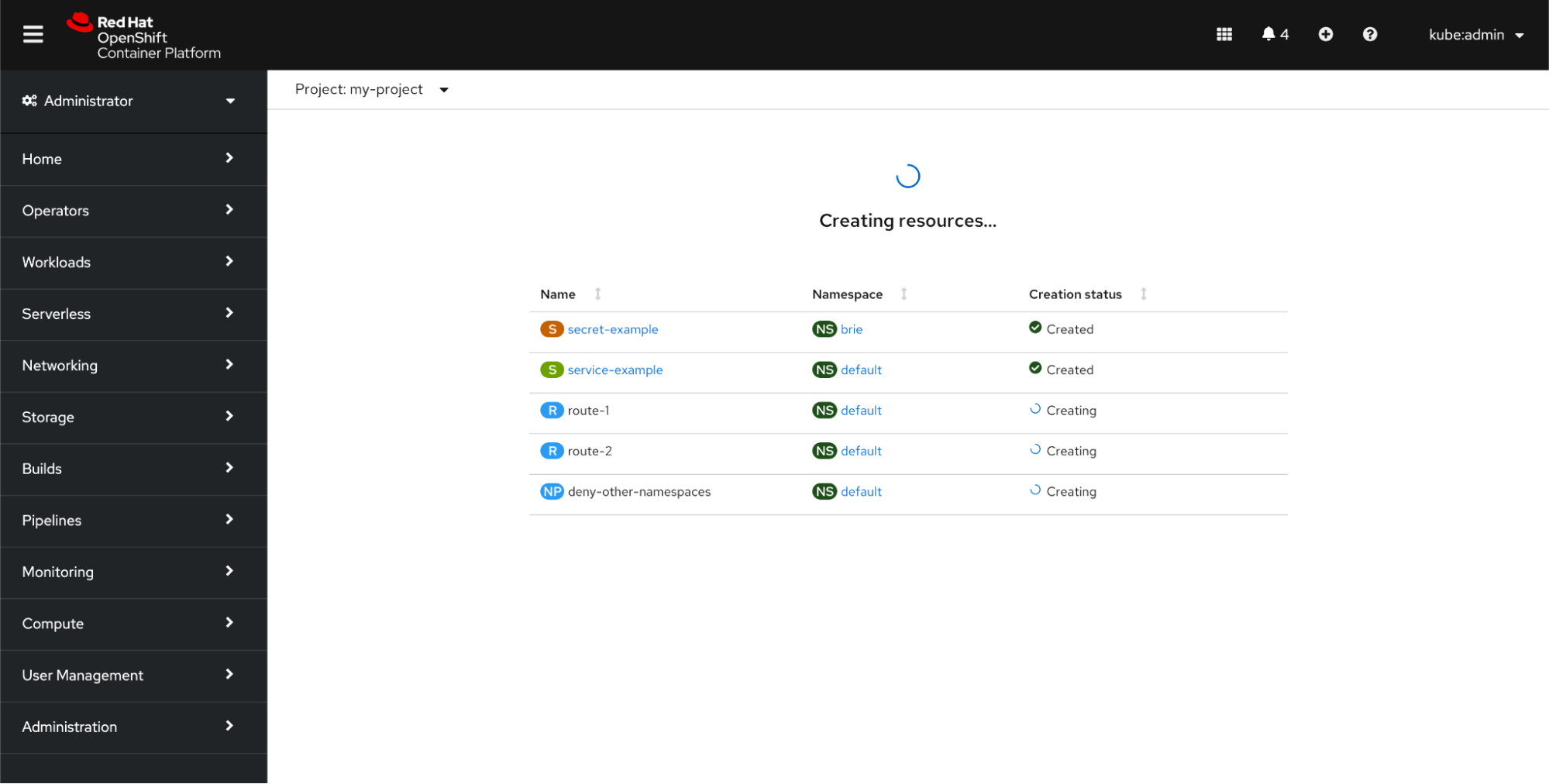
Click Create. A loading screen appears to indicate that the creation process is in progress. You will not wait long. Your resource will be almost instantaneously created.
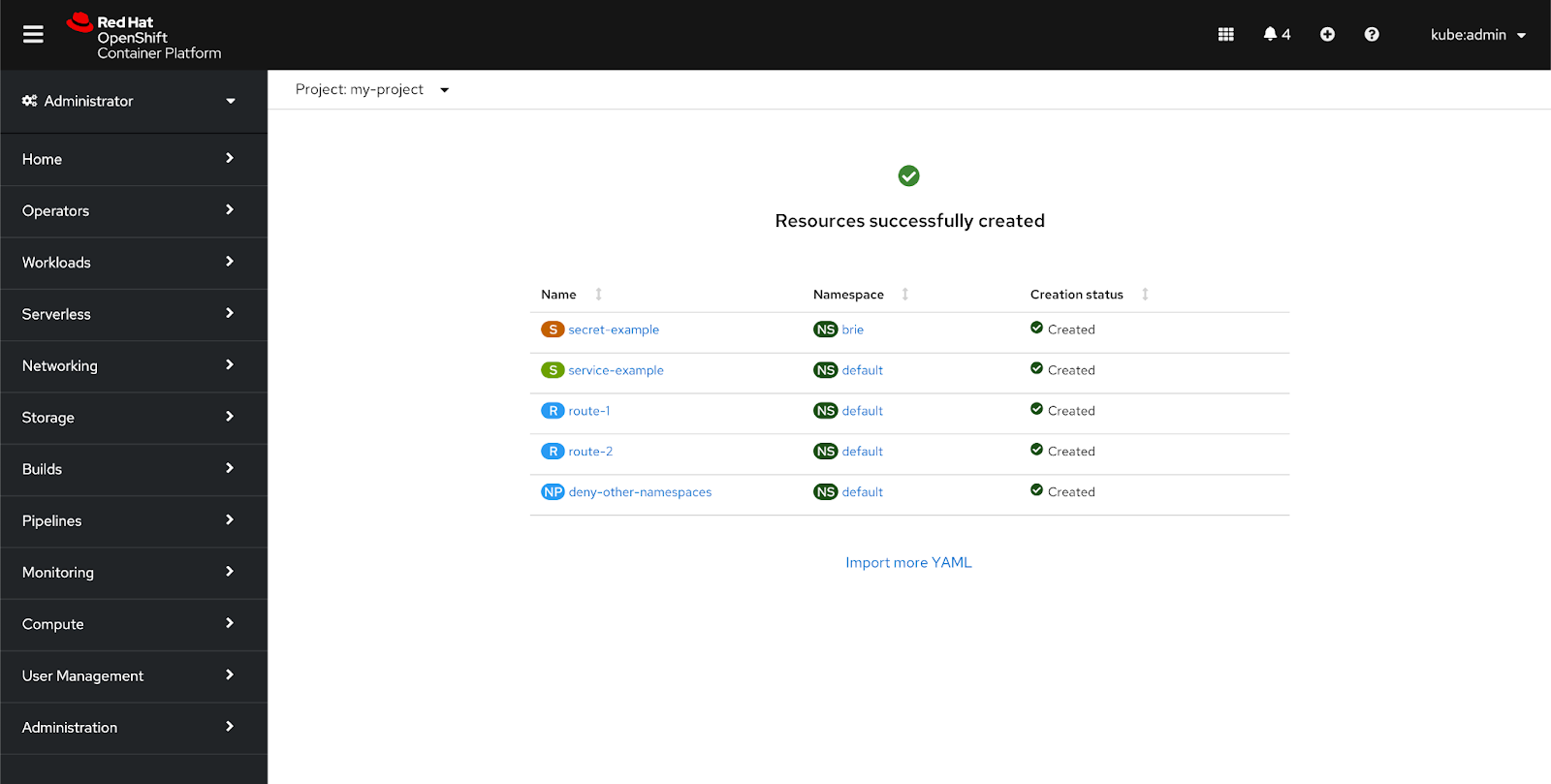
Once the resources are created, click any of the resource links to go directly to that resource’s details page. The status page also provides the namespace in which each resource was created, the creation status, and a link to return to the Import YAML page.
Troubleshooting
In most cases, your resources will finish the creation process without any issues. However, you might occasionally hit some errors.
YAML Errors
If you drag a binary file or a file that is too large into the editor, the file will be ignored, and an inline alert will appear beneath the editor.
Other reasons you may see the console surface an inline alert on the Import YAML page is if there is a syntax error or a missing or incorrect specification in any of your YAML files. A good example of a syntax error is a file missing a name or version. You will also receive an error if you try to create a resource in a namespace that does not exist. In this case, the missing namespace is realized during the “simulated create” (or dry run) that is run before actually sending the resources for creation to find any system errors such as a nonexistent namespace. All of these types of alerts will show up after you click Create.
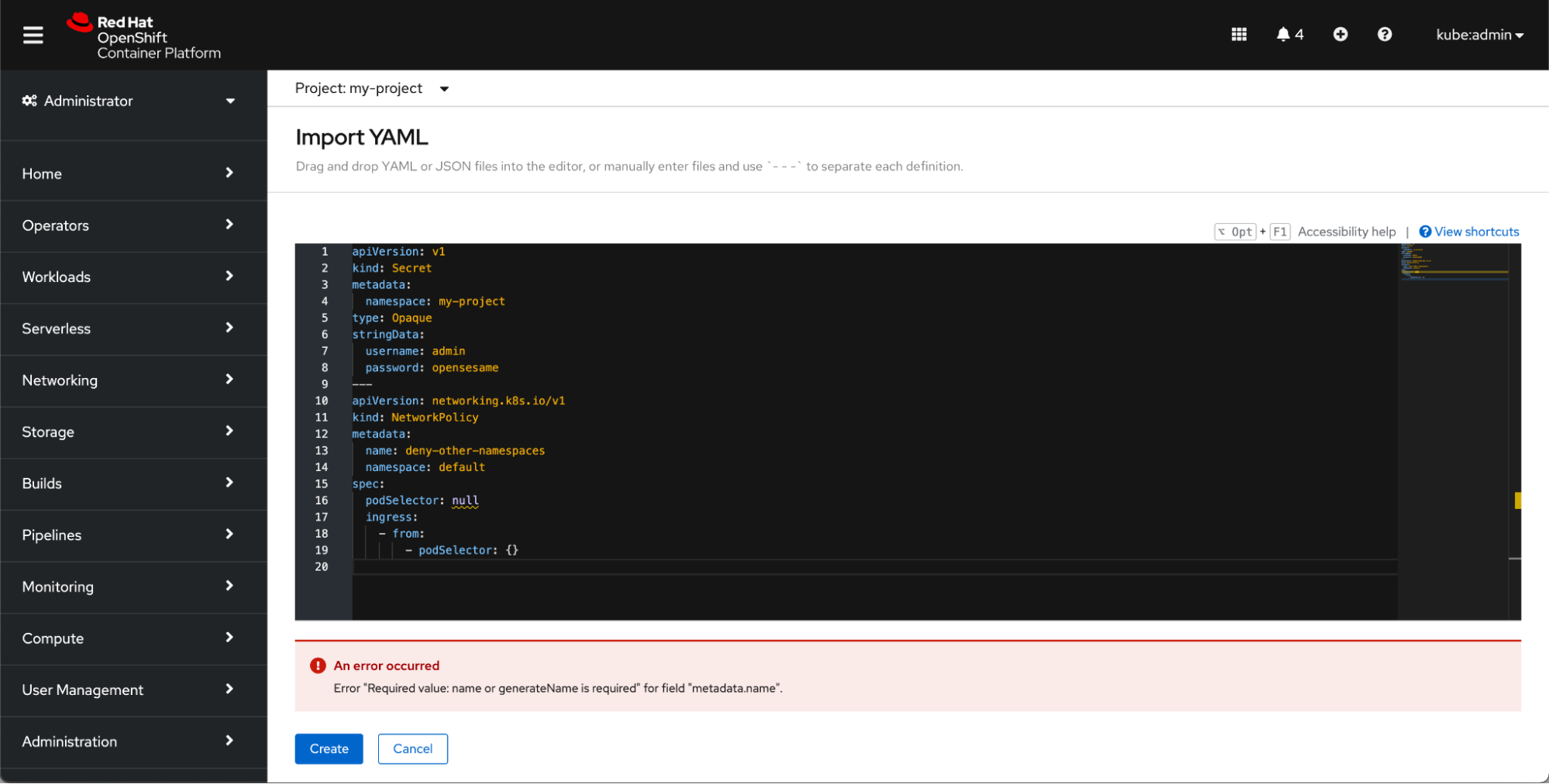
Upload a compatible file or correct the syntax mistakes, and click Create to try again.
Creation Errors
If the console does not detect any syntax or file errors, the console will begin to create the resources from your YAML files once you click Create. However, there may be cases where something prevents the creation of a resource. For example, imagine you are creating five resources: a secret, a service, two routes, and a networkpolicy. You drag and drop your files into the editor, scan the files for any missing information, and click Create. But, in that short period, someone else in your organization has created a route with the same name as one of yours. In this case, you may see the import progress page look something like this:

Where possible, the console will provide a clear and succinct description of the creation error. In the scenario described above, it would say “route-1 route already exists.”
If you ever run into an error at this stage, you can click Retry failed resources to return to the YAML editor on the Import YAML page. The YAML for the failed resource will already be in the editor, so you can quickly remediate the issue and try creating the resource again.
Want to try it out?
If you want to try out this new feature, or if you are just getting started with OpenShift, visit Try OpenShift to get instant access to a cluster.
And, as always, we want to connect with users like you. Learn more about what the OpenShift design team is up to on our OpenShift Design site, and be sure to catch us on the OpenShift Twitch channel.
Sull'autore
Altri risultati simili a questo
L'impatto di Red Hat OpenShift 4.22 sulla redditività dell'IA per le aziende
I partner di Red Hat sono una risorsa per i provider telco
Crack the Cloud_Open | Command Line Heroes
Edge computing covered and diced | Technically Speaking
Ricerca per canale

Automazione
Novità sull'automazione IT di tecnologie, team e ambienti

Intelligenza artificiale
Aggiornamenti sulle piattaforme che consentono alle aziende di eseguire carichi di lavoro IA ovunque

Hybrid cloud open source
Scopri come affrontare il futuro in modo più agile grazie al cloud ibrido

Sicurezza
Le ultime novità sulle nostre soluzioni per ridurre i rischi nelle tecnologie e negli ambienti

Edge computing
Aggiornamenti sulle piattaforme che semplificano l'operatività edge

Infrastruttura
Le ultime novità sulla piattaforma Linux aziendale leader a livello mondiale

Applicazioni
Approfondimenti sulle nostre soluzioni alle sfide applicative più difficili

Virtualizzazione
Il futuro della virtualizzazione negli ambienti aziendali per i carichi di lavoro on premise o nel cloud
