
Anyone who has ever had to troubleshoot a network connection knows that every detail matters when mapping out a network architecture. The difference between the high bandwidth, low latency network of your dreams and a nightmare of bottlenecks waking up your SRE team can come down to the smallest detail. Every logical and physical detail matters, and it's best to see those details in relation to each other as a diagram.
Networks are the backbone of both modern and legacy architecture alike, and it's the spanning of those two generations of systems that a Network Architect has to obsess over. With that in mind, here are five diagramming tools that can help map your network topology and share your vision for evolving your architecture.
Network Topology Mapper (NTM)

To go where you want to as a Network Architect, you have to know where the team is now. A first step in that direction is to use an automated tool to map the existing infrastructure and export it out for further iteration. SolarWinds NTM offers several features that will help a Network Architect get their hands around the existing infrastructure. The ability to use automated discovery of common network devices, operating systems, and more can give a head start on your vision for the evolving architecture of your organization.
NTM boasts a broad range of features, including automatic scanning and detection of a range of networked devices. Reports include outputs of a physical inventory list, switch ports, VLANs, subnets, and even ARP cache.
LucidCharts

Versatility in diagramming software can be a benefit, and when it is, LucidCharts is a great option. The SaaS-based product allows for a wide range of architectures to be designed from scratch. Their library of network diagram templates, ranging from common public clouds and network scenarios like a wireless network or a server rack port layout, can also be used.
LucidCharts also benefits from easy input and output. It accepts diagram formats for Visio, Omnigraffle, Gliffy, and Draw.io (now called Diagrams.net). There is even a one-click to generate Google Slides with your architecture images.
Visio
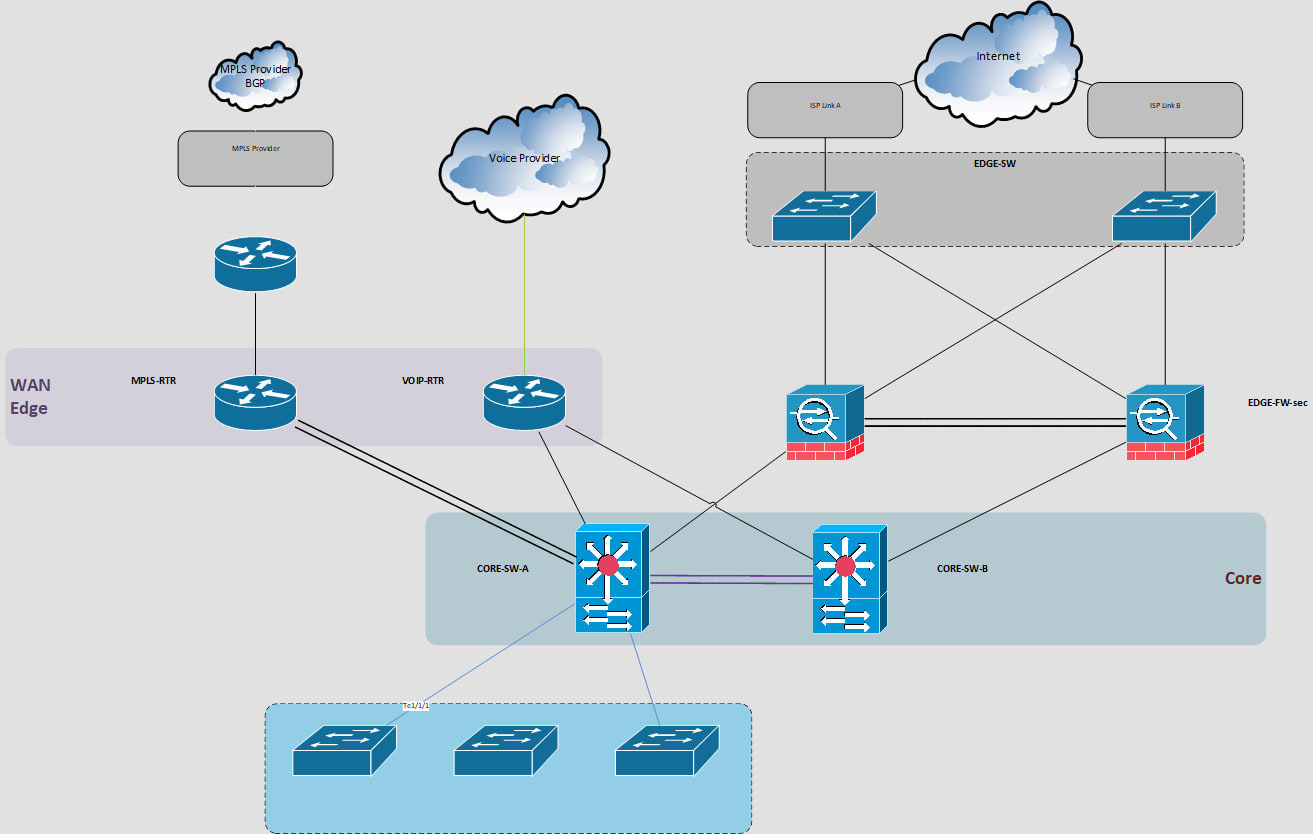
Despite the growing market of new diagramming tools, Microsoft Visio remains a household name and a reliable choice for a Network Architect. It offers the complete suite of tools that one can expect from a Microsoft desktop product, including easy import, export, and a drag-and-drop interface that will look and feel familiar.
Visio also includes thousands of icons organized under an easily searchable sidebar, offering a range of specific product iconographies like SQL Server and good-looking generic options for Directory Services or Data Services, for example.
ConceptDraw DIAGRAM
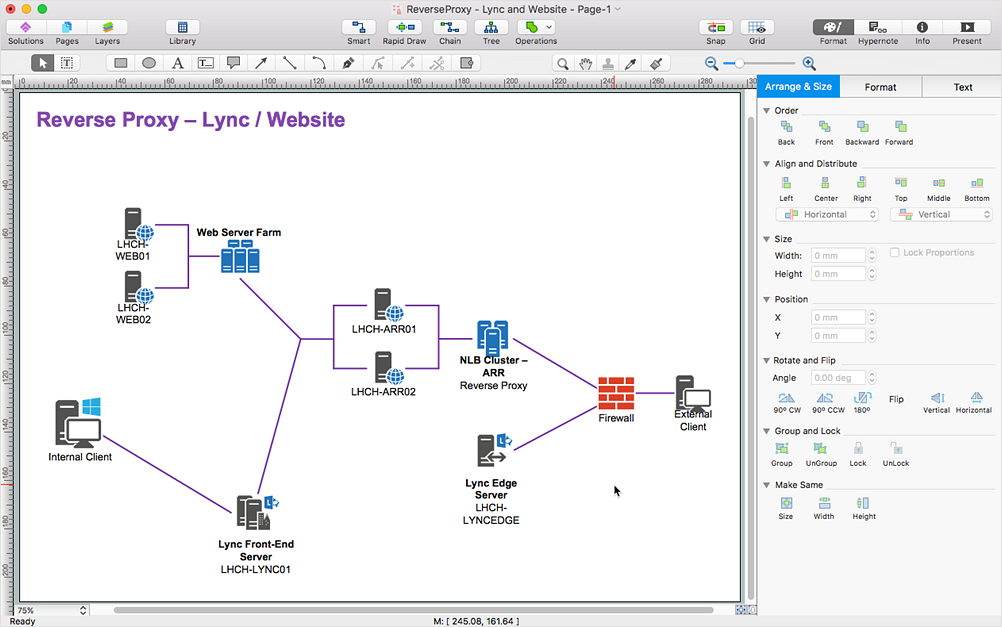
Another option that offers part of a complete suite of tooling is ConceptDraw DIAGRAM. In combination with the PROJECT and MINDMAP utilities under the OFFICE title, you'll have an integrated set of highly reviewed products that specialize in each of the given tasks at hand for a Network Architect. While I couldn't get hands-on with the product, I thoroughly enjoyed their computer network tutorials ranging from Cisco networks to telecommunication networks.
Draw.io

An open source technology, Draw.io, is rising in popularity as a diagramming software for architecture of all kinds. Now hosted at Diagrams.net, the Draw.io source code can be downloaded from GitHub and run locally from source or multiple containers, all under the Apache 2.0 license.
As a user, Draw.io feels streamlined. The "Click to connect and clone" option makes building out repetitive shapes as simple as possible and comes with a large library of icons available to you out of the box. Diagrams.net also offers the option to export as a URL, making an image publicly available in an instant.
Most impressively, Diagrams.net can be saved as simple text files, giving users a way to make backups of network architectures and check it in alongside code in a GitOps-compatible flow.
Conclusion
Networks have a long list of specifics to consider ranging from the physical to the logical and back again. Whether you want to make a visionary pitch for the future of your edge computing network requirements or go from port aggregation to ports to ASICs to document a maximum throughput, these diagramming tools offer a broad range of options to help you achieve your goal.
Do you have tips for diagramming network architecture or using one of the above tools? Tell me all about it by emailing enable-architect@redhat.com, and we may feature you in a future post.
Sull'autore
Matt has a background in storage architecture, virtualization, and adoption of DevOps practices through companies small and large. He is also an open source contributor to projects, including Kubernetes, co-creator of podcasts, and co-built the DevRel Collective for Developer Relations professionals.
Altri risultati simili a questo
Cinque motivi per cui la tua strategia di Lightwell richiede più che semplici patch
Red Hat Learning Subscription Course reinventa la formazione virtuale
Container Roundup | Compiler
Untangling Networks | Compiler
Ricerca per canale

Automazione
Novità sull'automazione IT di tecnologie, team e ambienti

Intelligenza artificiale
Aggiornamenti sulle piattaforme che consentono alle aziende di eseguire carichi di lavoro IA ovunque

Hybrid cloud open source
Scopri come affrontare il futuro in modo più agile grazie al cloud ibrido

Sicurezza
Le ultime novità sulle nostre soluzioni per ridurre i rischi nelle tecnologie e negli ambienti

Edge computing
Aggiornamenti sulle piattaforme che semplificano l'operatività edge

Infrastruttura
Le ultime novità sulla piattaforma Linux aziendale leader a livello mondiale

Applicazioni
Approfondimenti sulle nostre soluzioni alle sfide applicative più difficili

Virtualizzazione
Il futuro della virtualizzazione negli ambienti aziendali per i carichi di lavoro on premise o nel cloud
