
For this article, I use example.com as the domain name for mail servers and email addresses. In addition, I use the standard ports of 25 for SMTP and 110 for POP3.
The first thing you’ll need to do is install Telnet if it is not already present. (Telnet is not automatically installed on all systems in favor of the more secure SSH protocol.) To install Telnet on a Red Hat Enterprise Linux-based system, type:
$ yum install telnet
Testing an SMTP mail server
Now that you have Telnet installed, you’re ready to start. Let’s first verify that your SMTP server is available by connecting to it via Telnet with the following command:
$ telnet mail.example.com 25
Once connected, you will receive a response similar to the following:

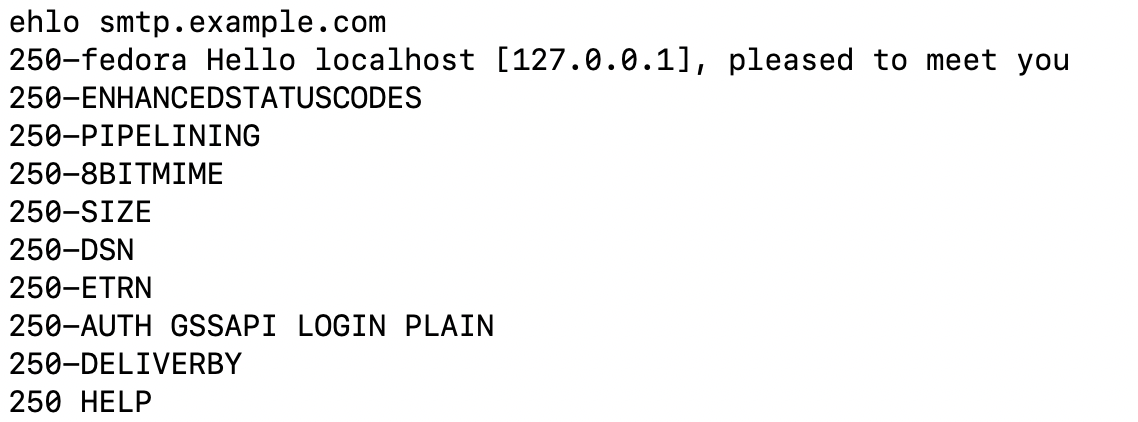
Initiate the connection with the SMTP service by using the following command:
ehlo smtp.example.com
The response looks like this:
You are now ready to send an email. Start by telling the system what email address the mail is coming from:
mail from: admin@example.com
The system will then acknowledge that the information is in the correct syntax, in the same format used in the previous image.

Next, tell the system the recipients’ email address or addresses with the following command:
rcpt to: user1@example.com
The system acknowledges that the information is in the correct syntax, as follows:

Tell the system that you are beginning the body of your email by typing data as follows:
data
The system will respond with a single dot (.) on its own line, which ends the email headers:

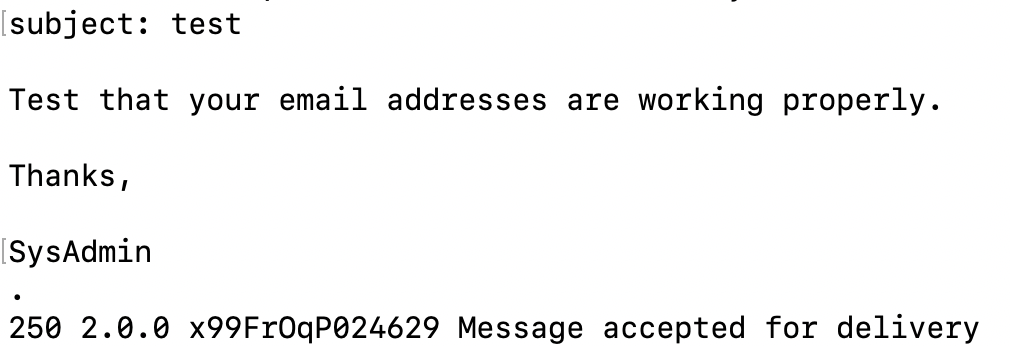
Now, set the subject and write the email’s content. Then, tell the system to send the email by using the dot (.) as follows:
subject: test

Test that your email addresses are working properly.

Thanks,

SysAdmin
.
The system then reports that the email was accepted for delivery:
Exit the session by typing quit, which disconnects us as shown here:

Testing a POP mail server
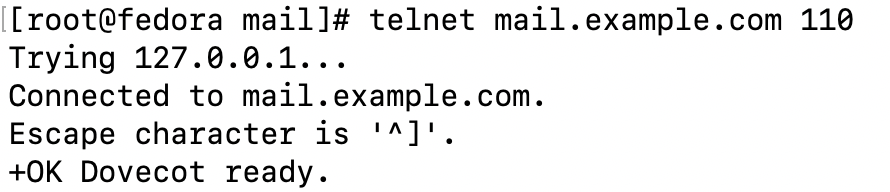
Now, check the configuration of your POP3 service, which is provided by Dovecot. The first step is to connect to the server over POP3, which is served on port 110:
$ telnet mail.example.com 110
Once connected, you will receive a response similar to the following:
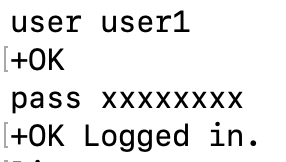
Next, provide the information for the user account you’re accessing. In this case, verify that user1 received the email you just sent them:
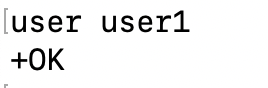
user user1
You see that the username is correct with:
Next, use the following command to authenticate using the user’s password:
pass xxxxxxxx
If the user and password are correct, the authentication is confirmed as follows:
To check and see what mail is available, use the list command:
list
This command returns a list of all email for that user, and the size of that email, as shown below (it does not return any other information).

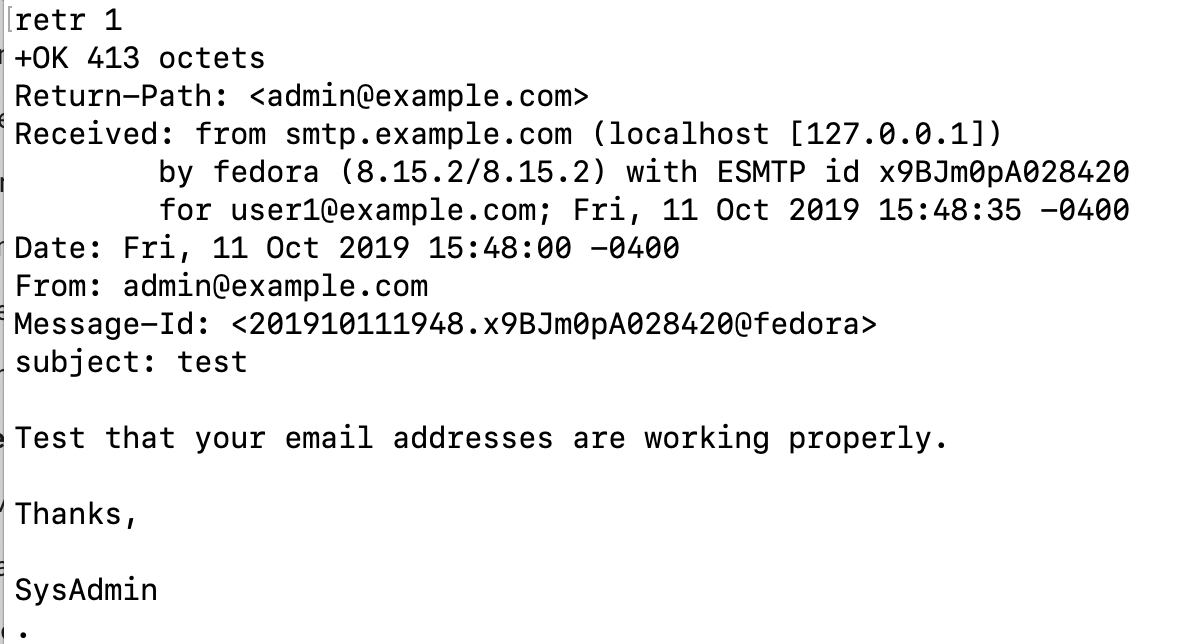
To read an email, we need to use the retr command, which is short for retrieve:
retr 1
In this case, you asked to retrieve email number one, which as you can see is the email you sent directly via SMTP through Telnet:
As this was a test email, delete it from the system using the dele command, as follows:
dele 1
Here you can see that the system responds that the mail is marked as deleted:

Run the list command again. You can see that there is no longer any email:

As with the SMTP services, we can type quit to exit:

Wrapping up
You can tell a lot by using Telnet to perform basic email server testing. Whether you’re using POP or SMTP, experiment with this process when things are going well so you can see when things go wrong.
Sull'autore
Amy Marrich is a Principal Technical Marketing Manager at Red Hat. She previously worked at a small open source e-assessment company in Luxembourg, where she was the Open Source Community and Global Training Manager. Previously, she was the OpenStack Instructor at Linux Academy and a Linux System Engineer on the Platform Engineering Cloud Operations team at Rackspace. She currently serves on the OpenStack Board, is an active member of the Openstack Ansible project, and was previously the chair of the OpenStack User Committee. Amy spends her free time competing in performance events (agility, FASt Cat, and dock diving) with her Dalmatians and competing in dressage with her Connemara pony.
Altri risultati simili a questo
Il tempo è prezioso: perché per il settore finanziario è necessario attivare subito la sicurezza post-quantistica
Red Hat Enterprise Linux Long-Life Add-On: un percorso verso RHEL senza una scadenza predeterminata
Infrastructure At The Edge | Compiler
Operating System Management | Compiler
Ricerca per canale

Automazione
Novità sull'automazione IT di tecnologie, team e ambienti

Intelligenza artificiale
Aggiornamenti sulle piattaforme che consentono alle aziende di eseguire carichi di lavoro IA ovunque

Hybrid cloud open source
Scopri come affrontare il futuro in modo più agile grazie al cloud ibrido

Sicurezza
Le ultime novità sulle nostre soluzioni per ridurre i rischi nelle tecnologie e negli ambienti

Edge computing
Aggiornamenti sulle piattaforme che semplificano l'operatività edge

Infrastruttura
Le ultime novità sulla piattaforma Linux aziendale leader a livello mondiale

Applicazioni
Approfondimenti sulle nostre soluzioni alle sfide applicative più difficili

Virtualizzazione
Il futuro della virtualizzazione negli ambienti aziendali per i carichi di lavoro on premise o nel cloud
