
Migration toolkit for virtualization 2.9 (MTV) release is here, and brings lots of new features to help make your virtual machine (VM) migration experience easier. This iteration introduces user experience enhancements designed to provide greater clarity, improved functionality, and a comprehensive view of your migration process.
New features and highlights
The enhanced UI of the migration toolkit 2.9 focuses on three pivotal areas:
- Enhanced overview page: Get a broader and more granular perspective on your migration progress.
- Clearer migration plan wizard: Your creation process will be smoother with expanded functionality and increased clarity.
- Improved plan monitoring experience: Get more precise status indicators and greater insight into ongoing migrations.
These updates underscore our commitment to delivering a robust and intuitive migration solution. We invite you to explore how these new features in the migration toolkit for virtualization 2.9 optimizes your virtualization migration workflows.
Overview page
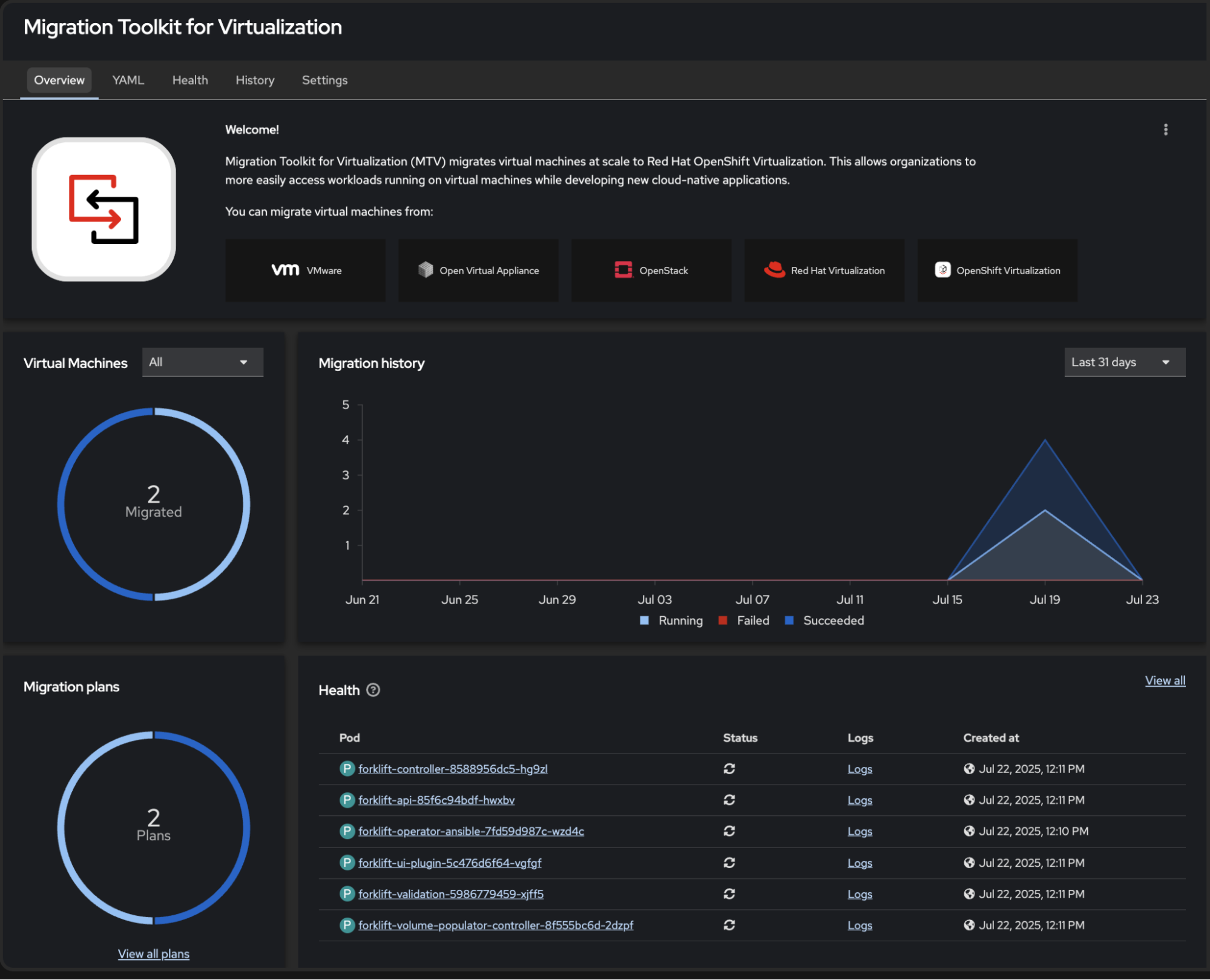
The overview page delivers a summary of your current migrations statuses in a clear and measurable way, using data charts to display information around:
- The number of virtual machines (VMs) that have successfully migrated, which migration is running, or which migration has failed over a given time frame.
- The number of migration plans that have succeeded, are running, or have failed over time.
- Migration history over time.
Additions to the page also make it easier for first-time users to understand which source providers are supported by the migration toolkit for virtualization operator. It also allows users to create a source provider directly from this page, which is the first step in creating a migration plan.
Migration plan creation wizard
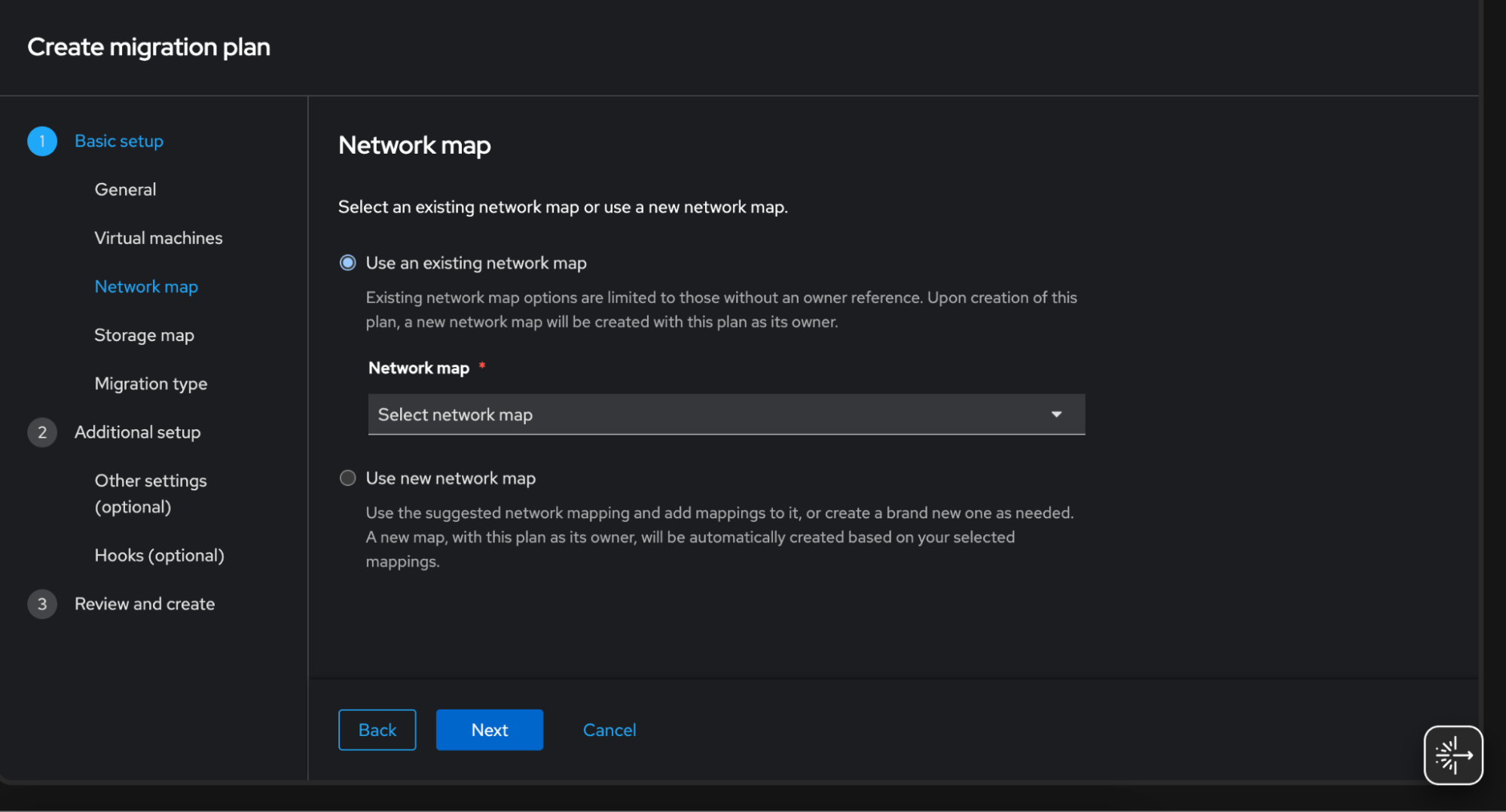
The wizard experience lets you customize your experience during the plan creation process. You can now easily:
- Select from pre-existing network or storage maps rather than having to define new ones during each migration plan creation
- Choose between a cold or warm migration directly from the migration plan creation process
- Set additional settings and enable Ansible hooks from the wizard
- View all your selections at the end of the wizard in a review step
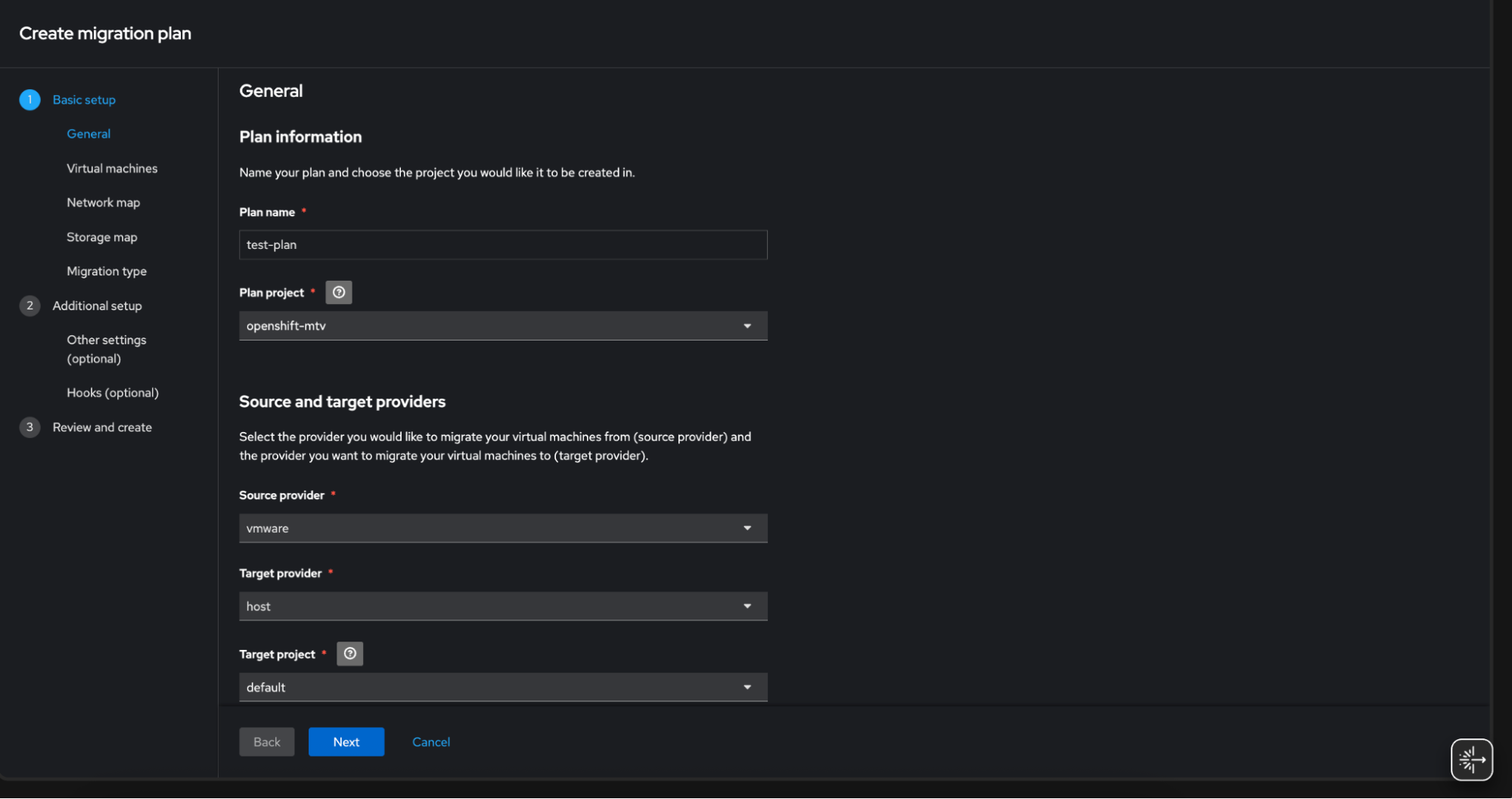
Additionally, more explanations and learning tooltips were added throughout the wizard to reduce the learning curve and add clarity to the plan creation process. The goal is to make the process more transparent so that you know the available options.
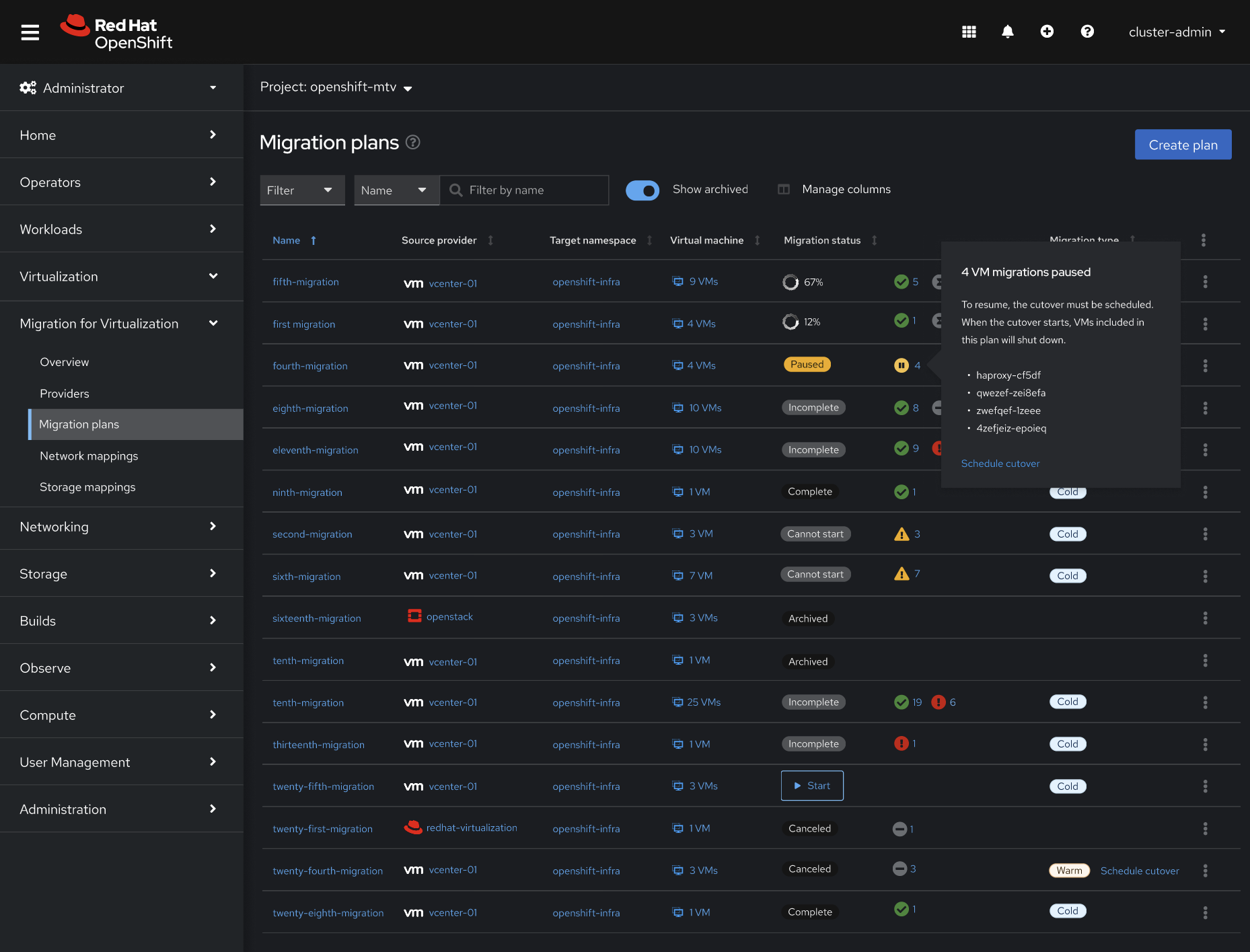
Monitoring experience
The monitoring experience enables you to confidently track your VM migration process by providing more detailed visibility into migration plans. Now you can monitor the status of your migrations at the plan or VM level using the new labels and status indicators provided. If you want more information while monitoring, there are now tooltips available on hover.
Benefits
These significant UI enhancements in MTV 2.9 are designed with a singular goal: to make your VM migration journey as smooth and efficient as possible. By providing a clear and comprehensive overview of your progress, streamlining the creation of migration plans with enhanced functionality, and offering greater transparency in monitoring, we aim to reduce complexity and increase your confidence during the migration process. Ultimately, these improvements empower you to navigate your VM migrations with greater efficiency, helping you achieve your virtualization goals.
Update to migration toolkit for virtualization 2.9 today to experience these powerful UI enhancements firsthand and simplify your VM migrations. Want to learn more about the MTV 2.9 release? Check out the MTV 2.9 Release notes.
Prova prodotto
Red Hat OpenShift Virtualization Engine | Versione di prova del prodotto
Sugli autori
Margot is Senior Interaction Designer on the User Experience Design team, currently working in the OpenShift Virtualization space, with a focus on MTV
Altri risultati simili a questo
Gestisci le macchine virtuali su Red Hat OpenShift con Service Mesh
I partner di Red Hat sono una risorsa per i provider telco
Virtualization Is (Still) King | Compiler
Ricerca per canale

Automazione
Novità sull'automazione IT di tecnologie, team e ambienti

Intelligenza artificiale
Aggiornamenti sulle piattaforme che consentono alle aziende di eseguire carichi di lavoro IA ovunque

Hybrid cloud open source
Scopri come affrontare il futuro in modo più agile grazie al cloud ibrido

Sicurezza
Le ultime novità sulle nostre soluzioni per ridurre i rischi nelle tecnologie e negli ambienti

Edge computing
Aggiornamenti sulle piattaforme che semplificano l'operatività edge

Infrastruttura
Le ultime novità sulla piattaforma Linux aziendale leader a livello mondiale

Applicazioni
Approfondimenti sulle nostre soluzioni alle sfide applicative più difficili

Virtualizzazione
Il futuro della virtualizzazione negli ambienti aziendali per i carichi di lavoro on premise o nel cloud
