
As you know, a Kubernetes cluster can contain many inter-resource relationships, including resources that are managed by another resource. Modifying a resource, just to find your changes undone, can be a frustrating process. OpenShift is here to help.
To further convey these relationships, OpenShift 4.6 now shows which resources are managed by a particular operator. It also shows a list of resources that relate to cluster operators, which can be useful for troubleshooting. Ready to explore these new features? Let's dive in.
Resources Managed by Operators
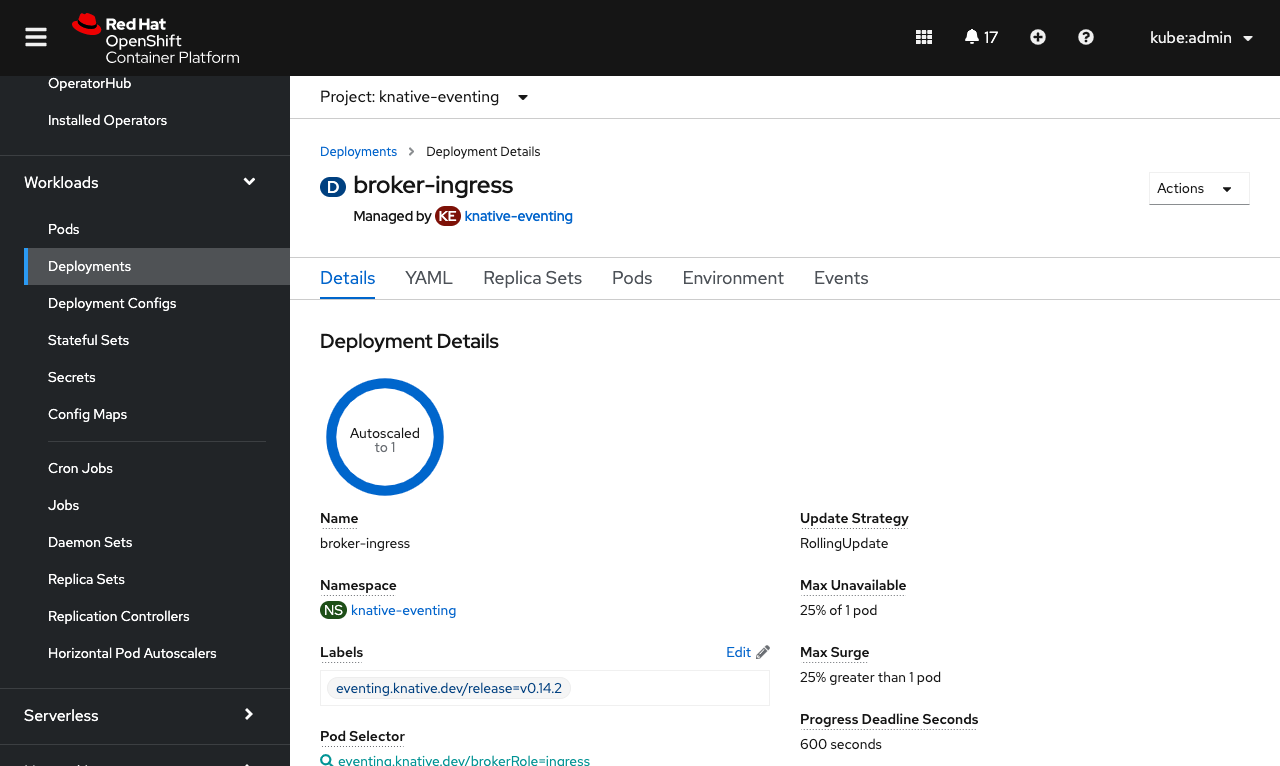
Resources that are managed by a particular operand from an operator are now marked with a Managed by label under their name, to show the relationship. The label also includes a link to the operand for quick navigation to edit that managing resource where you can be sure your changes will stick.
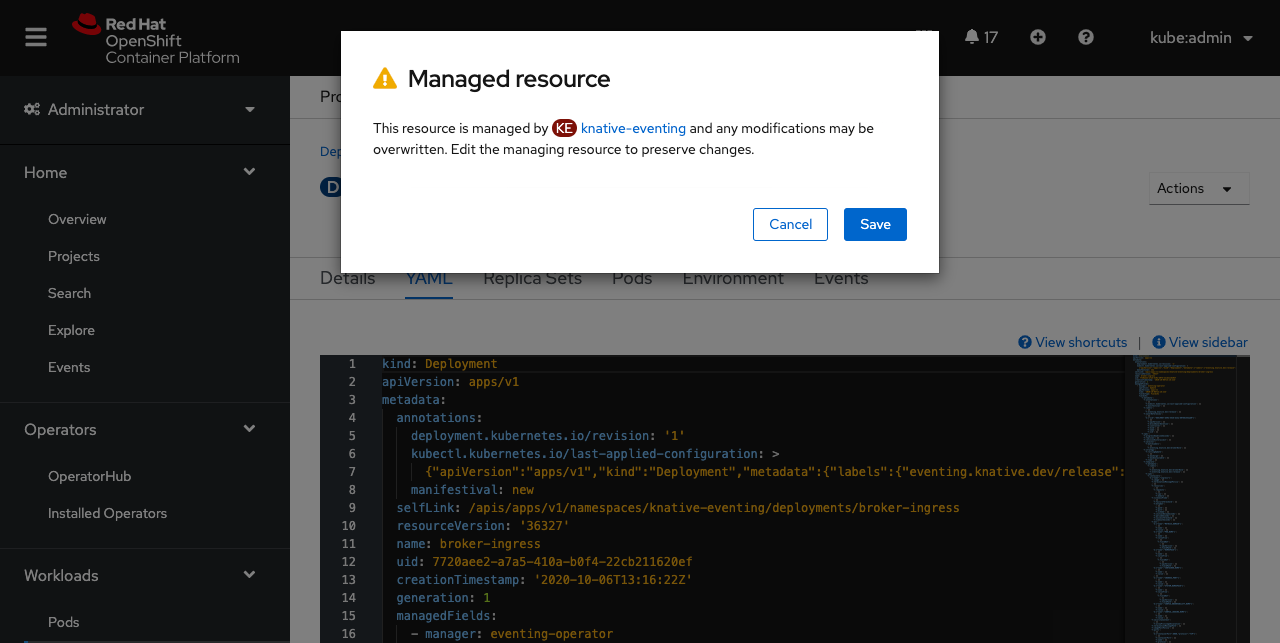
If you find yourself making changes to a resource that is managed, a warning message will appear when the changes are saved. This serves as a friendly reminder to edit the managing resource so that your changes don't become overwritten.
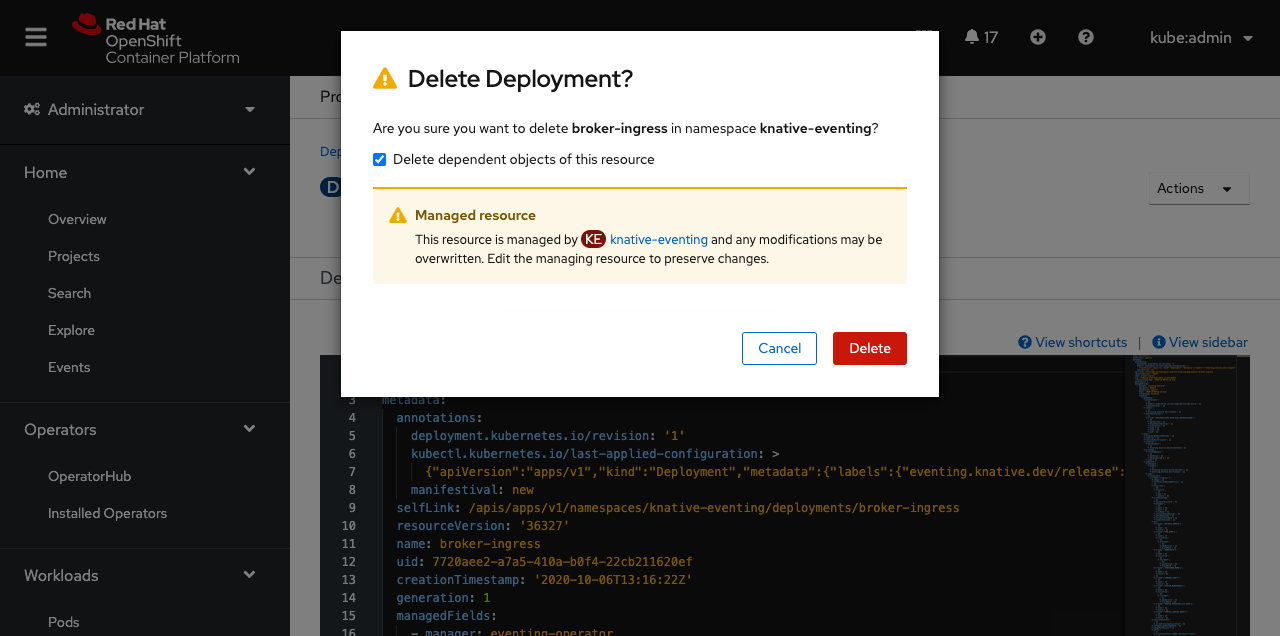
Also, if a managed resource is deleted, an additional warning in the confirmation message appears. This message reminds you that your changes can be overwritten if the managed resource isn't edited. In this case, your resource could reappear if changes are not made to the managing resource.
Cluster Operator Related Objects
Sometimes you may want to know what resources are associated with a particular cluster operator, perhaps for troubleshooting an underlying issue.
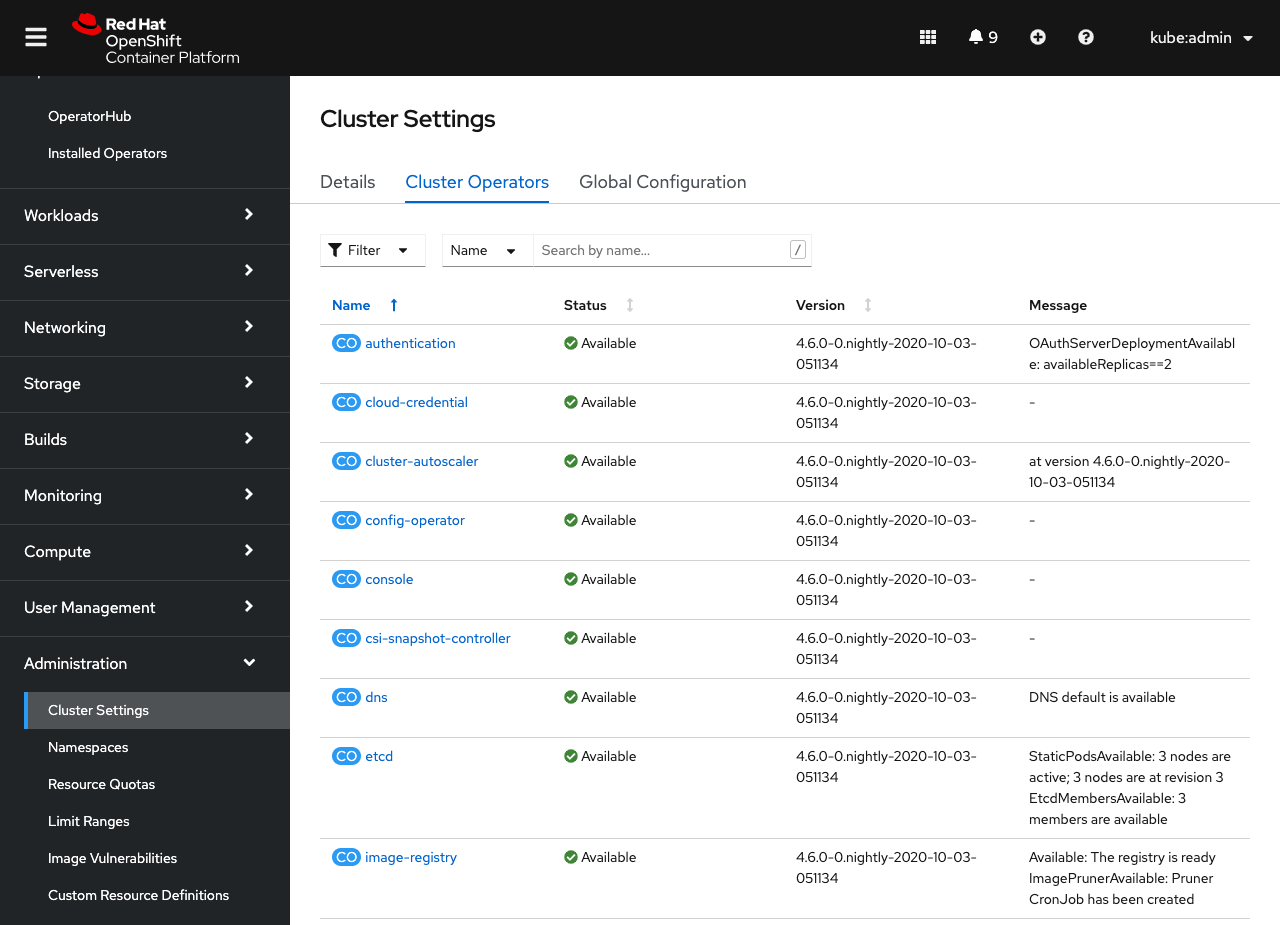
You can access this information from the Cluster Settings page under the Cluster Operators tab.
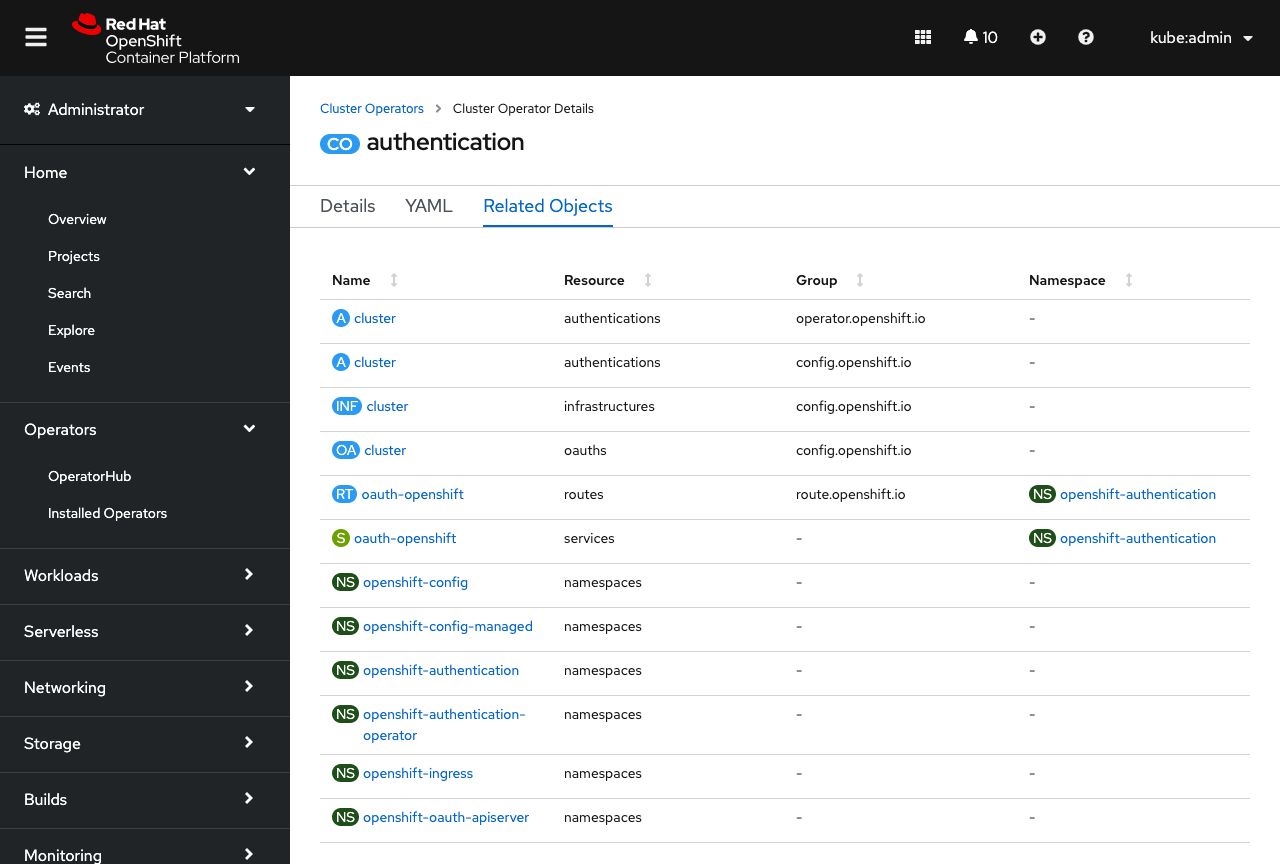
When viewing the details of a cluster operator, you'll now see a new Related Objects tab, which lists out any resources related to that cluster operator. If you ever need to troubleshoot a cluster operator issue, these resources and their logs are a great place to start.
More Relationships
This is just the start of how OpenShift can help you manage your cluster resource relationships. In the future, look for more enhancements around conveying “Managed by” relationships, like relating pods to other workloads.
If you are up for trying out these new features, or if you are just getting started with OpenShift, visit Try OpenShift to get instant access to a cluster.
And, as always, we want to connect with users like you. Learn more about what the OpenShift design team is up to on our OpenShift Design site, and be sure to catch us on the OpenShift Twitch channel.
{{cta('1ba92822-e866-48f0-8a92-ade9f0c3b6ca','justifycenter')}}
Sull'autore
Altri risultati simili a questo
I partner di Red Hat sono una risorsa per i provider telco
Il paradosso degli agenti e il caso dell'IA ibrida
Crack the Cloud_Open | Command Line Heroes
Edge computing covered and diced | Technically Speaking
Ricerca per canale

Automazione
Novità sull'automazione IT di tecnologie, team e ambienti

Intelligenza artificiale
Aggiornamenti sulle piattaforme che consentono alle aziende di eseguire carichi di lavoro IA ovunque

Hybrid cloud open source
Scopri come affrontare il futuro in modo più agile grazie al cloud ibrido

Sicurezza
Le ultime novità sulle nostre soluzioni per ridurre i rischi nelle tecnologie e negli ambienti

Edge computing
Aggiornamenti sulle piattaforme che semplificano l'operatività edge

Infrastruttura
Le ultime novità sulla piattaforma Linux aziendale leader a livello mondiale

Applicazioni
Approfondimenti sulle nostre soluzioni alle sfide applicative più difficili

Virtualizzazione
Il futuro della virtualizzazione negli ambienti aziendali per i carichi di lavoro on premise o nel cloud
