
Author's note: I'm testing the service as part of my job at the Bielefeld IT Service Center (BITS) at Bielefeld University. This article reflects my personal view of Red Hat Insights. Furthermore, I would like to clarify that I am a member of the Red Hat Accelerators community.
In this, the fourth in my series introducing Red Hat Insights and its many features (Part 1, Part 2, Part 3), I will discuss how I use Insights to check my systems for compliance.
Before we get started, a note—to check systems for compliance, the packages openscap-scanner and scap-security-guide must be installed on your systems, in addition to the Insights Client.
Create a compliance policy and assign systems
In simple terms, compliance means adherence to rules or fulfillment of specifications. Accordingly, you need a guideline with a set of rules against which you can align your systems. The first step, therefore, is to create a compliance policy. Until you have done so, there is nothing to see in the Insights dashboard (see Fig. 1).

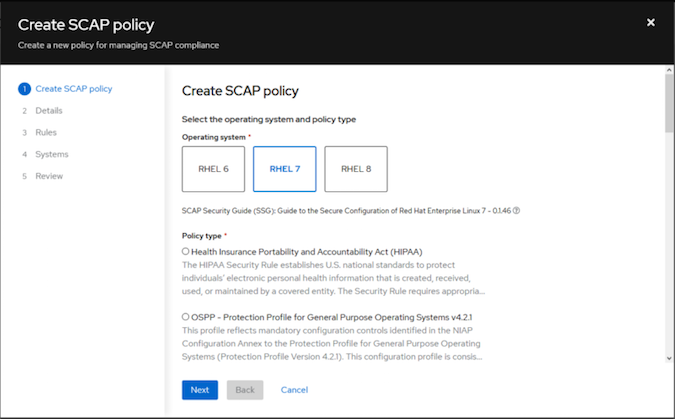
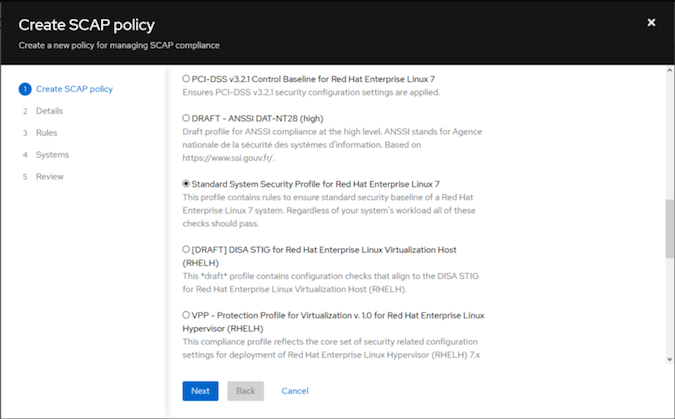
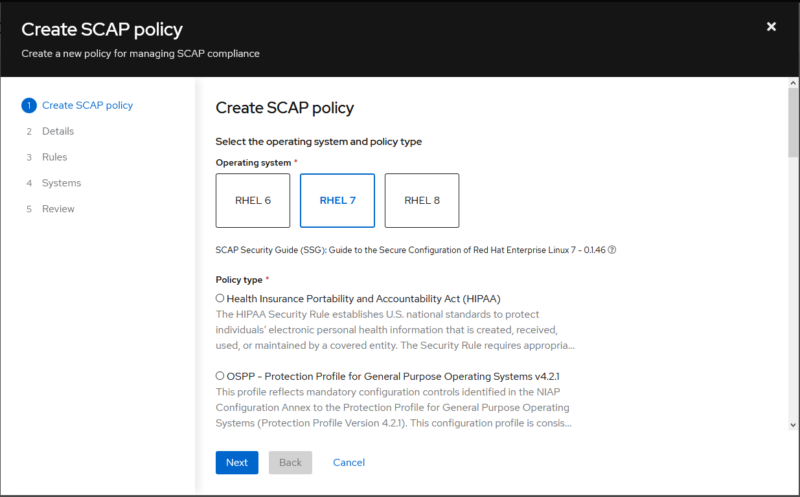
An assistant will guide you through the various dialogs you will encounter during the installation process (see Figs. 2-7). For my test, I created a SCAP policy for RHEL 7 systems using the "Standard System Security Profile for Red Hat Enterprise Linux 7" (see Figs. 2 and 3). Not knowing what to expect, I set the compliance threshold at 96 percent (see Fig. 4). The next step (Fig. 5) lists the rules contained in the profile, with the option of viewing a detailed description for each rule. At this point, individual rules can be deactivated if you consider them to be unimportant. For this test, I leave all rules activated and am curious about the result.
Information about OpenSCAP
- Security Guide RHEL 7 Chapter 7 Scanning the System for Configuration Compliance and Vulnerabilities
- https://www.open-scap.org/
- https://static.open-scap.org/
Fig. 6 shows the selection dialog in which systems are assigned to the policy to be created. Basically, you can use different policies for different systems, or you can have individual systems audited for multiple policies. For this test, all 13 systems were assigned to the current policy.


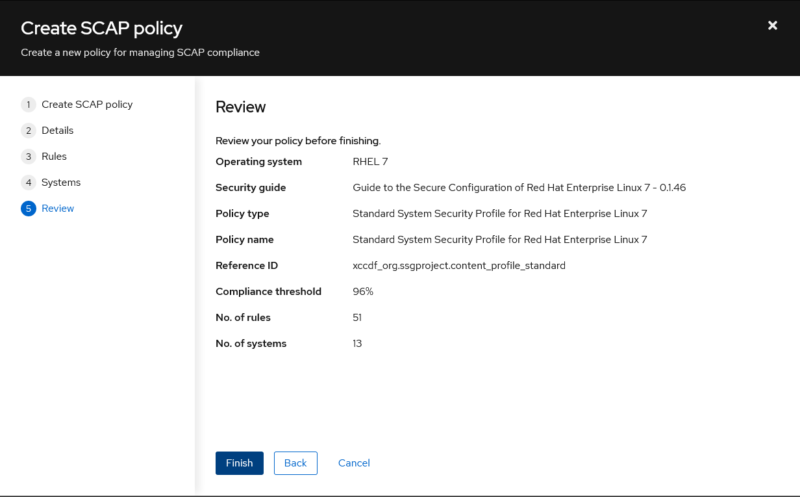
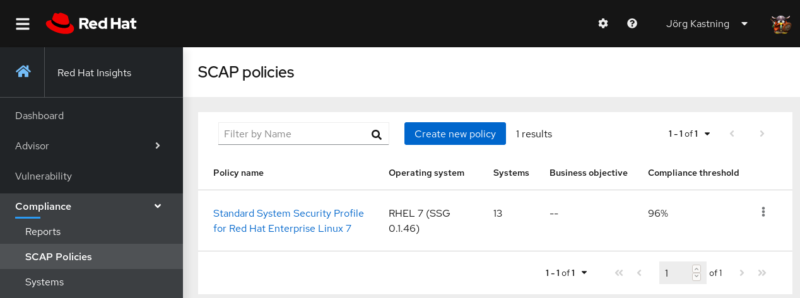
At the end of the wizard, you will see a summary (Fig. 7) before the policy is created. Afterward, the policy you've just created can be found in the overview in Fig. 8.
Execute compliance scan
In the previous section, a SCAP policy was drawn up and linked to the existing systems. To check the systems for compliance, the Insights Client has to be started on each system with the option --compliance. The following code block shows an example of an interactive call:
#
insights-client --compliance
Running scan for xccdf_org.ssgproject.content_profile_standard… this may take a while
Uploading Insights data.
Successfully uploaded report for foo.example.com.
#
If you want to check your systems regularly with the compliance scan, this can be solved by a cronjob or by a regularly executed Ansible Playbook.
Note: This is not the normal scan of the Insights Client, which is executed daily and transmits information to the SaaS service.
The uploaded report is visible in the Compliance menu of the Insights dashboard a few minutes later.
Compliance reports
The Compliance menu in the Insights dashboard also offers the tabular overview you will recall from the previous articles in this series. This takes you to a view that lists the systems with their respective compliance score and the number of rules that have not been observed (see Fig. 9).
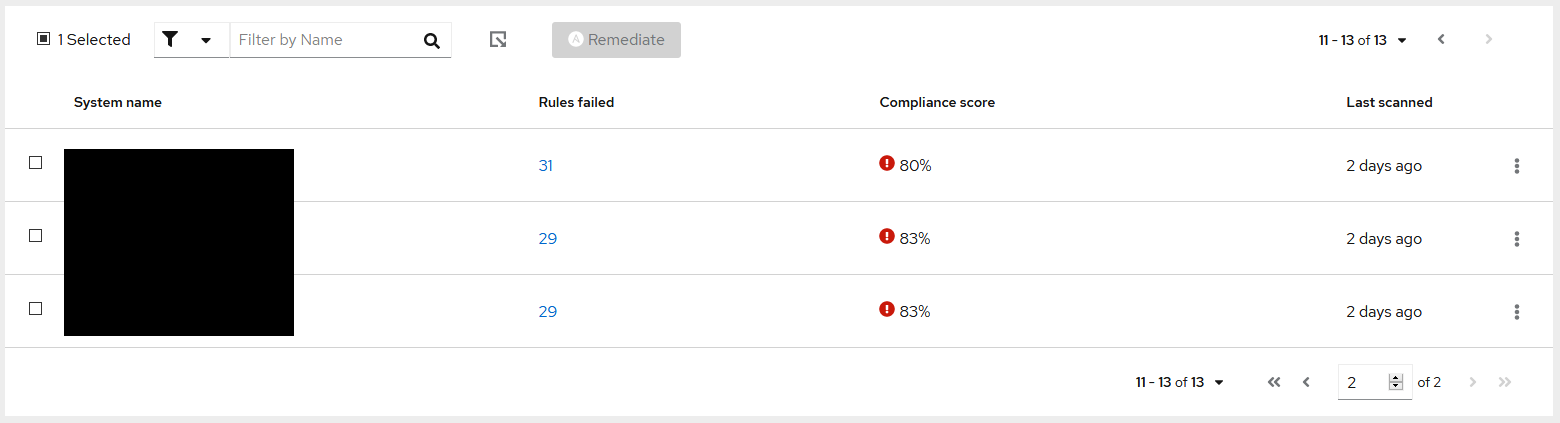
Fig. 10 shows a section of a report for a selected system. Here, the compliance rules are listed with name and ID. In addition, you can see at a glance the severity, whether the test was passed, and whether an Ansible Remediation Playbook exists.
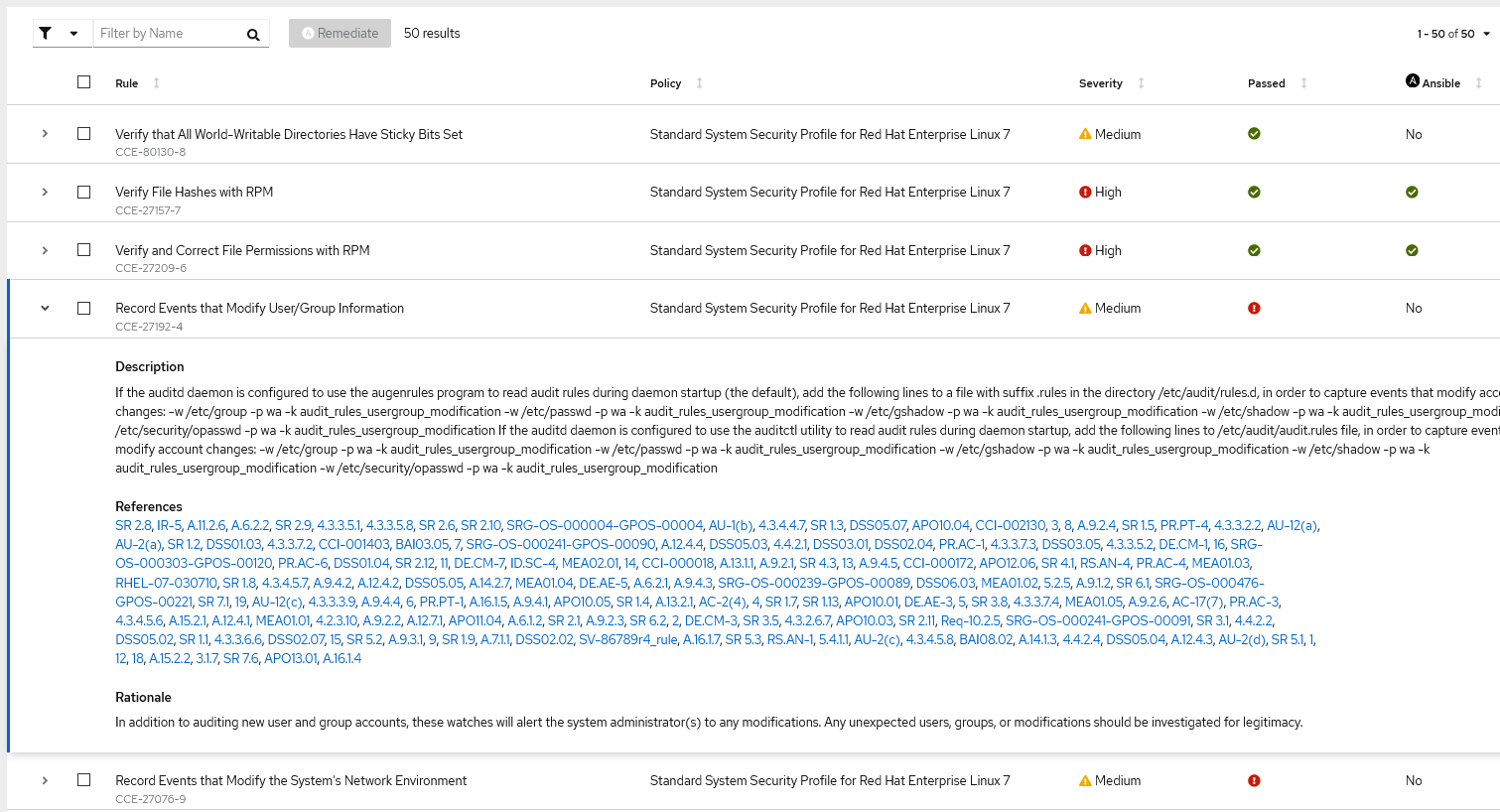
In Fig. 10, a rule has been expanded as an example to show the information behind it. This shows which settings must be in place to fulfill this specific rule. At this point, you receive not only general information but also explicit recommendations for action. In addition, for each rule, there is an indication as to why it seems sensible to implement the recommended measures.
Wrap up
Although our systems are not tied to any specific policy today, it's not a bad idea to become familiar with these policies and to adhere to their seemingly sensible rules.
The Insights dashboard would not have been necessary to create compliance reports and derive a configuration baseline from them. With the openscap-scanner and the scap-security-guide, reports for selected SCAP profiles can also be created and analyzed locally on each system.
At this point, the Insights dashboard offers the added value of having all relevant information available or linked in one place. Switching between different applications is no longer necessary, and results can be compared more easily.
The available Ansible Remediation Playbooks make a solid impression and are suitable to set necessary settings to comply with a concrete rule. However, I do not execute them directly in my infrastructure, but use them as a starting point for my own playbooks and templates. This way, I have a better learning opportunity.
[ Free online course: Red Hat Enterprise Linux technical overview. ]
Sull'autore
Jörg has been a Sysadmin for over ten years now. His fields of operation include Virtualization (VMware), Linux System Administration and Automation (RHEL), Firewalling (Forcepoint), and Loadbalancing (F5). He is a member of the Red Hat Accelerators Community and author of his personal blog at https://www.my-it-brain.de.
Altri risultati simili a questo
Perché il tuo framework degli agenti di IA non è completo: 7 funzionalità della piattaforma mancanti in produzione
Red Hat Ansible All-Stars: alla guida del futuro dell'automazione delle reti e dell'infrastruttura
Random Acts Of Automation | Compiler
How Red Hat cleared IT debt for scalable AI
Ricerca per canale

Automazione
Novità sull'automazione IT di tecnologie, team e ambienti

Intelligenza artificiale
Aggiornamenti sulle piattaforme che consentono alle aziende di eseguire carichi di lavoro IA ovunque

Hybrid cloud open source
Scopri come affrontare il futuro in modo più agile grazie al cloud ibrido

Sicurezza
Le ultime novità sulle nostre soluzioni per ridurre i rischi nelle tecnologie e negli ambienti

Edge computing
Aggiornamenti sulle piattaforme che semplificano l'operatività edge

Infrastruttura
Le ultime novità sulla piattaforma Linux aziendale leader a livello mondiale

Applicazioni
Approfondimenti sulle nostre soluzioni alle sfide applicative più difficili

Virtualizzazione
Il futuro della virtualizzazione negli ambienti aziendali per i carichi di lavoro on premise o nel cloud
