
Welcome to another entry in the Getting Started series! In this post we’ll talk about how to use Red Hat Satellite 6 as an inventory source within Ansible Tower. A common scenario we see is the use of Satellite 6.3 to manage Red Hat Enterprise Linux infrastructure, which makes adding Red Hat Ansible Tower to the existing environment a snap.
First, Create a User in Satellite
Ansible Tower will need to authenticate to Satellite, so create a user with an integration role that has the permissions needed to manage inventory. The permissions needed are:
| Resource | Permission | Access Type |
| Fact value | view_facts | Read Satellite Server facts. |
| Host | view_hosts | Read Satellite Server hosts. |
| Host group | view_hostgroups | View Satellite Server host groups. |
Once you’ve created your user, log in to the Tower host.
Create Credential in Tower With the Satellite User
Navigate to Settings >> Credentials in Tower and create a new credential.

The credential type can be found in the credential type list:
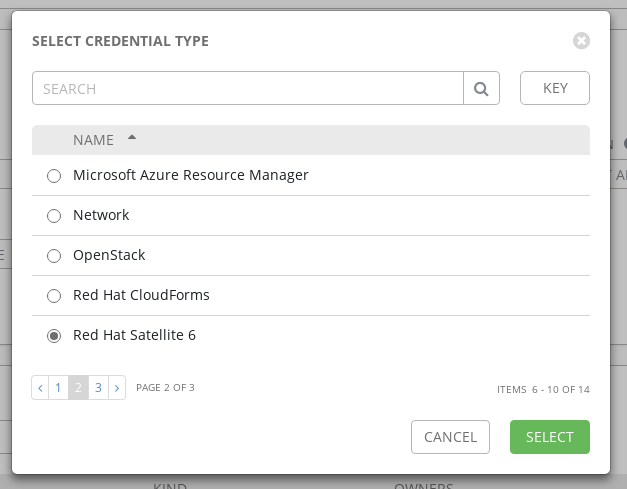
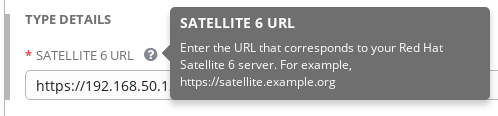
Once you select ‘Red Hat Satellite 6’, the field to add the Satellite URL will be available:
Add New Inventory
With the Satellite server prepared and the credential in place within Tower, all that’s left is creating the new inventory and setting the source. Navigate to Inventories and add a new inventory:
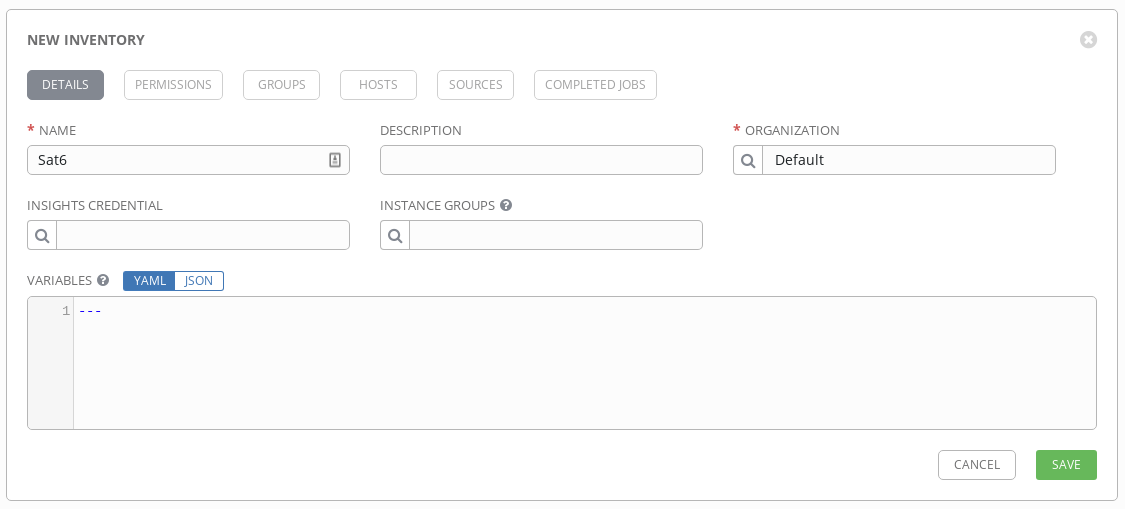
Give your inventory a name that you’ll remember.
Add Sat6 as the Source
Now to connect to Satellite. In your new inventory, navigate to the Sources tab. You’ll create a Source for the inventory to search:
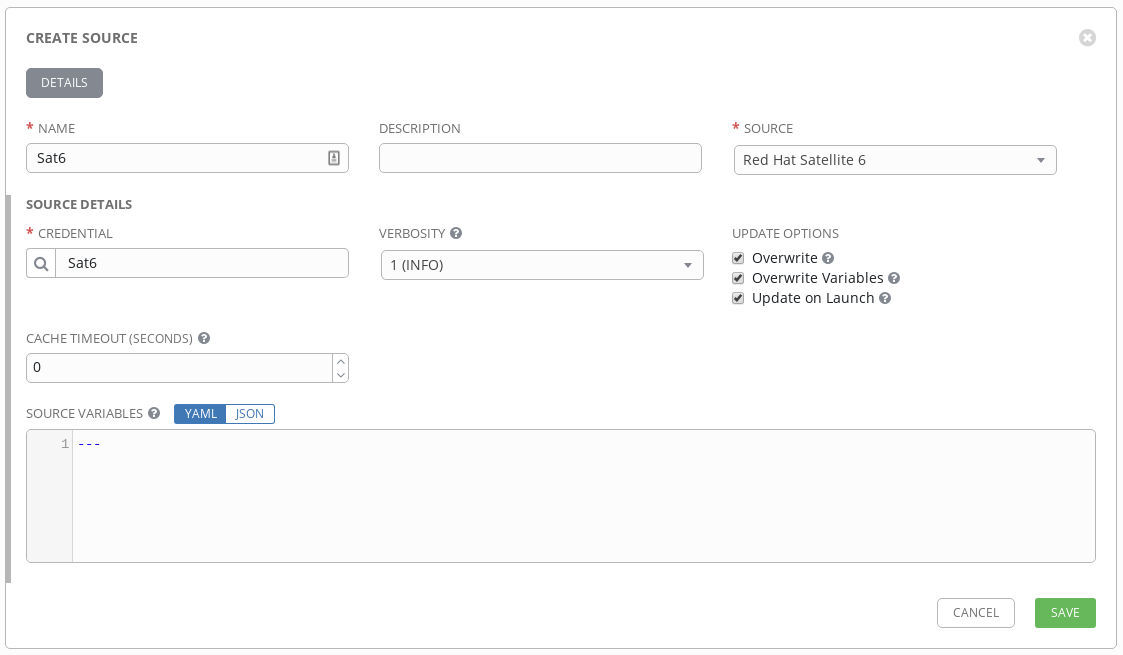
Like the inventory, set the name and choose the corresponding credential. Choose your verbosity level-- if this is your first time, setting the verbosity higher will give you more information for troubleshooting.
Choose your update options to match your desired behavior. Checking ‘Overwrite’ means that changes in the Satellite inventory will overwrite the inventory in Ansible Tower when synced. If hosts are removed in Satellite, they’ll be removed from Tower when syncing. The ‘Overwrite Variables’ selection covers all groups and hosts within the inventory, with the same behavior as above. If checked, then the Satellite version of variables are written to the Tower inventory. If not checked, the variables are merged from both sources. ‘Update On Launch’ is self-describing in what the option does. When a playbook is run using the inventory, a sync will occur using the options selected.
Once you save the new source, you can click the sync icon
 to begin the first sync.
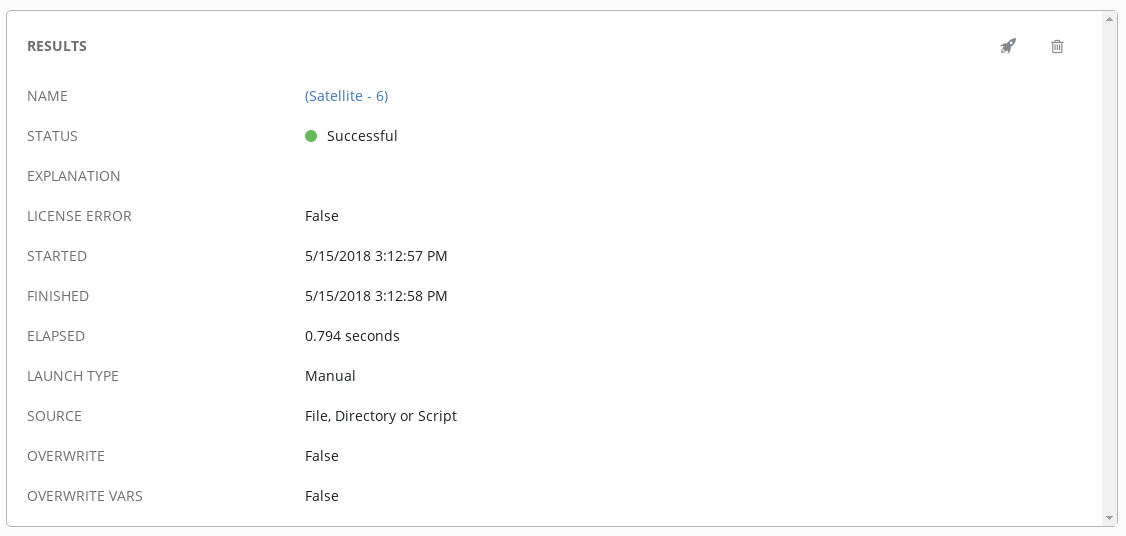
That’s it! Now you can use Ansible Tower with the Red Hat Satellite 6 inventory for streamlining your provisioning process using callbacks without managing two separate inventories. Integrating Ansible Tower and Satellite shortens and automates provisioning for your Red Hat products.
Resources
Explore Red Hat Satellite Documentation
Read more about adding a source in Ansible Tower
Sull'autore

Altri risultati simili a questo
Friday Five — March 27, 2026 | Red Hat
Modernize virtual machines on Google Cloud with Red Hat OpenShift Virtualization
Keeping Track Of Vulnerabilities With CVEs | Compiler
Post-quantum Cryptography | Compiler
Ricerca per canale

Automazione
Novità sull'automazione IT di tecnologie, team e ambienti

Intelligenza artificiale
Aggiornamenti sulle piattaforme che consentono alle aziende di eseguire carichi di lavoro IA ovunque

Hybrid cloud open source
Scopri come affrontare il futuro in modo più agile grazie al cloud ibrido

Sicurezza
Le ultime novità sulle nostre soluzioni per ridurre i rischi nelle tecnologie e negli ambienti

Edge computing
Aggiornamenti sulle piattaforme che semplificano l'operatività edge

Infrastruttura
Le ultime novità sulla piattaforma Linux aziendale leader a livello mondiale

Applicazioni
Approfondimenti sulle nostre soluzioni alle sfide applicative più difficili

Virtualizzazione
Il futuro della virtualizzazione negli ambienti aziendali per i carichi di lavoro on premise o nel cloud
