
Currently, in order for customers to find their cluster's subscription status and support level, they have to visit the OpenShift Cluster Manager at cloud.redhat.com/openshift. This makes it difficult for customers to know if the cluster they are using is unsupported. This is further complicated by the fact that customers with 60-day evaluations do not have a way to see the status of their trial (eg. the number of days left available).
In OpenShift 4.10, we added the OCP cluster subscription status to the OpenShift web console, allowing users to quickly identify if their cluster has support and providing quick access to manage subscriptions settings to properly register their cluster if they need to do so.
Cluster Overview
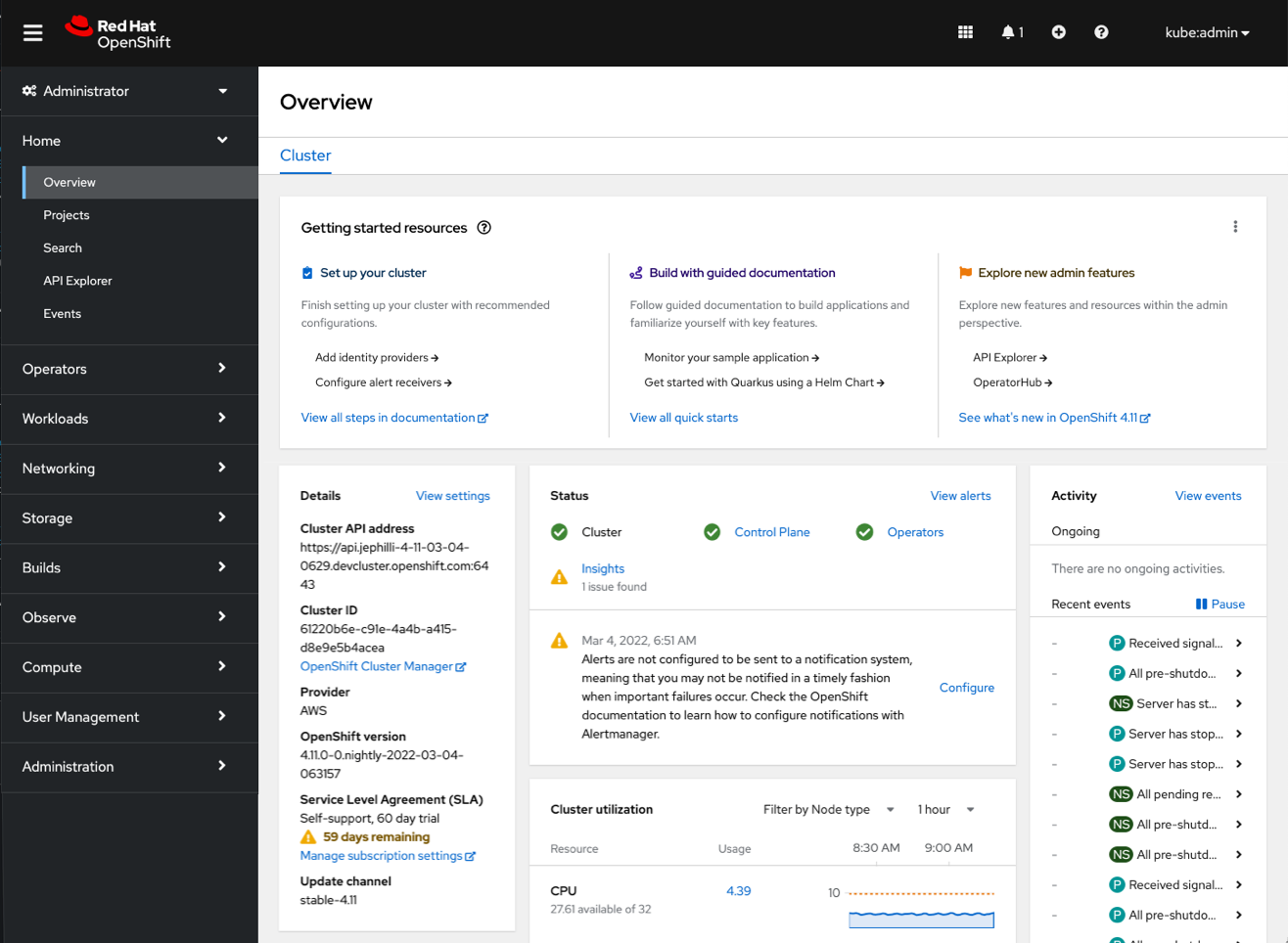
In order for customers to quickly see the support status of their cluster, we have added subscription information to the cluster details card on the overview page.
The example below is a cluster with a 60-day evaluation. We added a new Service Level Agreement field to the details card where we can see that the cluster has a Self-Support, 60-day trial, with 59 days remaining. This information is accompanied by a link to manage subscription settings where customers can register their cluster at any time.
Cluster Settings
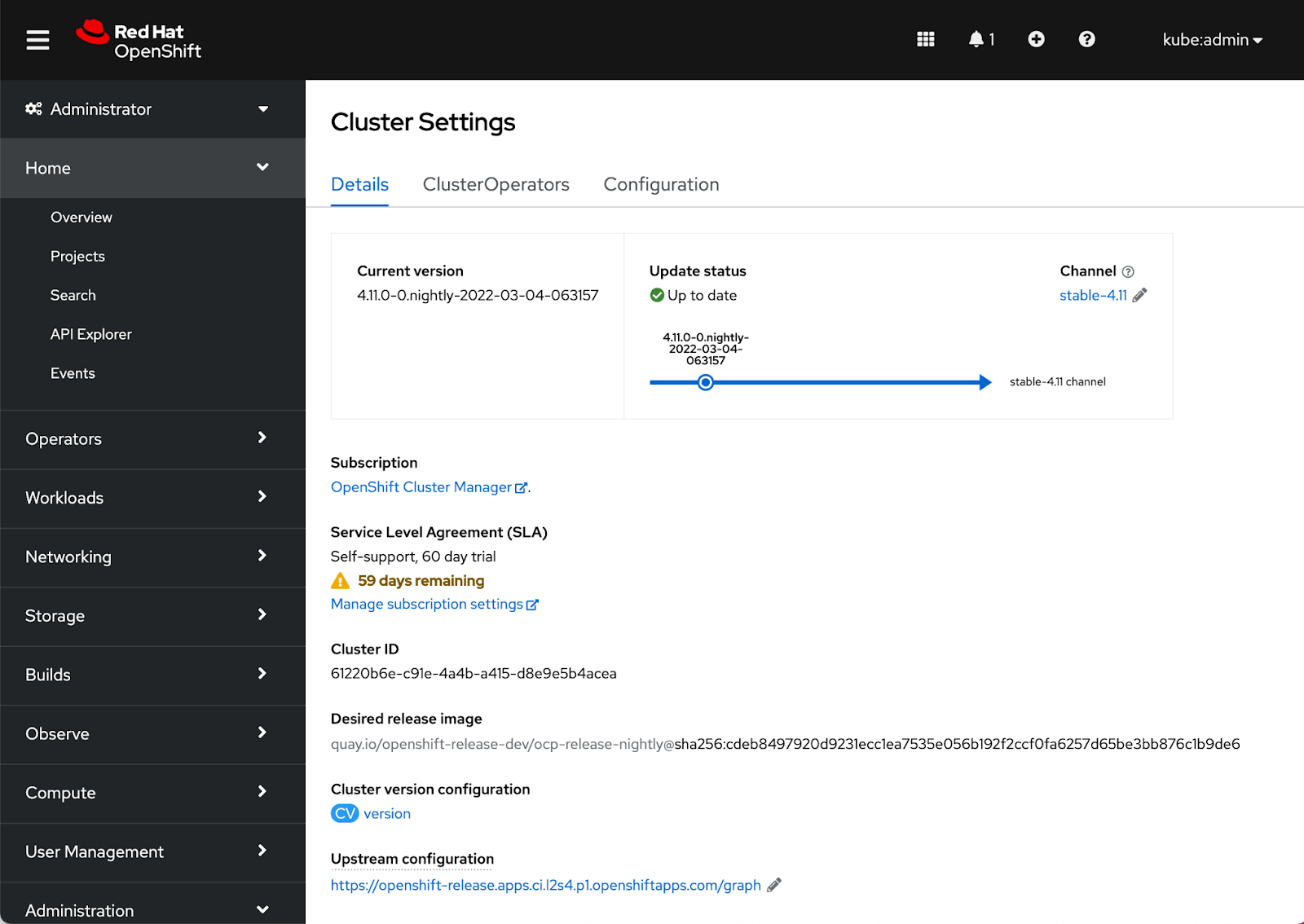
The Cluster Settings Details page also surfaces the same SLA field level information as the Cluster Overview.
Notification drawer
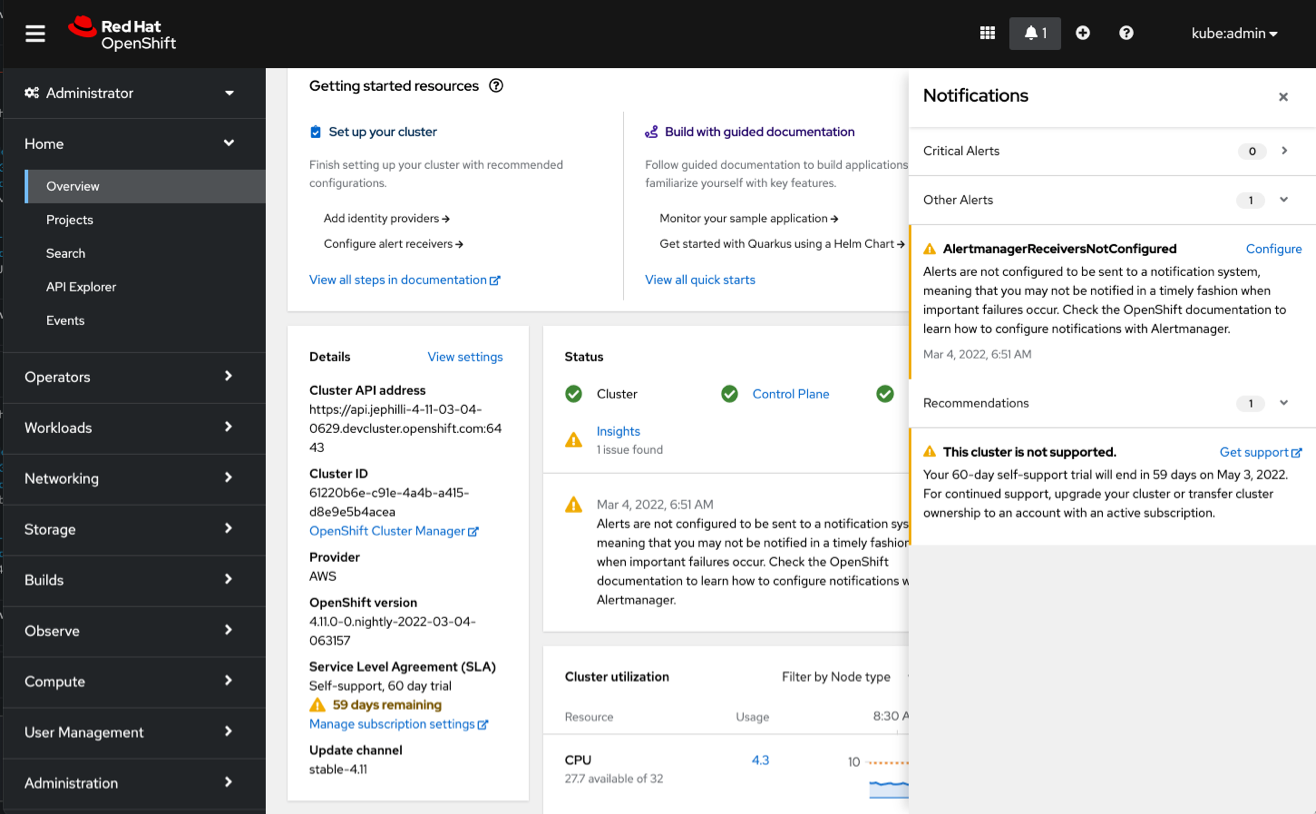
In addition to the contextual information in the console, there is also a new notification in the drawer to let users know when the cluster is unsupported. This notification provides a little more detail about the different options to get support for the cluster and provides a direct link to do so.
Connect with us
We are always growing and evolving our improvements to OpenShift with a customer-first mindset. Be on the lookout for more enhancements in future releases. And do not forget to sign up to participate in future research opportunities to share your OpenShift experiences.
Let us know your thoughts. We would love to connect with users like you. Stay up to speed with the OpenShift design team on our OpenShift Design site, and be sure to catch us on the OpenShift Twitch channel.
Sull'autore
Altri risultati simili a questo
L'impatto di Red Hat OpenShift 4.22 sulla redditività dell'IA per le aziende
I partner di Red Hat sono una risorsa per i provider telco
Crack the Cloud_Open | Command Line Heroes
Edge computing covered and diced | Technically Speaking
Ricerca per canale

Automazione
Novità sull'automazione IT di tecnologie, team e ambienti

Intelligenza artificiale
Aggiornamenti sulle piattaforme che consentono alle aziende di eseguire carichi di lavoro IA ovunque

Hybrid cloud open source
Scopri come affrontare il futuro in modo più agile grazie al cloud ibrido

Sicurezza
Le ultime novità sulle nostre soluzioni per ridurre i rischi nelle tecnologie e negli ambienti

Edge computing
Aggiornamenti sulle piattaforme che semplificano l'operatività edge

Infrastruttura
Le ultime novità sulla piattaforma Linux aziendale leader a livello mondiale

Applicazioni
Approfondimenti sulle nostre soluzioni alle sfide applicative più difficili

Virtualizzazione
Il futuro della virtualizzazione negli ambienti aziendali per i carichi di lavoro on premise o nel cloud
