
OpenShift Container Platform has provided CI/CD services since the early days, allowing developers to easily build and deploy their applications from code to containers.
As CI/CD in the kubernetes space evolved, OpenShift stayed on the edge by providing services like OpenShift Pipelines (based on Tekton upstream project), a more kubernetes-native way of doing Continuous Delivery.
To further empower developers wanting to embrace Tekton on OpenShift, we have added a new feature (currently in Dev Preview) called “Pipelines-as-code”, which aims at leveraging the Tekton building blocks, but bootstrapping a lot of the plumbing needed to make it work and apply GitOps principles to pipelines.
What is this new feature called “Pipelines-as-code” in OpenShift?
Pipelines-as-code (later referred to as PAC) allows developers to ship their CI/CD pipelines within the same git repository as their application, making it easier to keep both of them in sync in terms of release updates.
By providing the pipeline as code (yaml) in a specific folder within the application, the developer can automatically trigger that pipeline on OpenShift, without much worrying about creating things like webhooks, EventListeners, etc, that are normally required to be set up for Tekton.
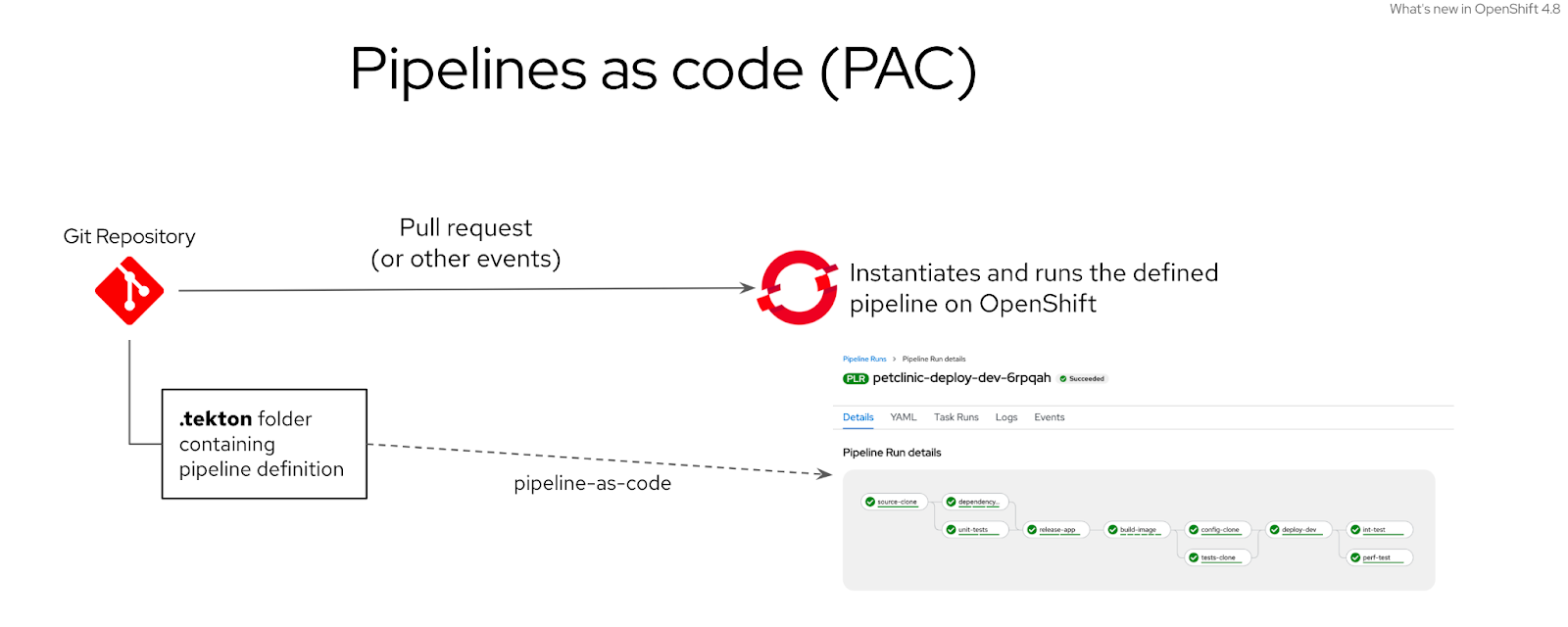
Figure 1: Pipelines-as-code overview
Here is the general workflow to use that feature, assuming it has been enabled on the cluster:
- The developer initializes the PAC feature for his project, using the tkn-pac CLI.
- The developer can choose what git events will trigger the pipeline, and scaffold a sample pipeline file matching the selected events (commit, pull-request for the moment).
- They then add a .tekton folder on the root of the application’s git repository, containing the pipeline Yaml file.
- They configure the pipeline content in the Yaml file by adding the required steps.
- When the targeted event (pull-request or commit) happens in the git repository, PAC on OpenShift intercepts the event and creates and runs the pipeline in the desired namespace.
- When running with GitHub, the bi-directional integration allows users to follow the pipeline execution status directly in GitHub UI, and link to OpenShift for more details.
What’s new and great with this new feature, compared to “just using” OpenShift Pipelines (Tekton) on OpenShift ?
If you have already used Tekton on Kubernetes, you probably know that the learning curve could be steep, since it still a project that lays the foundations of a kubernetes-native CI/CD, but the sugar & sweet required to make it very user-friendly is still in the making.
With OpenShift Pipelines, we already make it much easier to use Tekton, by providing several user-friendly capabilities such as a UI to create pipelines, a visual representation to follow their execution, and help troubleshoot them when there are issues.
Nonetheless, the developer had to do some preparation before the pipelines could be triggered, and the pipelines were not tracked in a git repository, instead they were directly instantiated as a “static” kubernetes resource, that needed manual update whenever the pipeline needed to change for a new release for example.
Ship code and pipelines, all in the same repository
Now, by allowing the developer to ship the pipeline with the application’s code, and letting OpenShift take care of updating and running the pipeline, we truly help the developer focus on the core, which is to write useful code, both for the application and it’s CI/CD pipeline.
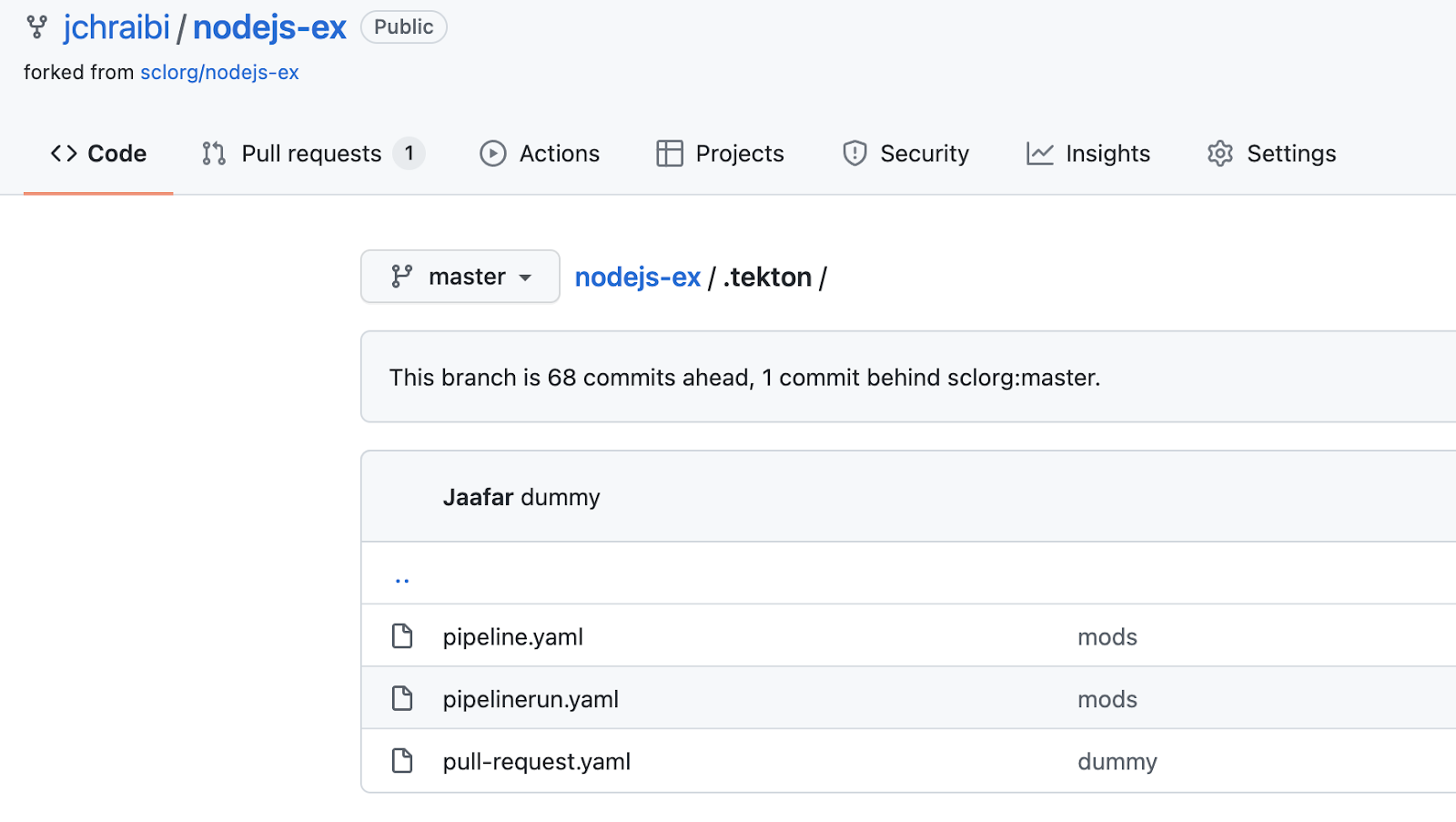
Figure 2: Pipelines can be stored within the .tekton folder in the application’s repository
UI sweetness, and user happiness
In addition to that, there’s a native integration with GitHub and BitBucket (with GitLab soon to come) that allows the developer to track the pipeline’s execution history directly with the GitHub UI, and provides direct links to the execution logs within OpenShift.

Figure 3 : OpenShift updates GitHub with the pipeline execution status
Modern GitHub workflows
When the developer is working on a pull request (PR), and requires the pipeline to be run again without a new commit, a simple comment like “/retest” in the GitHub PR triggers a new execution of the pipeline and captures the results.
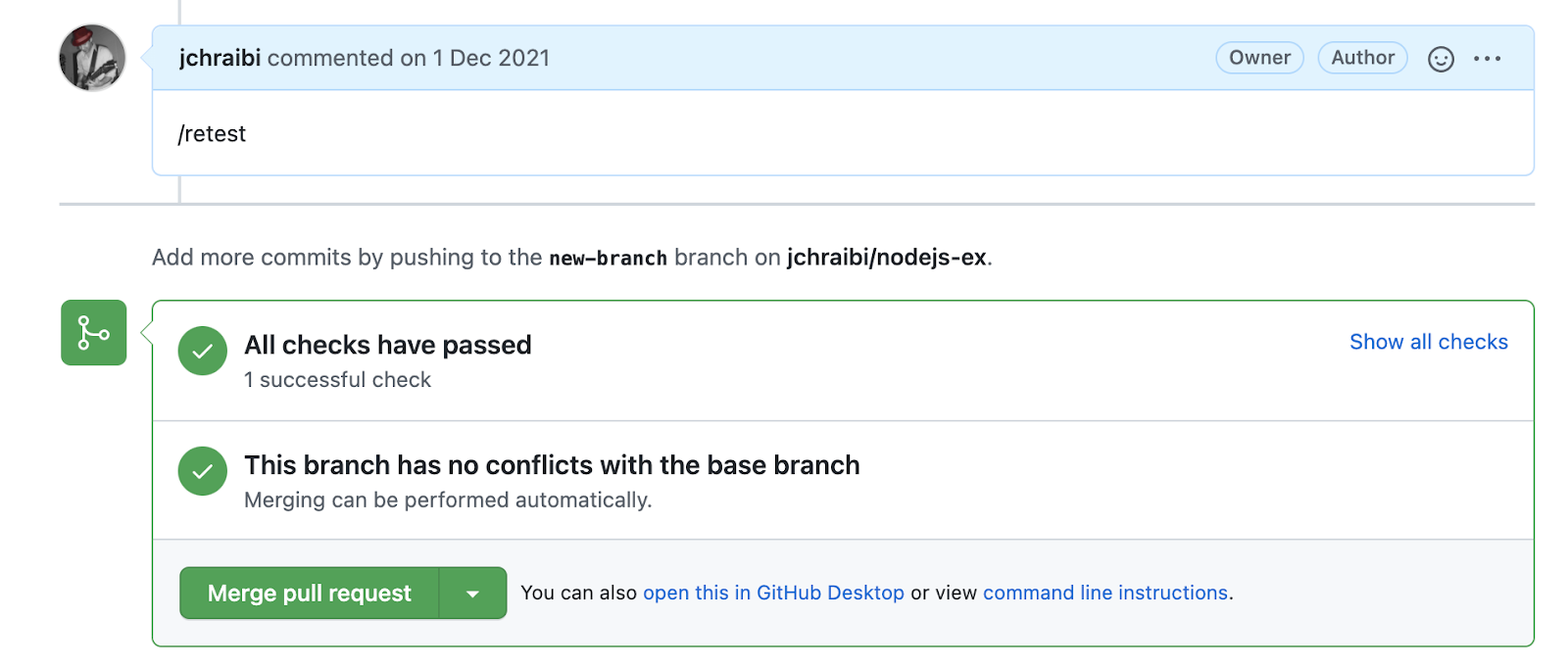
Figure 4: Triggering a pipeline run on OpenShift with a “/retest” command in GitHub
That’s great, now let’s see that in action - DEMO
The following demonstration shows the “Pipelines-as-code” feature in action:
The Level Up Hour (E53) | Pipeline as code
Additional resources
Sull'autore
Altri risultati simili a questo
Modernizzare i carichi di lavoro dei database su Red Hat OpenShift
L'impatto di Red Hat OpenShift 4.22 sulla redditività dell'IA per le aziende
Creating JavaScript | Command Line Heroes
The Great Stack Debate | Compiler: Stack/Unstuck
Ricerca per canale

Automazione
Novità sull'automazione IT di tecnologie, team e ambienti

Intelligenza artificiale
Aggiornamenti sulle piattaforme che consentono alle aziende di eseguire carichi di lavoro IA ovunque

Hybrid cloud open source
Scopri come affrontare il futuro in modo più agile grazie al cloud ibrido

Sicurezza
Le ultime novità sulle nostre soluzioni per ridurre i rischi nelle tecnologie e negli ambienti

Edge computing
Aggiornamenti sulle piattaforme che semplificano l'operatività edge

Infrastruttura
Le ultime novità sulla piattaforma Linux aziendale leader a livello mondiale

Applicazioni
Approfondimenti sulle nostre soluzioni alle sfide applicative più difficili

Virtualizzazione
Il futuro della virtualizzazione negli ambienti aziendali per i carichi di lavoro on premise o nel cloud
