
Why RHODS?
Who would imagine that expressions such as Large Language Models (LLM's) and Neural Networks were to become popular concepts? Or when GPT for developers no longer would mean at a first glance "GUID partition table" but rather "Generative Pre-trained Transformer"? With all the buzz that Chat GPT and others such as MidJourney made on many social media and news channels we can clearly see we're definitely entering the era of AI. A time where all businesses are flying to reach inimaginable levels of automation in order to stay relevant and competitive in the marketplace.
This marketplace is definitely global, digital and challenges all boundaries including cultural, language and economic barriers. With billions of human beings connected 24 hours a day the toughest challenge is to be present where they are. That means having the ability to handle data anywhere from on-prem datacenters to multiple cloud providers, delivering and processing applications in the edge bringing back home the results. Talking to a myriad of devices composing the internet of things, each new service needs an extremely reliable and flexible platform to be deployed.
OpenShift provides a reliable and flexible AI and Data Science solution for the Hybrid Cloud: Red Hat OpenShift Data Science (RHODS).
What is RHODS?
RHODS is a solution easily installed through a kubernetes operator that unlocks the power of AI for developers, data engineers and data scientists in OpenShift. It provides fully featured development environments called workbenches that automatically manage storage and integrate a multitude of tools giving users the ability to do all tasks from ingesting and cleaning data, ETL tasks, model development and model training. It includes powerful data pipeline capabilities based on OpenShift pipelines and model server features already available to provide an end to end solution no matter where your data is.
Installing and Exploring RHODS
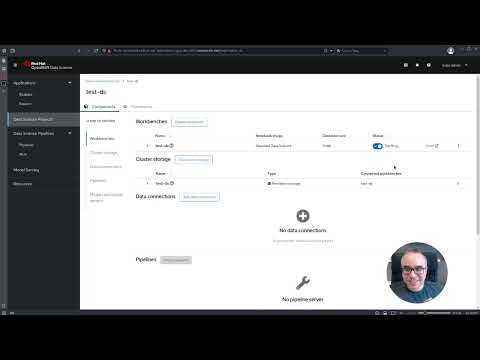
In the demo below we show how easy OpenShift Data Science can be installed through an operator. We explore the dashboard and the features provided and create a workbench. By uploading and exploring free data obtained from Kaggle we show the process to launch a notebook and run some Python code on it.
Conclusion
Now that you've become familiar with RHODS and saw how easy it is to install you may try it for free on OpenShift Developer Sandbox. Thanks for reading and watching and stay tunned for more content on this space!
Über den Autor
Ähnliche Einträge
Open Source KI-Sicherheit und Governance mit asago
Warum Ihr Framework für KI-Agenten nicht ausreicht
Can agentic AI patch the internet?
How Red Hat cleared IT debt for scalable AI
Nach Thema durchsuchen

Automatisierung
Das Neueste zum Thema IT-Automatisierung für Technologien, Teams und Umgebungen

Künstliche Intelligenz
Erfahren Sie das Neueste von den Plattformen, die es Kunden ermöglichen, KI-Workloads beliebig auszuführen

Open Hybrid Cloud
Erfahren Sie, wie wir eine flexiblere Zukunft mit Hybrid Clouds schaffen.

Sicherheit
Erfahren Sie, wie wir Risiken in verschiedenen Umgebungen und Technologien reduzieren

Edge Computing
Erfahren Sie das Neueste von den Plattformen, die die Operations am Edge vereinfachen

Infrastruktur
Erfahren Sie das Neueste von der weltweit führenden Linux-Plattform für Unternehmen

Anwendungen
Entdecken Sie unsere Lösungen für komplexe Herausforderungen bei Anwendungen

Virtualisierung
Erfahren Sie das Neueste über die Virtualisierung von Workloads in Cloud- oder On-Premise-Umgebungen
