
This post was originally published by Sebastian Faulhaber on OpenSourcers.com.
Install Ansible Service Broker Addon into Your CDK Installation
Start your Red Hat Container Development Kit (CDK) environment with registration (this is important, as yum gets used during Addon installation).
export MINISHIFT_ENABLE_EXPERIMENTAL=y

minishift start --service-catalog
Clone the addon repository and install Ansible Service Broker Addon:
git clone https://github.com/minishift/minishift-addons.git

cd minishift-addons/add-ons/

minishift addon install ansible-service-broker

minishift addon apply ansible-service-broker
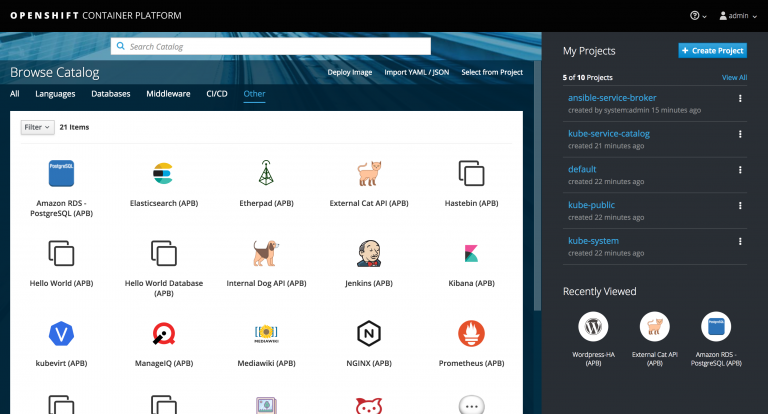
When logging in to your CDK console, you should already see the preinstalled Ansible APBs:
Install the ABP Command Line on Your Client Machine
Configure your shell to use the Minishift Docker daemon:
eval $(minishift docker-env)
Fetch the APB command line script and make it available in your PATH:
wget https://raw.githubusercontent.com/ansibleplaybookbundle/ansible-playbook-bundle/master/scripts/apb-docker-run.sh && mv apb-docker-run.sh apb && chmod +x apb
Verify that your installation works:
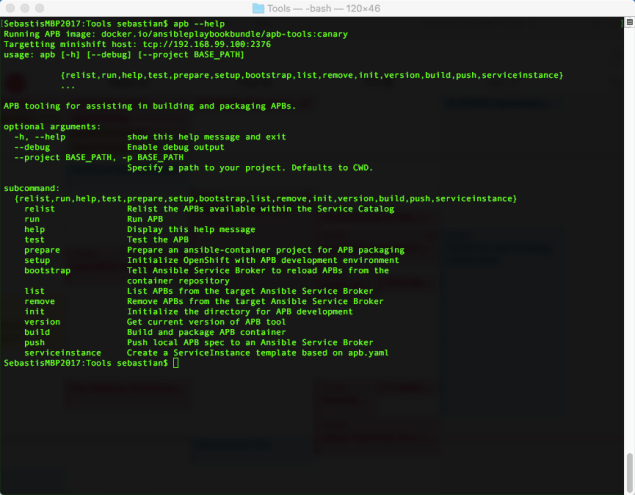
apb --help
If everything went well, you should see something like this:
Test the Connection Between ABP CLI and CDK
You will need special permissions to work with the broker on your CDK installation. Therefore, we need to execute the following:
oc adm policy add-cluster-role-to-user cluster-admin developer

oc login -u developer
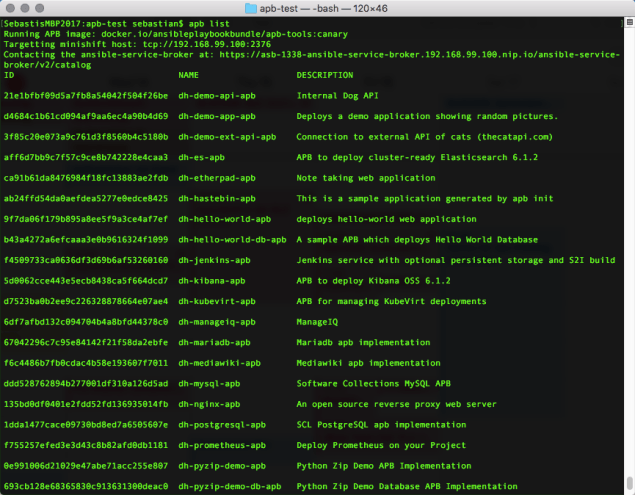
Now let’s see if we can list the preinstalled APBs:
apb list
Configure Ansible Service Broker to Pull Images from Local Registry
In the default config of our Ansible Service Broker, the APBs are pulled from https://registry.hub.docker.com/. We need to change this to our local registry running within CDK.
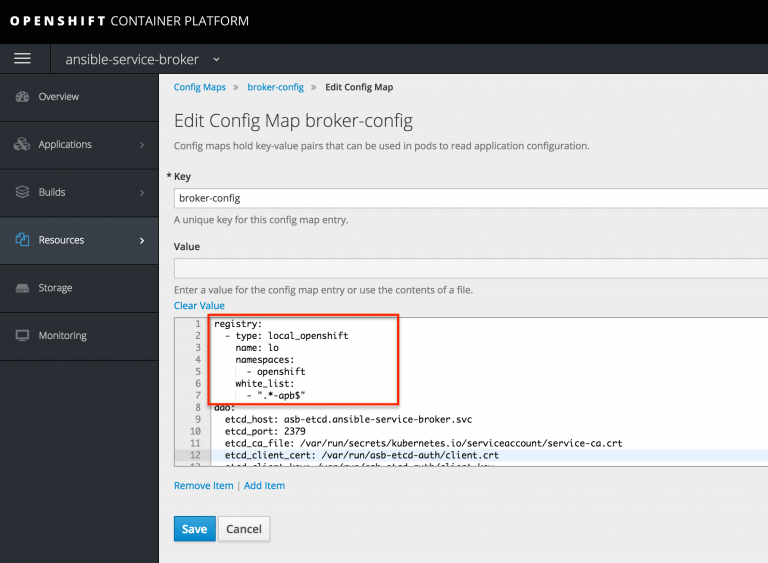
registry:

- type: local_openshift

name: lo

namespaces:

- openshift

white_list:

- ".*-apb$"
The Ansible Service Broker pod now needs to be restarted in order to pull in the new configuration.
Create your first APB
First, we use the CLI to scaffold our new service:
apb init sample-service-apb

cd sample-service-apb
Now we locally build our APB. After the process has completed, the newly built APB docker image should appear in your local Docker registry:
apb build
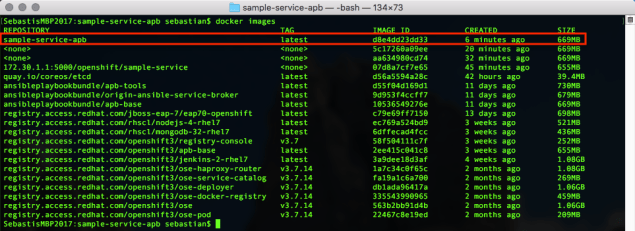
Finally, we need to push the Docker image to our Service Broker inside CDK:
apb push
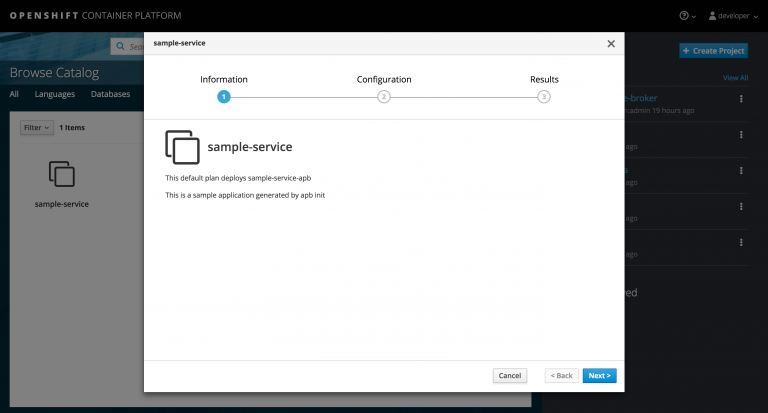
Now you should be able to see your first APB in your CDK’s service catalog:
References
Learn more about Ansible Playbook development and the Minishift Addon from these resources:
Über den Autor
Ähnliche Einträge
Zero Trust: Die letzte Verteidigungslinie bei CVEs
4 Gründe für den Image-Modus von Red Hat Enterprise Linux
Scaling with Orchestrators | Compiler
Container Roundup | Compiler
Nach Thema durchsuchen

Automatisierung
Das Neueste zum Thema IT-Automatisierung für Technologien, Teams und Umgebungen

Künstliche Intelligenz
Erfahren Sie das Neueste von den Plattformen, die es Kunden ermöglichen, KI-Workloads beliebig auszuführen

Open Hybrid Cloud
Erfahren Sie, wie wir eine flexiblere Zukunft mit Hybrid Clouds schaffen.

Sicherheit
Erfahren Sie, wie wir Risiken in verschiedenen Umgebungen und Technologien reduzieren

Edge Computing
Erfahren Sie das Neueste von den Plattformen, die die Operations am Edge vereinfachen

Infrastruktur
Erfahren Sie das Neueste von der weltweit führenden Linux-Plattform für Unternehmen

Anwendungen
Entdecken Sie unsere Lösungen für komplexe Herausforderungen bei Anwendungen

Virtualisierung
Erfahren Sie das Neueste über die Virtualisierung von Workloads in Cloud- oder On-Premise-Umgebungen
