
In this post, we'll have a look at how to use OpenFaaS, an open source framework and tool that allows you to use the Function-as-a-Service (FaaS) paradigm in a containerized setup, on OpenShift. OpenFaaS is a framework for building serverless functions with Docker and Kubernetes which has first class support for metrics. Any process can be packaged as a function enabling you to consume a range of web events without repetitive boiler-plate coding.
Once you've got it up and running, you might want to check out this OpenFaaS complete walk-through on Kubernetes up on YouTube to discover it in greater detail.
Now, I've been writing and talking about FaaS—or "serverless" as we used to call it in the beginning—for a while now and follow and contribute to the development actively. As you know, OpenShift is all about choice and an excellent platform for running functions. In fact, I'm aware of multiple players in the field, that is, open source FaaS solutions that you can deploy in any environment (not managed services such as AWS Lambda, admittedly having a big head-start in this line of business). Red Hat is contributing to Apache OpenWhisk with the goal to provide first-class support for it in OpenShift. You can run kubeless on OpenShift, and while I haven't tried it myself, rumors has it that nuclio also runs well on OpenShift.
I like this diversity, especially given that it's still early days in the FaaS space and different users have different kinds of success stories to tell with one or more of the above environments.
But now, without further ado, let's get into it: How do you set up and use OpenFaaS on OpenShift?
Environment: Minishift
I've been using Minishift in version v1.10.0+10461c6 using the following configuration to set up OpenFaaS:
$ minishift start --vm-driver=virtualbox --cpus=6 --memory=4GB --logging --metrics

$ oc login -u system:admin

$ oc policy add-role-to-user cluster-admin developer

$ oc policy add-role-to-user admin developer

$ oc login `minishift console --url` -u developer -p developer
Note that it might work out with fewer CPUs and potentially less RAM allocated but because first, there are a couple of components to provision (from internal OpenFaaS components to Prometheus); and second, I want to make sure we have enough head-room for using OpenFaaS later on, I decided to go with these values (6 CPU cores and 4 GB of RAM).
OpenFaaS setup
At the time of writing, the YAML manifests necessary to deploy OpenFaaS on OpenShift live in a branch on my OpenFaaS GitHub fork so, for now, you need to get it from the openshift branch in mhausenblas/faas-netes. We're working on integrating the (minor) adaptations upstream.
To prepare the setup and have all the necessary YAML manifests at hand, do:
$ git clone https://github.com/mhausenblas/faas-netes.git

$ cd faas-netes/

$ git checkout openshift
Deployment
To set up OpenFaaS in OpenShift, we first need to create two projects, in this order (output removed here):
$ oc new-project openfaas-fn

$ oc new-project openfaas
Next, we create the faas-controller service account and set RBAC permissions for it:
$ oc create sa faas-controller

serviceaccount "faas-controller" created
$ oc policy add-role-to-user admin \
 system:serviceaccount:openfaas:faas-controller \
 --namespace=openfaas-fn
 role "admin" added: "system:serviceaccount:openfaas:faas-controller"
Note above that we are not using rbac.yml to set up permissions.
Now it's time to deploy all the OpenFaaS components (assuming you've git cloned my repo, as shown above, and are in the root directory of the repo):
$ cd yaml/

$ oc apply -f alertmanager_config.yml,alertmanager.yml,\

              faasnetesd.yml,gateway.yml,nats.yml,prometheus_config.yml,\

              prometheus.yml,queueworker.yml

$ oc expose service/gateway
You can now check where the OpenFaaS UI is, either via the OpenShift dashboard like so:
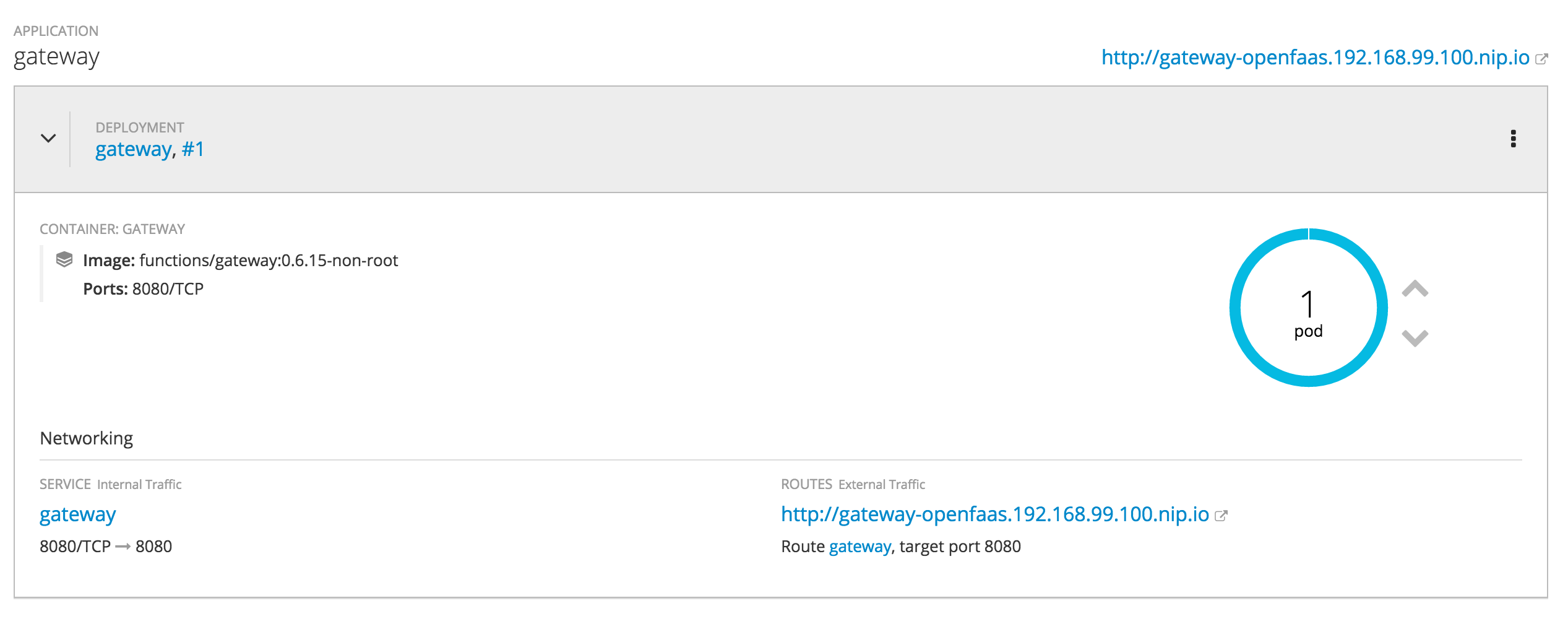
or by issuing the following command:
$ oc get routes

NAME      HOST/PORT                                PATH      SERVICES   PORT      TERMINATION   WILDCARD

gateway   gateway-openfaas.192.168.99.100.nip.io             gateway    8080                    None
And here's the OpenFaaS UI in action, with two functions installed and one currently being invoked:

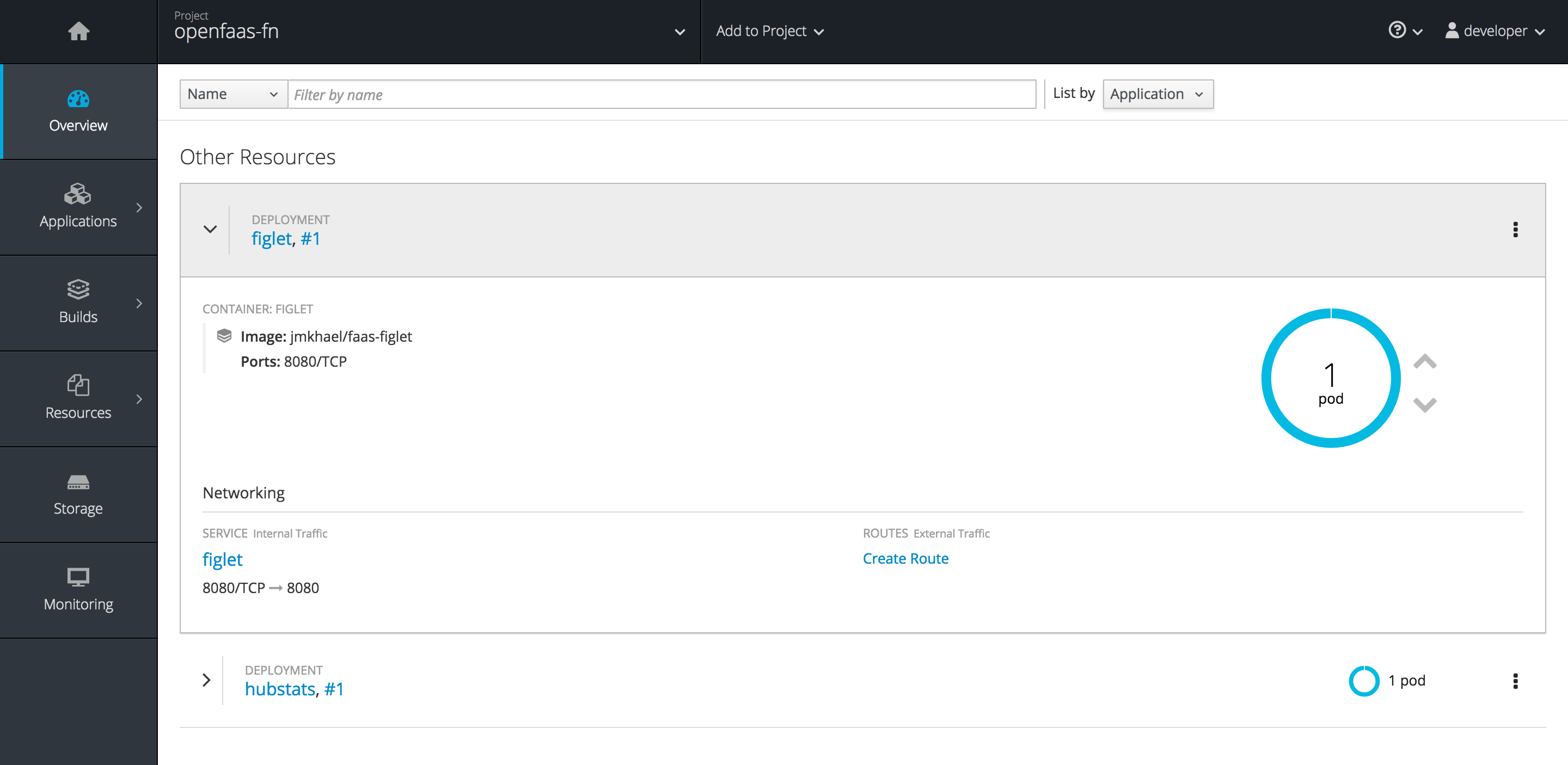
From now on you can use OpenFaaS as you would anywhere else. Note that there are two projects (Kubernetes namespaces) used here: The openfaas one that contains all the components we deployed above, and openfaas-fn, containing the user-defined functions (in their respective containers) as shown here:
I'd like to thank the fantastic OpenFaaS community and especially Alex Ellis, the creator and mastermind behind it, for the awesome support around setting up OpenFaaS on OpenShift, patiently working with me through the challenges we encountered.
Über den Autor
Ähnliche Einträge
Zero Trust: Die letzte Verteidigungslinie bei CVEs
Red Hat Partner sind eine wichtige Ressource für Telcos
Scaling with Orchestrators | Compiler
Container Roundup | Compiler
Nach Thema durchsuchen

Automatisierung
Das Neueste zum Thema IT-Automatisierung für Technologien, Teams und Umgebungen

Künstliche Intelligenz
Erfahren Sie das Neueste von den Plattformen, die es Kunden ermöglichen, KI-Workloads beliebig auszuführen

Open Hybrid Cloud
Erfahren Sie, wie wir eine flexiblere Zukunft mit Hybrid Clouds schaffen.

Sicherheit
Erfahren Sie, wie wir Risiken in verschiedenen Umgebungen und Technologien reduzieren

Edge Computing
Erfahren Sie das Neueste von den Plattformen, die die Operations am Edge vereinfachen

Infrastruktur
Erfahren Sie das Neueste von der weltweit führenden Linux-Plattform für Unternehmen

Anwendungen
Entdecken Sie unsere Lösungen für komplexe Herausforderungen bei Anwendungen

Virtualisierung
Erfahren Sie das Neueste über die Virtualisierung von Workloads in Cloud- oder On-Premise-Umgebungen
