
5:00 am - Usually get up and go to the gym for at least 45 minutes, but given the fact that we are working from home now, I will either walk/run on the treadmill or jump rope for 30 minutes
5:45 am - Shower up and get dressed
6:15 am - Have some breakfast and make coffee/espresso
6:40 am - Drive into work
7:00 am - I get to work and clean up the team room before the team gets in
8:00 am - Read emails and respond to priority emails from the team, team’s manager or agile coach
8:45 am - Get a fill-up of coffee from the break room
9:00 am - I typically will spend time just checking in with the team and taking a look at the team’s Jira Scrum board just to see if there are any patterns of behavior I might need to address. Also, modify the team’s impediment board if an impediment or impediments have been removed
10:00 am - Daily Scrum (time-boxed for 15 minutes)
10:15 am - Any parking lot items are discussed right after
11:00 am - I might have a meeting with the team’s manager, leadership, or facilitate a community of practice or brown bag lunch around topics like effective engineering practices for example
12:00 pm - During this time, I might have a lunch meeting or coffee with a product owner
1:00 pm - Lunch - usually 30 minutes is more than enough time for me
1:30 pm - I could be facilitating a backlog refinement event leading up to Sprint planning also could be a Sprint review/demo or Sprint Retrospective
2:30 pm - Meet with Test Automation or DevSecOps Team
3:00 pm - I facilitate a team-building workshop
4:00 pm - I do final check-ins with team and then answer final emails
4:30 pm - Update the team’s Scrum journal
5:00 pm - I complete my To Do list for the next day
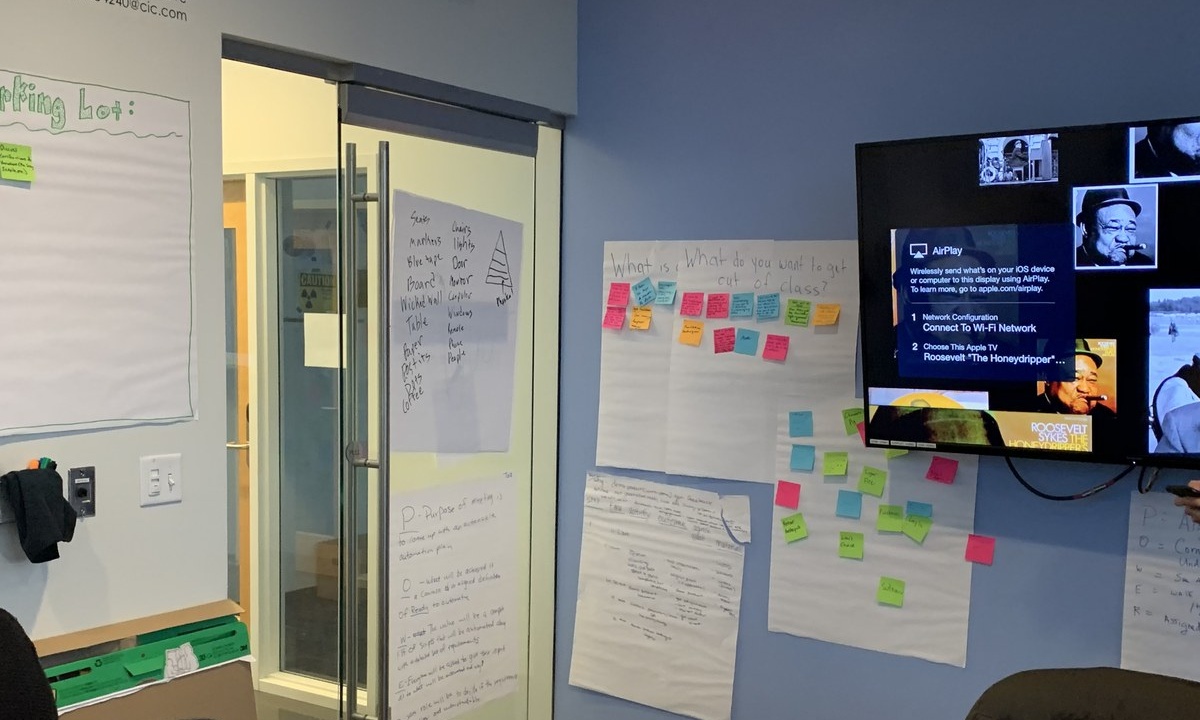
Scrum is a framework in which software development teams deliver working software in increments of 30 days or less. There are three roles: Scrum Master, Product Owner, and Development Team. A Scrum Master is a facilitator, coach, teacher/mentor, and servant/leader that guides the development team through executing the Scrum framework correctly.
A Scrum Master removes impediments and helps the team to become self-organizing and empowered to create, innovate, and make decisions for themselves as one team.
The Scrum Master is a master of the daily Scrum, Sprint planning, Sprint review, and Sprint retrospectives.
I had been in traditional IT for many years prior to becoming a Scrum Master. I eventually decided that I could use other skills such as my business experience and management experience to work with software development and DevOps teams to create high-performing teams.
Software/DevOps teams use Scrum to deliver software faster, incrementally, and with a high level of quality and sustainability. To me, it was a great decision. Being a Scrum Master is also about removing impediments. I coach the team on how to solve their own problems, but if it becomes necessary, I will step in and help resolve the issues.
The Scrum Master role is fun, exciting, and fulfilling, but also pressure-filled and stressful sometimes. But it ultimately is worth it as I get to see my teams grow and not only deliver best in class software, but become better people.
[ Want to test your sysadmin skills? Take a skills assessment today. ]
Über den Autor
Tonya Brown, is a Scrum/Agile Practitioner and Technical Product Manager working with DevOps and Software Development teams. She is an avid writer and speaker with a diverse background in Scrum, Agile, digital product management, Linux systems engineering, management and deployment of DevOps solutions. She now focuses on making software development teams high performing through the practice of Scrum and other agile methodologies. She truly believes in being a servant leader and mentoring, coaching, and facilitating with the ultimate purpose to create cross-functional, self-organizing, self-managed teams.
She has more than 17 years of IT experience working with companies like MasterCard, Nestle Purina, Centurylink, Ameren, which have involved large scale infrastructure adoptions involving CI/CD pipeline implementations and implementing cloud solutions.
Ähnliche Einträge
Red Hat Learning Subscription Course gestaltet virtuelles Training neu
Wie KI-Inferenz funktioniert: Verständlich erklärt
Container Roundup | Compiler
Untangling Networks | Compiler
Nach Thema durchsuchen

Automatisierung
Das Neueste zum Thema IT-Automatisierung für Technologien, Teams und Umgebungen

Künstliche Intelligenz
Erfahren Sie das Neueste von den Plattformen, die es Kunden ermöglichen, KI-Workloads beliebig auszuführen

Open Hybrid Cloud
Erfahren Sie, wie wir eine flexiblere Zukunft mit Hybrid Clouds schaffen.

Sicherheit
Erfahren Sie, wie wir Risiken in verschiedenen Umgebungen und Technologien reduzieren

Edge Computing
Erfahren Sie das Neueste von den Plattformen, die die Operations am Edge vereinfachen

Infrastruktur
Erfahren Sie das Neueste von der weltweit führenden Linux-Plattform für Unternehmen

Anwendungen
Entdecken Sie unsere Lösungen für komplexe Herausforderungen bei Anwendungen

Virtualisierung
Erfahren Sie das Neueste über die Virtualisierung von Workloads in Cloud- oder On-Premise-Umgebungen
