
Welcome to another entry in the Getting Started series! In this post we’ll talk about how to use Red Hat Satellite 6 as an inventory source within Ansible Tower. A common scenario we see is the use of Satellite 6.3 to manage Red Hat Enterprise Linux infrastructure, which makes adding Red Hat Ansible Tower to the existing environment a snap.
First, Create a User in Satellite
Ansible Tower will need to authenticate to Satellite, so create a user with an integration role that has the permissions needed to manage inventory. The permissions needed are:
| Resource | Permission | Access Type |
| Fact value | view_facts | Read Satellite Server facts. |
| Host | view_hosts | Read Satellite Server hosts. |
| Host group | view_hostgroups | View Satellite Server host groups. |
Once you’ve created your user, log in to the Tower host.
Create Credential in Tower With the Satellite User
Navigate to Settings >> Credentials in Tower and create a new credential.

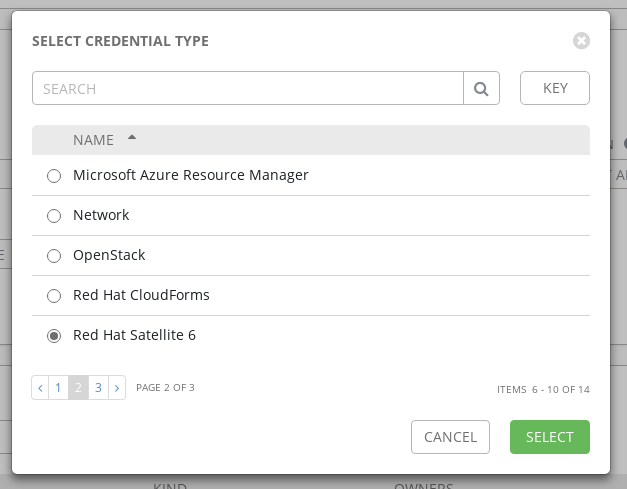
The credential type can be found in the credential type list:
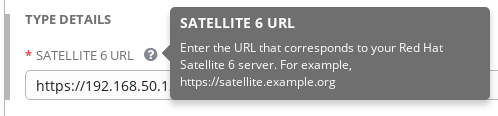
Once you select ‘Red Hat Satellite 6’, the field to add the Satellite URL will be available:
Add New Inventory
With the Satellite server prepared and the credential in place within Tower, all that’s left is creating the new inventory and setting the source. Navigate to Inventories and add a new inventory:
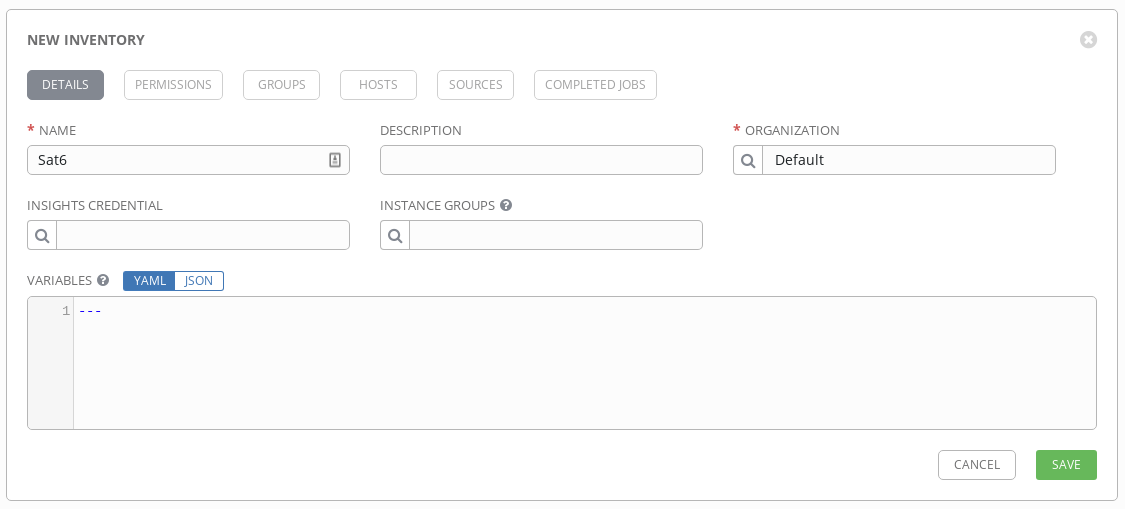
Give your inventory a name that you’ll remember.
Add Sat6 as the Source
Now to connect to Satellite. In your new inventory, navigate to the Sources tab. You’ll create a Source for the inventory to search:
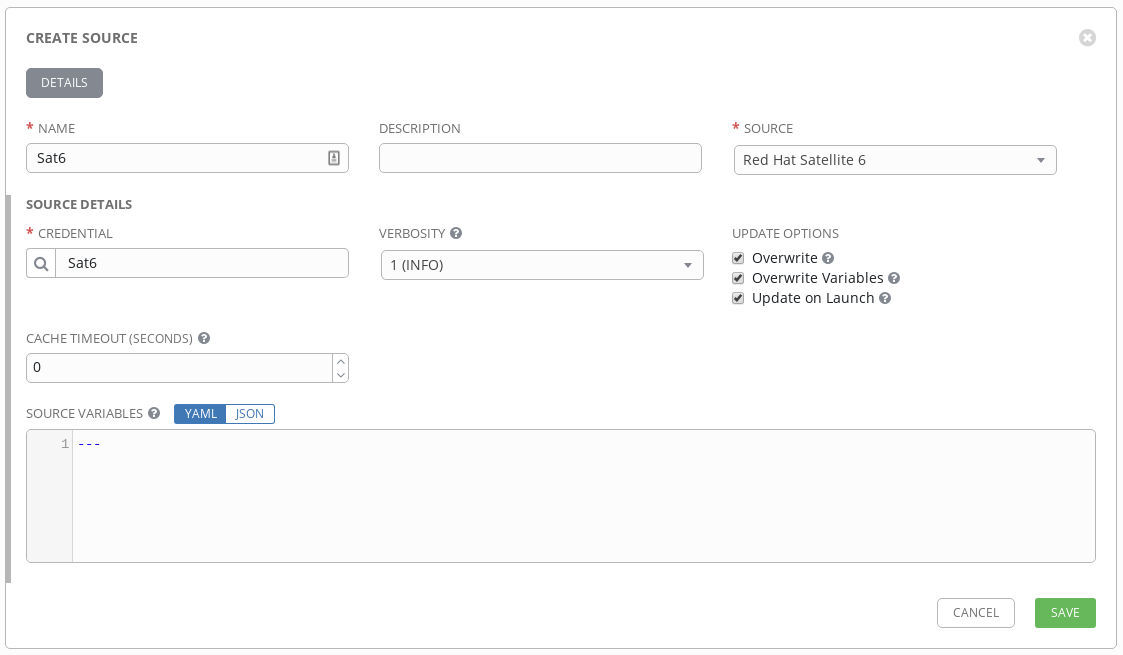
Like the inventory, set the name and choose the corresponding credential. Choose your verbosity level-- if this is your first time, setting the verbosity higher will give you more information for troubleshooting.
Choose your update options to match your desired behavior. Checking ‘Overwrite’ means that changes in the Satellite inventory will overwrite the inventory in Ansible Tower when synced. If hosts are removed in Satellite, they’ll be removed from Tower when syncing. The ‘Overwrite Variables’ selection covers all groups and hosts within the inventory, with the same behavior as above. If checked, then the Satellite version of variables are written to the Tower inventory. If not checked, the variables are merged from both sources. ‘Update On Launch’ is self-describing in what the option does. When a playbook is run using the inventory, a sync will occur using the options selected.
Once you save the new source, you can click the sync icon
 to begin the first sync.
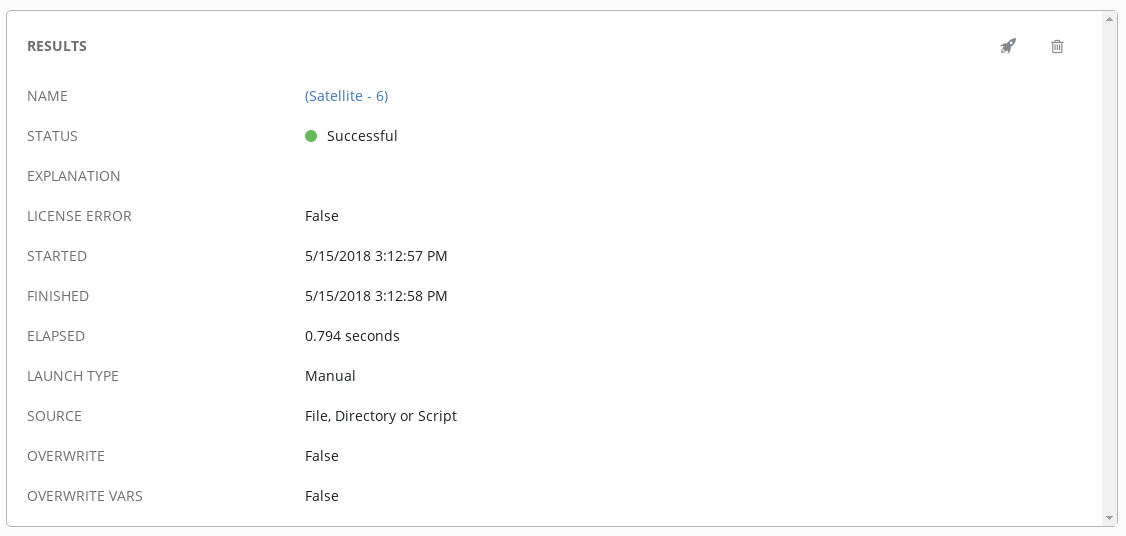
That’s it! Now you can use Ansible Tower with the Red Hat Satellite 6 inventory for streamlining your provisioning process using callbacks without managing two separate inventories. Integrating Ansible Tower and Satellite shortens and automates provisioning for your Red Hat products.
Resources
Explore Red Hat Satellite Documentation
Read more about adding a source in Ansible Tower
Über den Autor

Ähnliche Einträge
Friday Five — May 8, 2026 | Red Hat
When AI finds the bugs: Why defense in depth was always the answer
Collaboration In Product Security | Compiler
Keeping Track Of Vulnerabilities With CVEs | Compiler
Nach Thema durchsuchen

Automatisierung
Das Neueste zum Thema IT-Automatisierung für Technologien, Teams und Umgebungen

Künstliche Intelligenz
Erfahren Sie das Neueste von den Plattformen, die es Kunden ermöglichen, KI-Workloads beliebig auszuführen

Open Hybrid Cloud
Erfahren Sie, wie wir eine flexiblere Zukunft mit Hybrid Clouds schaffen.

Sicherheit
Erfahren Sie, wie wir Risiken in verschiedenen Umgebungen und Technologien reduzieren

Edge Computing
Erfahren Sie das Neueste von den Plattformen, die die Operations am Edge vereinfachen

Infrastruktur
Erfahren Sie das Neueste von der weltweit führenden Linux-Plattform für Unternehmen

Anwendungen
Entdecken Sie unsere Lösungen für komplexe Herausforderungen bei Anwendungen

Virtualisierung
Erfahren Sie das Neueste über die Virtualisierung von Workloads in Cloud- oder On-Premise-Umgebungen
