

Red Hat Learning Subscription Developer: Getting started
Unlocking the power of Red Hat Learning Subscription Developer
Welcome to Red Hat® Learning Subscription Developer. You now have access to the Red Hat Training and Certification portfolio of self-paced courses. Here are some of the key features available to you:
- Certification exam vouchers: 3 unique certification exam vouchers and retake exams that can be used to take developer exams remotely or at various locations across the country during the term of your subscription
- Early access: A preview to course chapters and lab environments under development
- Cloud-based labs: 100 hours of lab time in Red Hat environments
- Red Hat Training Bookshelf: E-book access for all training courses
- Skills paths: Course guidance toward Red Hat Certification exams, or create your own training plan in a customized path
- Reporting: A user dashboard with insight into your subscription usage
Login
You can access all of these features by logging in with your Red Hat account ID linked to your subscription. You will receive a welcome email with your log-in details and subscription start date.
Explore the platform
Homepage
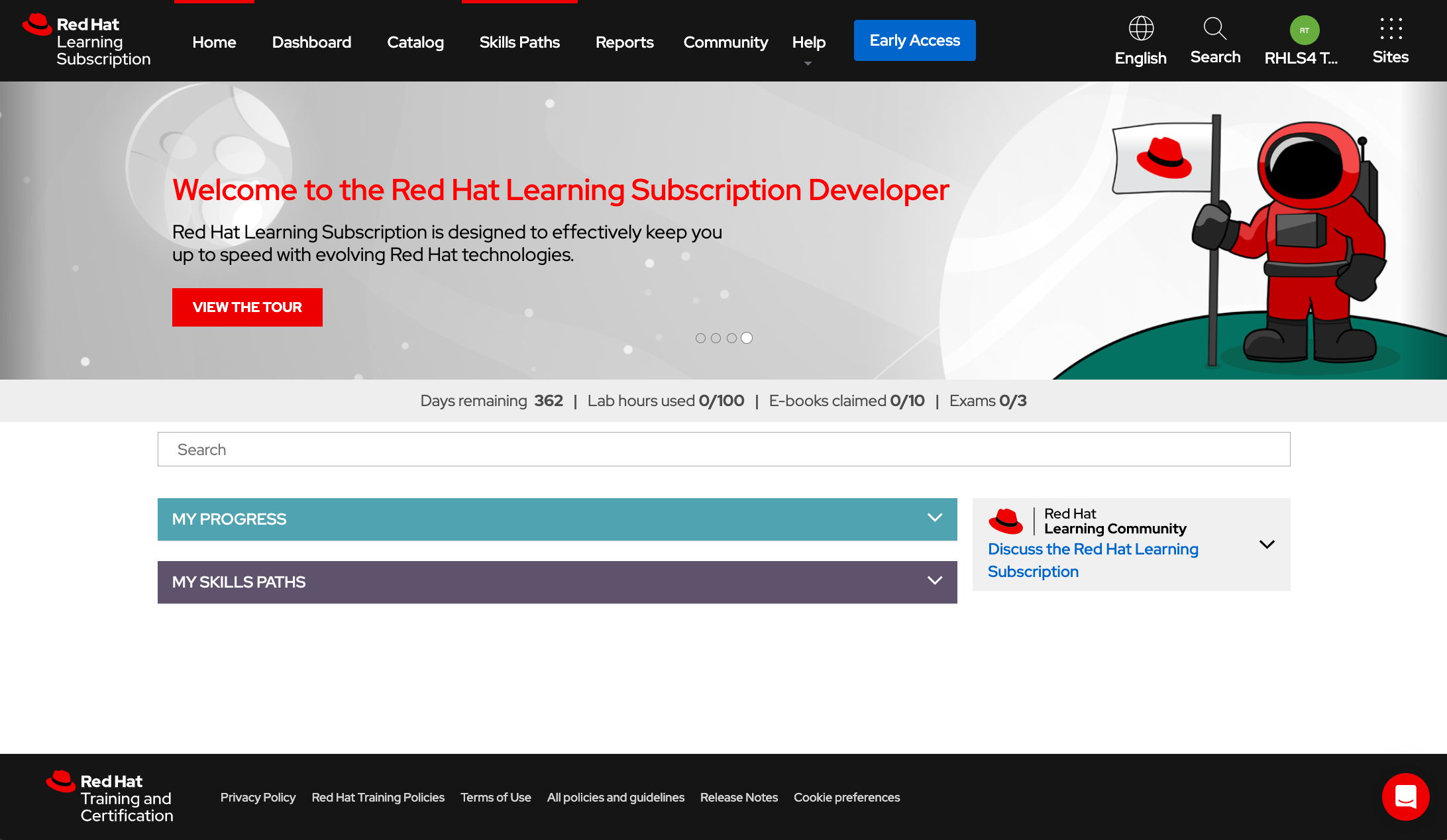
Your homepage will provide access to all your active self-paced courses and skills paths.
Progress tracker
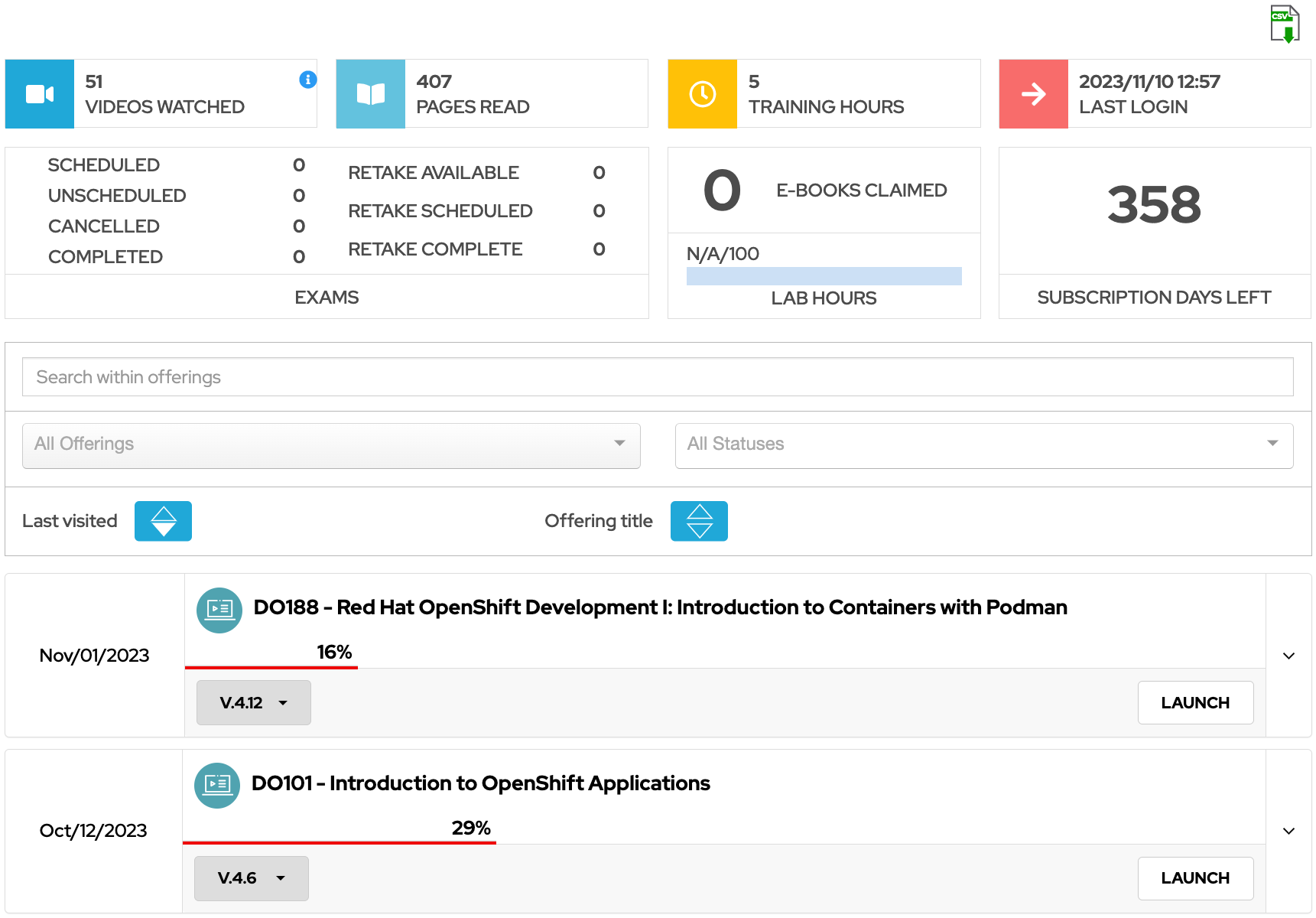
This displays your subscription days remaining, lab hours, exams, and course e-books claimed.
Language
To adjust your interface language, use the drop-down menu located in the top right corner of your homepage. This action will automatically update course content if a translation is available for your chosen language. In cases where translations are not available, courses will remain in English. A wide range of courses are offered in multiple languages. Your choice of a particular course translation is stored independently from your global language setting.
Your profile
Click the avatar image in the top right corner of the screen to update your profile information, including your preferred name, email address, time zone, and country.
Navigation
Catalog
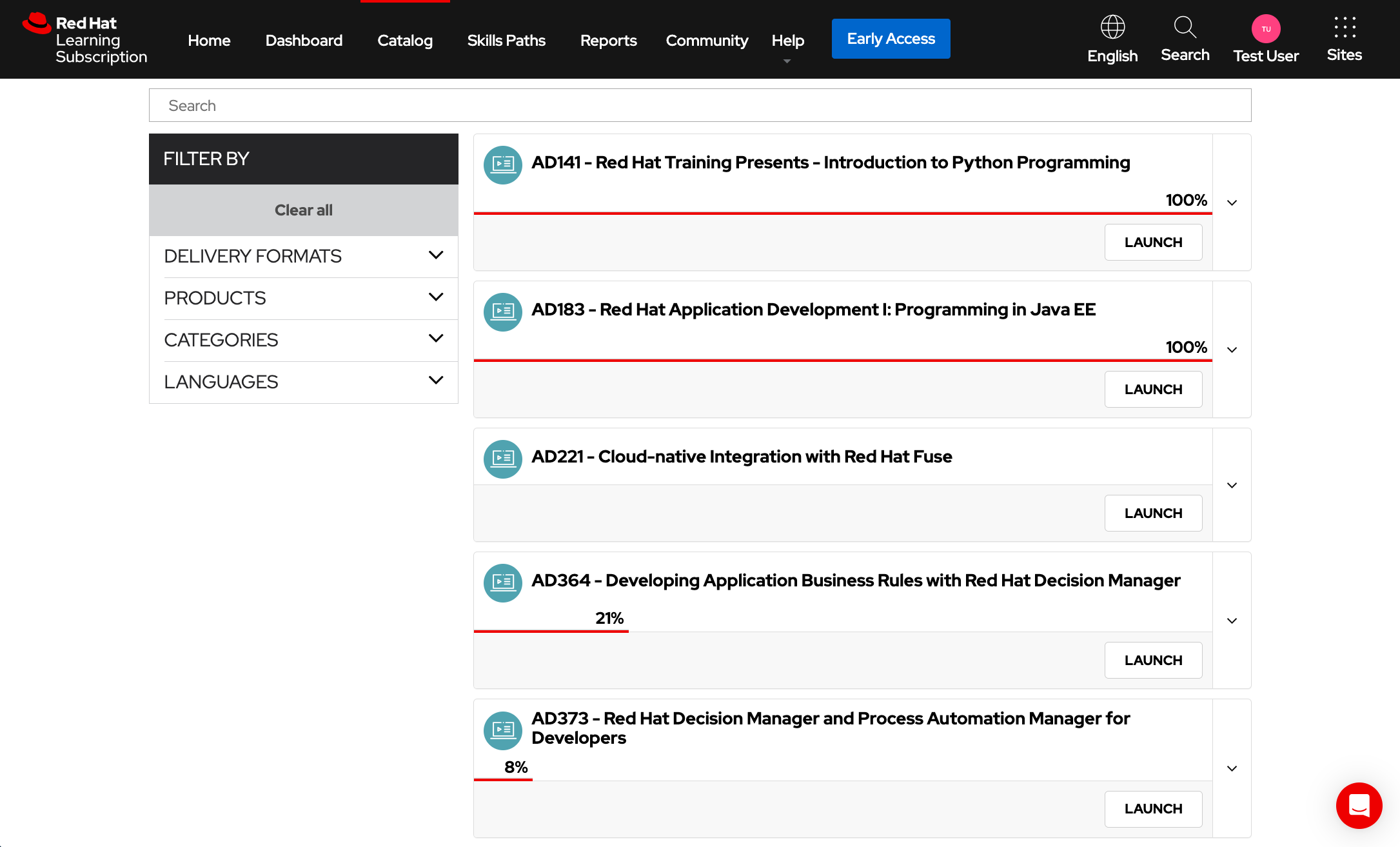
Access a comprehensive list of all training content included in your subscription. Use the search bar to find specific content and offerings. Refine your search results by filtering based on delivery format, product, category, or language.
Skills paths
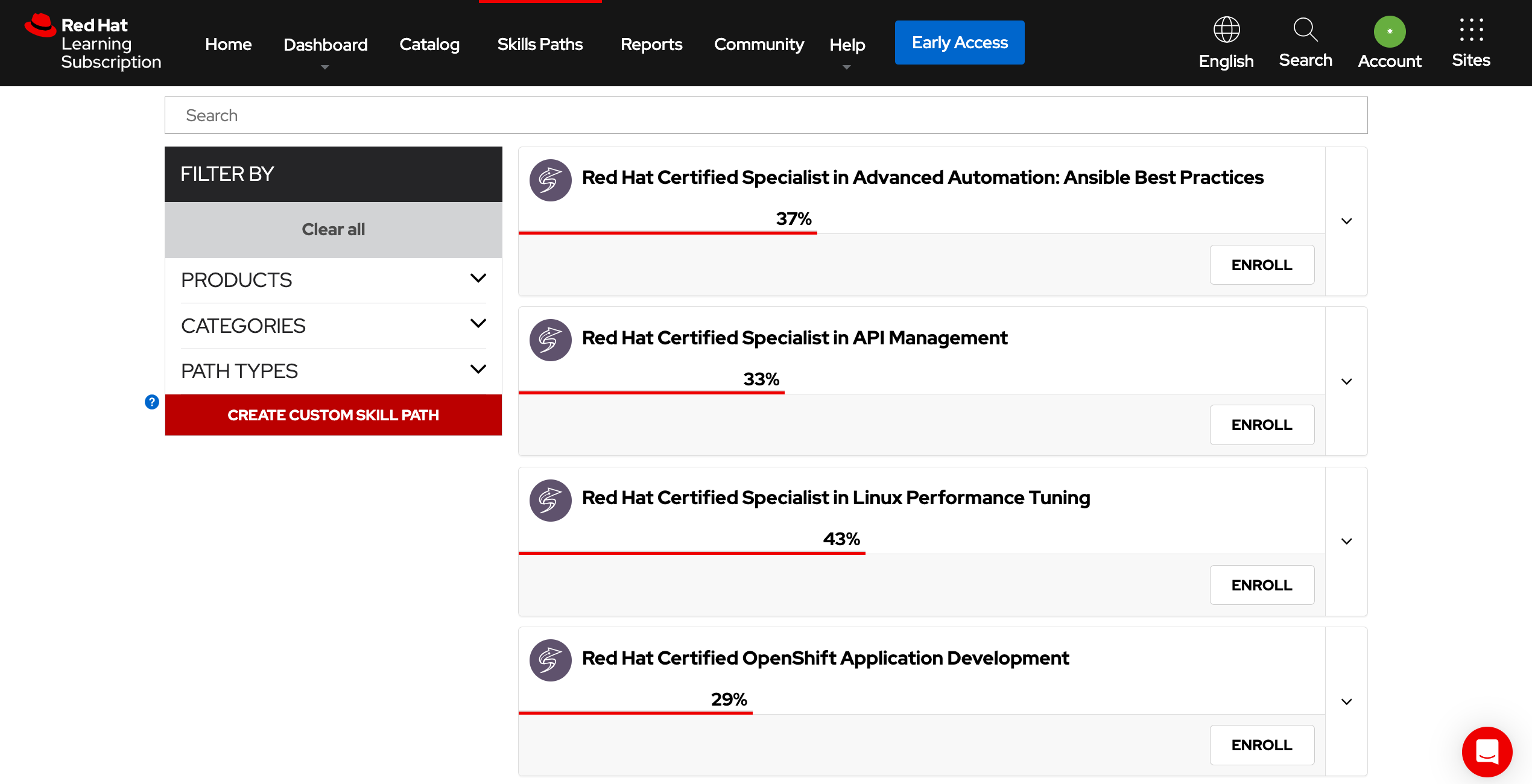
These pathways offer a tailored roadmap directed toward a specific learning objective, each customized to the product sets you have chosen or your unique skill set. With Red Hat, you have access to a diverse selection of distinct pathways to skill enhancement, career advancement, or certification attainment. Apart from Red Hat's predefined learning tracks, you have the flexibility to create personalized paths based on the courses and exams that align with your objectives.
Enroll in a skills path: Take a look at all of the skills paths and determine which path best fits your goals or create your own path. Enrolling in a path adds it to the My Skills Paths section on the homepage.
Expand a skills path to view:
- The courses and exams that make up that path.
- Details, prerequisites, and the audience for each course.
- The percentage complete of the courses in the path.
- The percentage complete of the overall path.
Dashboard
The dashboard summarizes your training progress and content consumption, allowing you to track your training journey. Beyond monitoring course progress and lab usage, the dashboard furnishes data regarding the volume of training content you have reviewed and the total time invested in Red Hat Learning Subscription. You can also download a report of these progress metrics.
Reports
The reports page provides a summary of your course progress and lab usage. Additionally, you have the option to download detailed reports that illustrate your progress.
Community
Join the Red Hat Learning Community to connect with fellow learners, access discussions, ask questions, earn badges, watch learning videos, and interact with technical professionals. Enhance your open source learning journey by using the community resource alongside your subscription.
Early access
The Red Hat Training and Certification team is constantly working on new content. As a subscriber, you have an exclusive benefit known as early access, which provides you with access to course chapters and labs currently in development ahead of their public release. We encourage you to explore this content and offer feedback on the courses. Early access content is updated regularly, so be sure to check back frequently. Discover more about how the Red Hat Training and Certification curriculum team uses agile and DevOps practices to make courses available.
Support and coaching
Red Hat advisor
Your training advisor will connect with you throughout the year by phone or email. They will serve as your primary point of contact with Red Hat Training and Certification to answer questions or perform demonstrations for you. They can also assist with renewing your subscription.
Support
For technical support issues, open a support case by clicking support in the top left corner of the portal and filling out the form.
Technical chat support tool
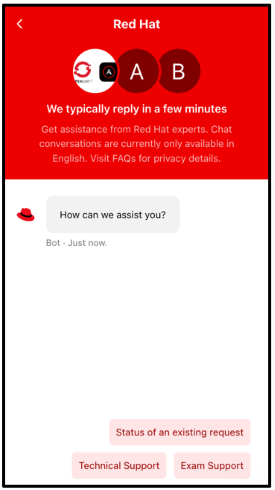
For expedited support, you can use chat support to speak directly with someone who can help you. Chat support is available in your region from 8 AM on Monday to 5 PM on Friday. Depending on the severity of the issue, the support team may work with you over chat to fill out and submit a support ticket, ensuring the issue is routed to the appropriate team and you are contacted about the resolution.
Peer support
Each self-paced course in your Red Hat Learning Subscription provides access to a course group in the Red Hat Learning Community. These groups are designed to encourage collaboration about course topics between you, your peers, Red Hat experts, and instructors.
Start your learning journey
Self-paced courses
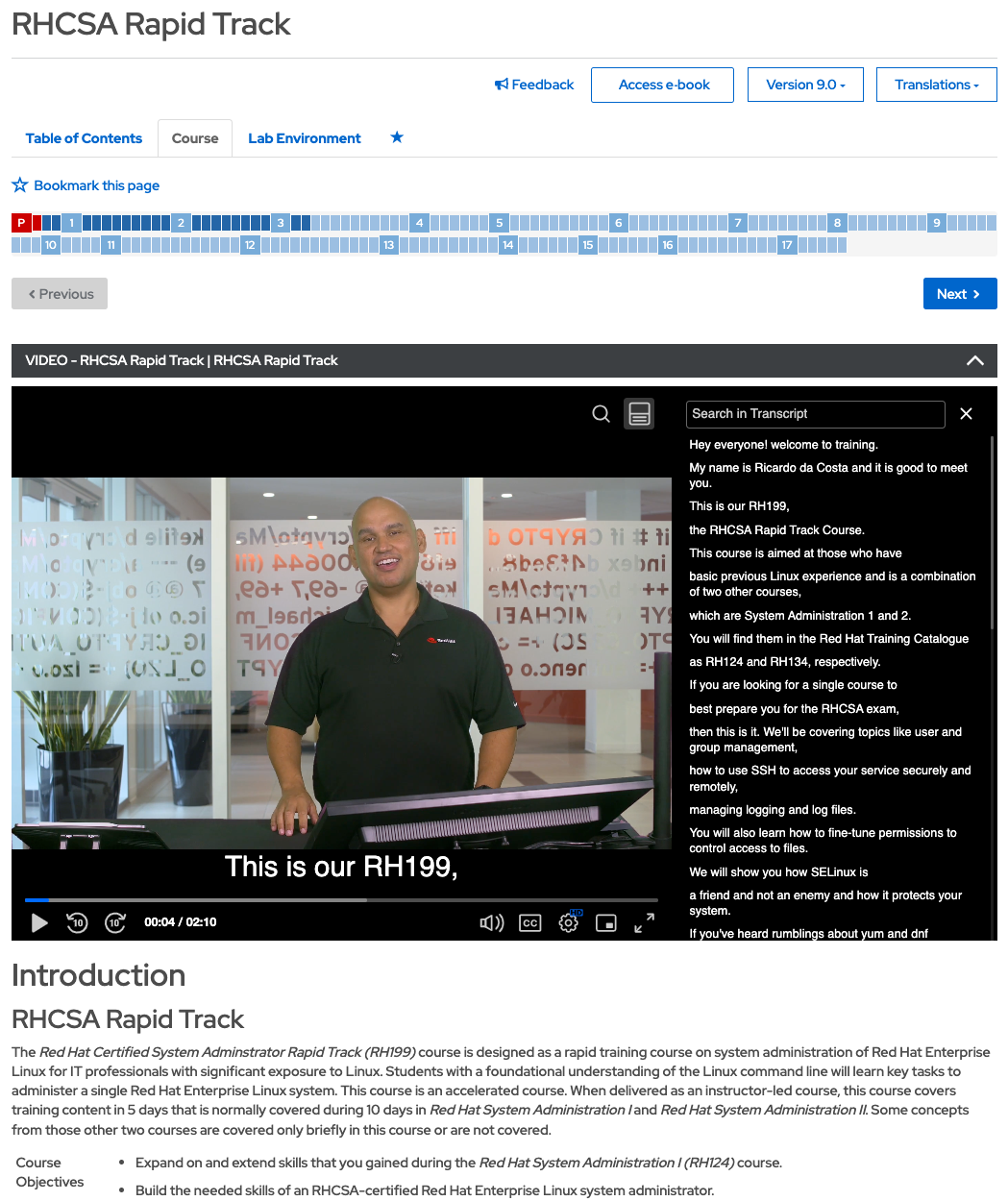
Red Hat Training and Certification course content is provided in an interactive textbook format and enhanced with high-definition videos. The videos feature instructors teaching the textbook material, working on labs, and discussing the quizzes.
Labs
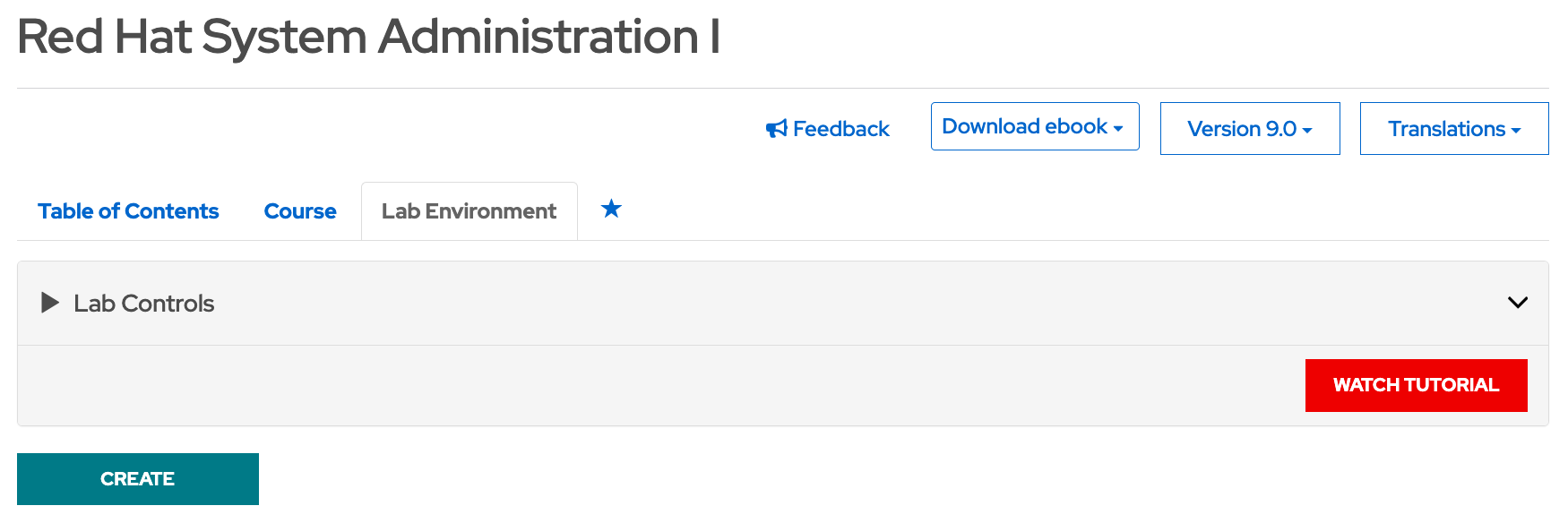
Each course comes with its own lab environment to practice the material while you learn. Note: When you start a course, click the Create button while you work on other material to ensure the virtual lab is ready when you need it. Some labs take a few minutes to load. Labs are accessible in the Lab Environment tab.
Red Hat Training Bookshelf
This serves as a learning portal, where course e-books are available to you, both on and offline. Tailor your learning experience by adjusting the text size and enabling dark mode.
Certificate of attendance
You will receive a certificate of attendance for any self-paced course at 75% completion. Download the certificate by clicking on the Certificate of Attendance button located at the top of the course page.
Certification exam
Exams can be found in both the catalog and within skills paths.
- Click the View button on an exam in the catalog to see the details. The details page includes information about the exam, such as the description, prerequisites, format, and audience.
- Click the Enroll button to activate the exam eligibility.
- Click the Schedule button to schedule your exam using the scheduling tool.
- Use the scheduling tool to find a testing facility. Red Hat exams included as part of your subscription are limited to individual exams, which can be scheduled at a testing center or taken as a remote exam. Only select Red Hat individual exam locations when scheduling your exam and searching for a testing center.
The full list of exams available to developer subscribers is available in the RHCEMD and RHCCD section on the bottom of the exams tab at red.ht/rhca-certification.
Reminder: You must use your Red Hat exam attempts during the term of your subscription.
More information
For further information about your subscription, consult our Red Hat Learning Subscription FAQ or get in touch with your dedicated training advisor.