
Red Hat OpenShift makes sense in a lot of contexts. It's one of the most comprehensive solutions for developing and running Kubernetes applications and the frameworks that help build them. If you can think of it, you can likely develop and run it on OpenShift in some way, shape, or form.
Machine Learning Operations or MLOps is a term for operationalizing machine learning (ML) for DevOps and ML engineers. There are many solutions out there for making MLOps easier. For instance, Red Hat has OpenShift Data Science. However, we encourage those in the community who have other innovative ways of doing things to bring those solutions to OpenShift as well. It's designed from the ground up to facilitate that.
This article looks at ZenML. As described on the project page, it is:
an extensible, open-source MLOps framework for creating portable, production-ready machine learning pipelines. By decoupling infrastructure from code, ZenML enables developers across your organization to collaborate more effectively as they develop to production.
It's a perfect candidate to run in the OpenShift ecosystem.
This exercise uses the OpenShift command line utility oc to deploy the ZenML Server via a Docker build strategy to build a zenml-server image. This way, as the ZenML open source project continues to evolve, you'll be able to grow with it and hopefully contribute to the project in a meaningful way as you learn more about it.
Get started
This exercise assumes that you have an existing OpenShift cluster and are logged in via the command line using oc. If you need help getting started with OpenShift, please visit Red Hat OpenShift Getting Started. Once you've got an environment up and running, move on to step 1 below.
Create a new project:
oc new-project zenml
Create a new application:
oc new-app --strategy=docker --binary --name=zenml
Open up your favorite editor and create a Dockerfile with the following contents:
ARG PYTHON_VERSION=3.11
ARG ZENML_VERSION=""
ARG ZENML_NIGHTLY="false"
# Use UBI 8
FROM registry.access.redhat.com/ubi8/ubi AS base
# Install Python and update system packages
RUN yum install -y python311; yum clean all
USER 0
# Set environment variables
ENV PIP_DEFAULT_TIMEOUT=100 \
   PIP_DISABLE_PIP_VERSION_CHECK=1 \
   PIP_NO_CACHE_DIR=1
WORKDIR /zenml
FROM base AS builder
ARG VIRTUAL_ENV=/opt/venv
ARG ZENML_VERSION
ARG ZENML_NIGHTLY="false"
ENV VIRTUAL_ENV=$VIRTUAL_ENV
RUN python3 -m venv $VIRTUAL_ENV
ENV PATH="$VIRTUAL_ENV/bin:$PATH"
FROM builder as client-builder
ARG ZENML_VERSION
ARG ZENML_NIGHTLY="false"
RUN if [ "$ZENML_NIGHTLY" = "true" ]; then \
     PACKAGE_NAME="zenml-nightly"; \
   else \
     PACKAGE_NAME="zenml"; \
   fi \
   && pip install --upgrade pip \
   && pip install ${PACKAGE_NAME}${ZENML_VERSION:+==$ZENML_VERSION} \
   && pip freeze > requirements.txt
FROM builder as server-builder
ARG ZENML_VERSION
ARG ZENML_NIGHTLY="false"
RUN if [ "$ZENML_NIGHTLY" = "true" ]; then \
     PACKAGE_NAME="zenml-nightly"; \
   else \
     PACKAGE_NAME="zenml"; \
   fi \
   && pip install --upgrade pip \
   && pip install "${PACKAGE_NAME}[server,secrets-aws,secrets-gcp,secrets-azure,secrets-hashicorp,s3fs,gcsfs,adlfs,connectors-aws,connectors-gcp,connectors-azure]${ZENML_VERSION:+==$ZENML_VERSION}" \
   && pip freeze > requirements.txt
FROM base as client
ARG VIRTUAL_ENV=/opt/venv
ENV PYTHONUNBUFFERED=0 \
   PYTHONFAULTHANDLER=1 \
   PYTHONHASHSEED=random \
   VIRTUAL_ENV=$VIRTUAL_ENV \
   ZENML_CONTAINER=1
WORKDIR /zenml
COPY --from=client-builder /opt/venv /opt/venv
COPY --from=client-builder /zenml/requirements.txt /zenml/requirements.txt
ENV PATH="$VIRTUAL_ENV/bin:$PATH"
FROM base AS server
ARG VIRTUAL_ENV=/opt/venv
ARG USERNAME=zenml
ARG USER_UID=1000
ARG USER_GID=$USER_UID
ENV PYTHONUNBUFFERED=1 \
   PYTHONFAULTHANDLER=1 \
   PYTHONHASHSEED=random \
   VIRTUAL_ENV=$VIRTUAL_ENV \
   ZENML_CONTAINER=1 \
   ZENML_CONFIG_PATH=/zenml/.zenconfig \
   ZENML_DEBUG=false \
   ZENML_ANALYTICS_OPT_IN=true
WORKDIR /zenml
COPY --from=server-builder /opt/venv /opt/venv
COPY --from=server-builder /zenml/requirements.txt /zenml/requirements.txt
RUN groupadd --gid $USER_GID $USERNAME \
   && useradd --uid $USER_UID --gid $USER_GID -m $USERNAME \
   && mkdir -p /zenml/.zenconfig/local_stores/default_zen_store \
   && chgrp -R 0 /zenml \
   && chmod -R g=u /zenml
ENV PATH="$VIRTUAL_ENV/bin:/home/$USERNAME/.local/bin:$PATH"
USER $USERNAME
EXPOSE 8080
ENTRYPOINT ["uvicorn", "zenml.zen_server.zen_server_api:app", "--log-level", "debug", "--no-server-header", "--proxy-headers", "--forwarded-allow-ips", "*"]
CMD ["--port", "8080", "--host",  "0.0.0.0"]
Now use that Dockerfile to build an image and deploy it to a pod in OpenShift:
oc start-build zenml --from-dir <path to Dockerfile>
Wait for the build to complete. You can check it by executing the following command:
oc logs build/zenml-1 -f
You can now create the service and associated routes to access the ZenML Server.
First, create a service:
oc expose deployment/zenml --port 8080
Next, create a route to access the ZenML Server:
oc create route edge zenml --service=zenml --insecure-policy='Allow'
Now you can run the following command to see what you've created:
oc get svc,route
You should see something similar to this:
NAME           TYPE       CLUSTER-IP      EXTERNAL-IP   PORT(S)   AGE

service/zenml  ClusterIP  172.30.38.137   <none>        8080/TCP  26s


NAME                              HOST/PORT                            PATH   SERVICES   PORT     TERMINATION   WILDCARD

route.route.openshift.io/zenml    zenml-zenml.apps.cluster.example.com        zenml      <all>    edge/Allow    None
At this point, you can now access the ZenML Server Web UI via the OpenShift route you created in the previous step in the browser of your choice. For instance, I would use the following in my address bar:
http://zenml-zenml.apps.cluster.example.com
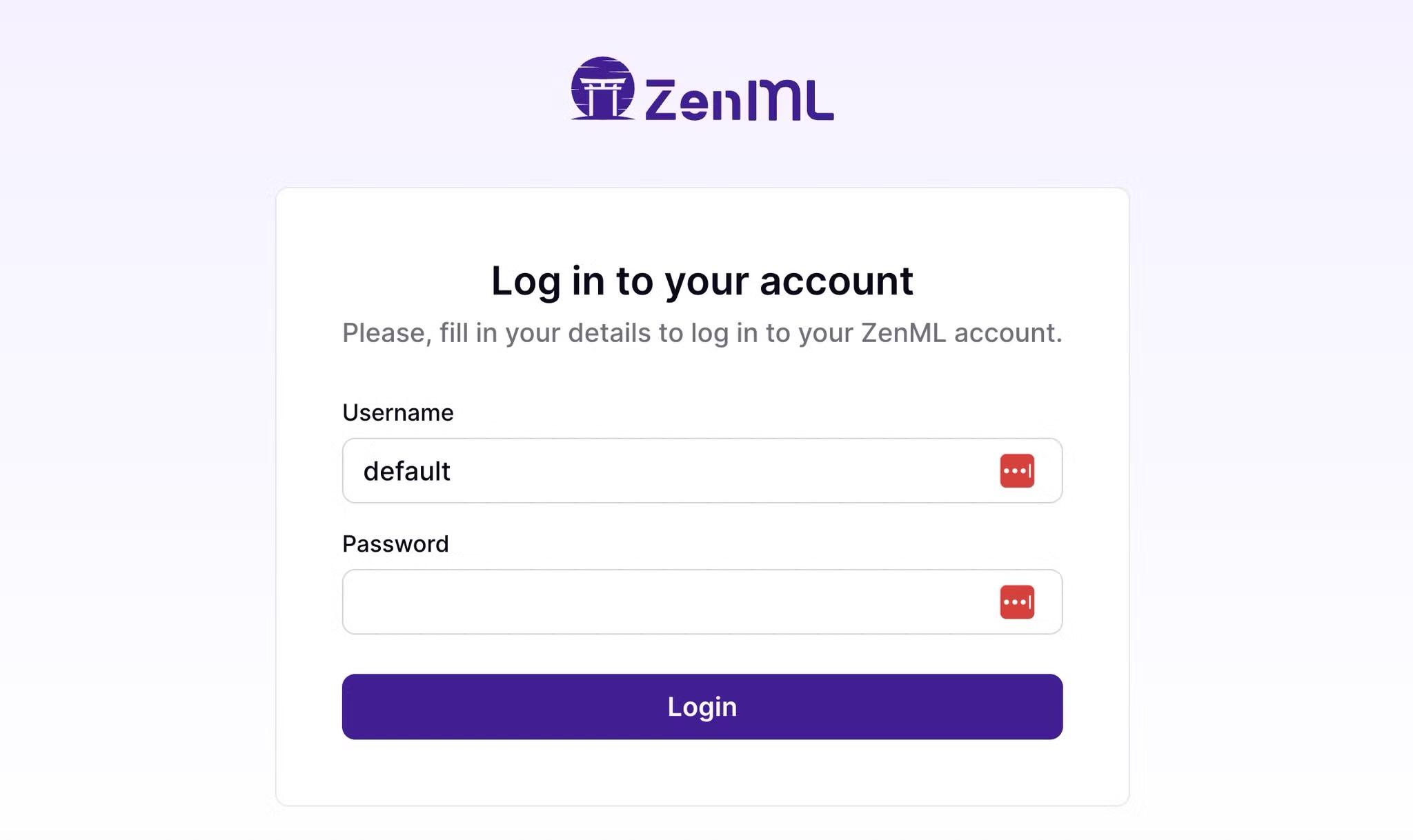
Once the login comes up, log in with Username "default" and leave the password blank. Then press the Log In button.
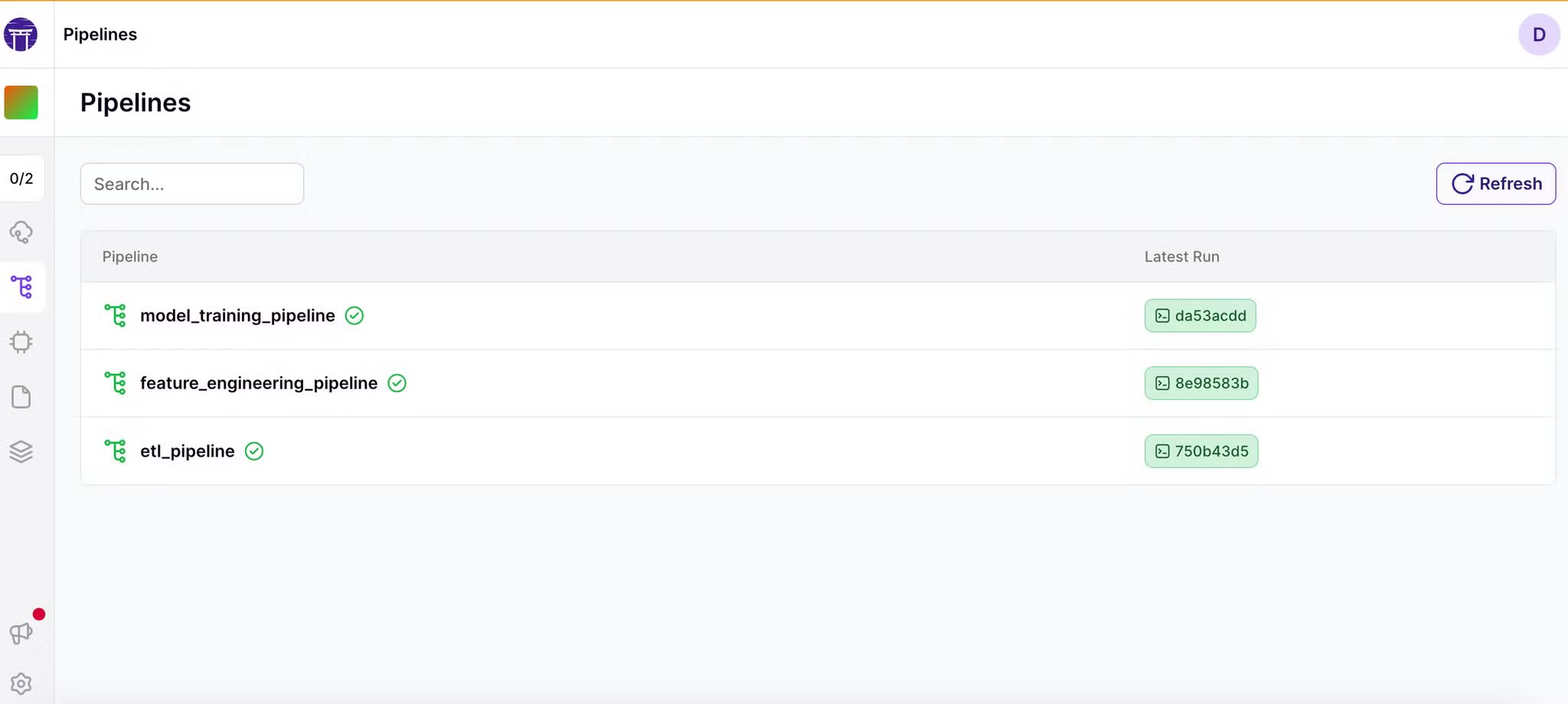
After providing your e-mail for ZenML (or not), move on to the next page and click on Pipelines and you should see a dashboard similar to this once you have done a run or two:

Simple
Congratulations! Now you have ZenML Server running on OpenShift. You can explore the ZenML open source project and all its possibilities on GitHub. Good luck. Have fun!
Want more?
Please let us know if you'd like to see more MLOps with OpenShift in the future. In the meantime, watch a couple of Red Hatters talk about MLOps over coffee:
OpenShift Coffee Break: MLOps with OpenShift
And if you're interested in getting some hands-on with Red Hat Open Data Science, check out this OpenShift Developer Sandbox activity:
How to create a natural language processing (NLP) application using OpenShift Data Science
You can also visit the upstream Open Data Hub to get more involved in the open source AI on Hybrid Cloud action.
執筆者紹介
類似検索
OCR を超えたその先へ:GroundX と Red Hat OpenShift AI で請求処理の精度 98% を達成
asago のご紹介:オープンソースの AI の安全性とガバナンスのオーケストレーション
Can agentic AI patch the internet?
How Red Hat cleared IT debt for scalable AI
さらに調べる
- e ブック: ハイブリッドクラウドの開発者エクスペリエンスをモダナイズ
Red Hat、2023 年 Gartner® Magic Quadrant™ for Container Management のリーダーに選出されるこのページは、英語でご利用いただけます (日本語 ではご利用いただけません) - Red Hat OpenShift を試す
チャンネル別に見る

自動化
テクノロジー、チームおよび環境に関する IT 自動化の最新情報

AI (人工知能)
お客様が AI ワークロードをどこでも自由に実行することを可能にするプラットフォームについてのアップデート

オープン・ハイブリッドクラウド
ハイブリッドクラウドで柔軟に未来を築く方法をご確認ください。

セキュリティ
環境やテクノロジー全体に及ぶリスクを軽減する方法に関する最新情報

エッジコンピューティング
エッジでの運用を単純化するプラットフォームのアップデート

インフラストラクチャ
世界有数のエンタープライズ向け Linux プラットフォームの最新情報

アプリケーション
アプリケーションの最も困難な課題に対する Red Hat ソリューションの詳細

仮想化
オンプレミスまたは複数クラウドでのワークロードに対応するエンタープライズ仮想化の将来についてご覧ください
