
Creating virtual machines (VMs) from golden images is a common practice. It minimizes the deployment time for new VMs and provides a familiar environment for the VM's owner. The admin benefits from creating golden images in an automated manner because it reflects the current configuration.
This blog post will show how to deploy KubeVirt Tekton tasks with example pipelines and how to run the windows-bios-installer pipeline. Prerequisites for this post are OpenShift (version 4.13), OpenShift Pipelines, and OpenShift Virtualization (version 4.13).
OpenShift Pipelines provides automation to create golden images for Windows VMs in OpenShift Virtualization.
Since this integration of OpenShift Virtualization with OpenShift Pipelines is still in tech preview, the OpenShift cluster administrator must enable it. Here's the command:
oc edit hco -n openshift-cnv kubevirt-hyperconverged
Set the spec.featureGates.deployTektonTaskResources field to true:
apiVersion: hco.kubevirt.io/v1beta1
kind: HyperConverged
metadata:
  name: kubevirt-hyperconverged
spec:
  featureGates:
    deployTektonTaskResources: true
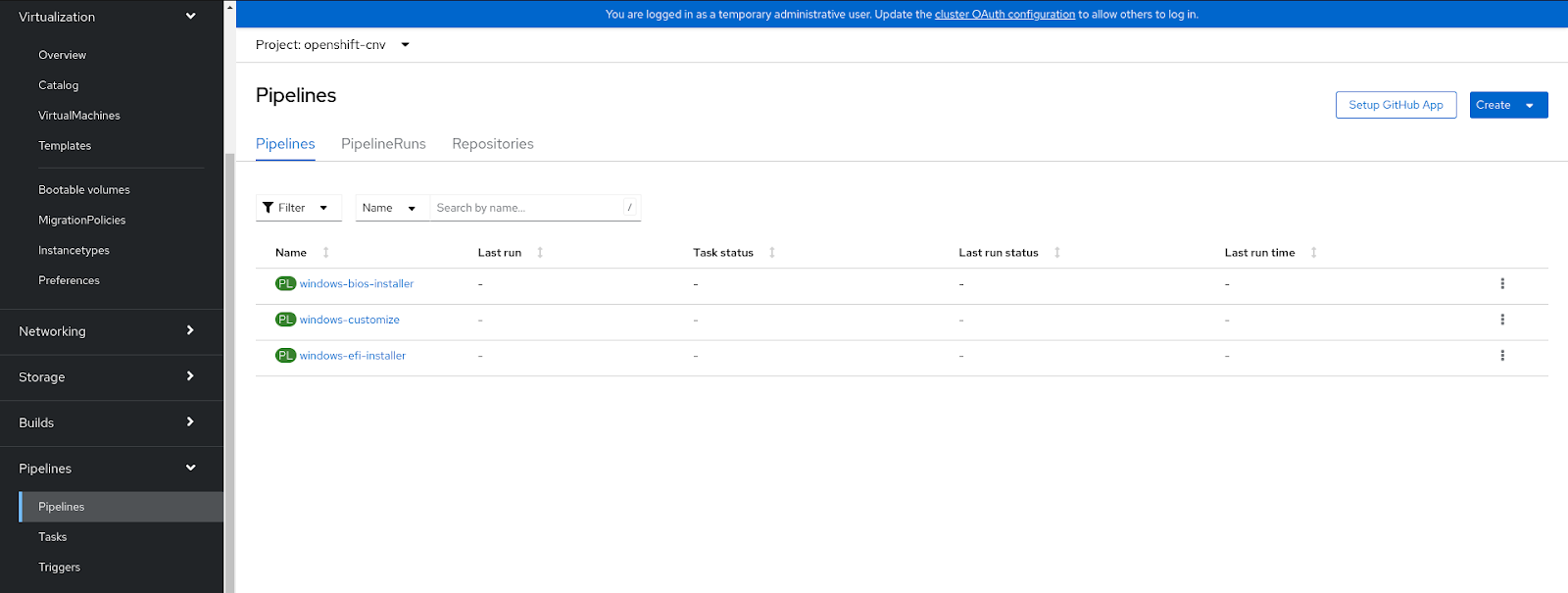
After the deployment succeeds, three example pipelines exist.
The example pipelines can be found through OpenShift administration under the Pipelines tab in the openshift-cnv namespace. Each pipeline can be triggered by clicking on the Options menu on the right side of the screen and then selecting the Start button. This starts the pipeline window, where the user must insert a URL to the Windows 10 ISO file.
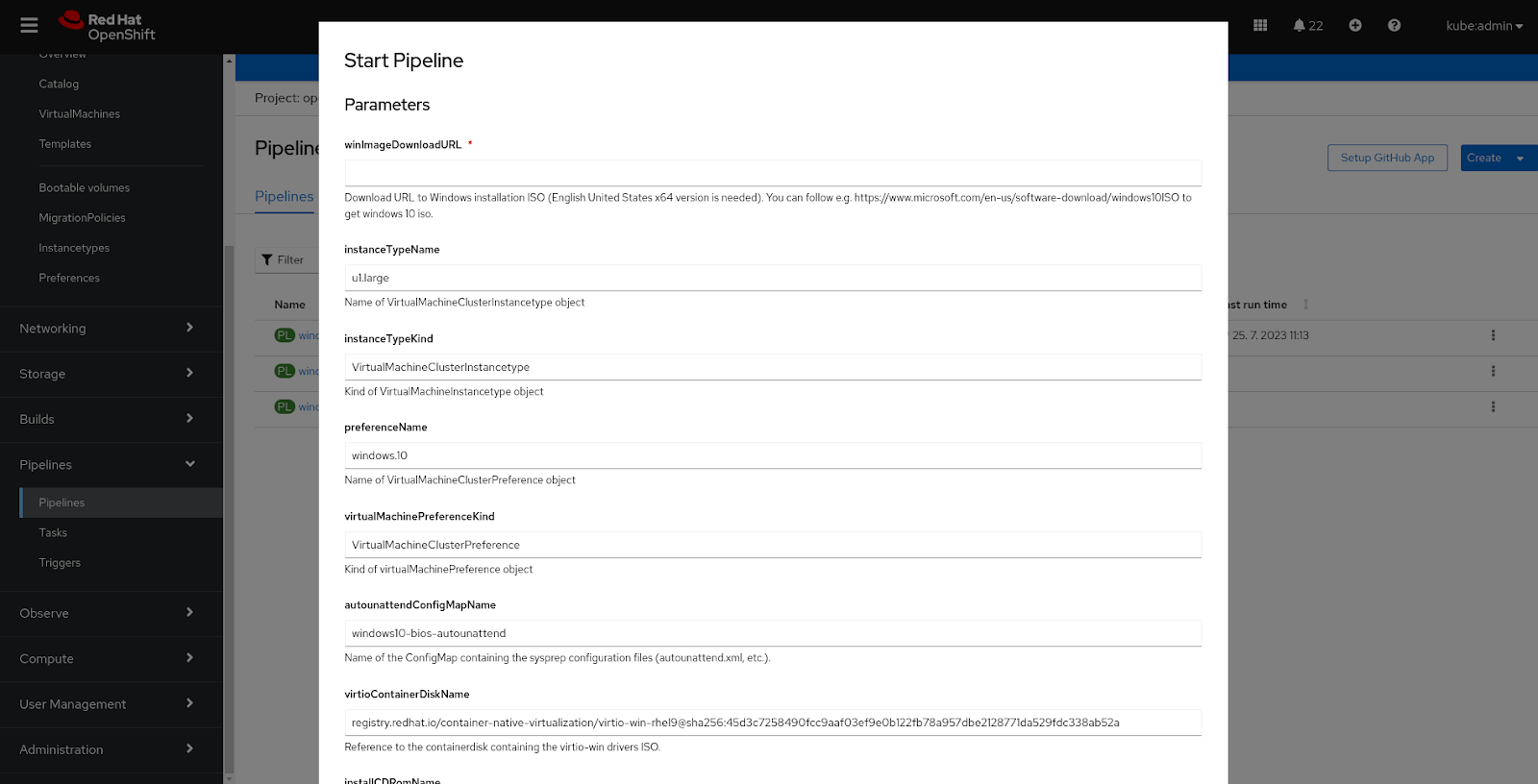
Other pipelines will be described in a follow-up blog post. The windows-bios-installer pipeline shows how to create your own Windows 10 golden image with VirtIO drivers installed in the OpenShift cluster. The pipeline's only required parameter is a URL to a Windows 10 ISO file; all other parameters have default values, which can be changed.
In addition to the pipeline, an example sysprep answer file named autounattend.xml is deployed in a config map. This answer file works with Microsoft's Windows installation multi-edition ISO for English United States and x64. Users can apply their own customizations to the Windows image with the sysprep answer file, as seen here.
The pipeline consists of multiple steps:
- Downloading the Windows ISO into a PVC
- Creating a virtual machine that uses the sysprep answer file to install Windows
- Copying the resulting disk image into the default Windows 10 boot source of the cluster
The result of this pipeline is a DataVolume in the openshift-virtualization-os-images namespace. When a user wants a new Windows 10 VM, the VM will be created from this DataVolume without any additional configuration required.

Wrap up
You have seen how to use a sample pipeline to automatically deploy golden VM images in an OpenShift environment. Golden images are a critical part of deploying consistent and current VMs. Automating this process helps maintain that consistency.
執筆者紹介
類似検索
Service Mesh を使用した Red Hat OpenShift での仮想マシンの管理
Red Hat パートナーが通信ビジネスにおける究極の資産である理由
Virtualization Is (Still) King | Compiler
Crack the Cloud_Open | Command Line Heroes
チャンネル別に見る

自動化
テクノロジー、チームおよび環境に関する IT 自動化の最新情報

AI (人工知能)
お客様が AI ワークロードをどこでも自由に実行することを可能にするプラットフォームについてのアップデート

オープン・ハイブリッドクラウド
ハイブリッドクラウドで柔軟に未来を築く方法をご確認ください。

セキュリティ
環境やテクノロジー全体に及ぶリスクを軽減する方法に関する最新情報

エッジコンピューティング
エッジでの運用を単純化するプラットフォームのアップデート

インフラストラクチャ
世界有数のエンタープライズ向け Linux プラットフォームの最新情報

アプリケーション
アプリケーションの最も困難な課題に対する Red Hat ソリューションの詳細

仮想化
オンプレミスまたは複数クラウドでのワークロードに対応するエンタープライズ仮想化の将来についてご覧ください
