
In OpenShift 4.9, we introduced User Preferences. This enhancement allows individual users to set preferences across the console, providing a customizable experience.
User Preferences consists of two tabs in 4.9:
- General - Users can set their preferences for perspective, project, topology, and create/edit resource methods for the console
- Language - Users can set their language preference for the console
Let’s take a closer look at how to access preferences as well as the type of customizations provided in 4.9.
How to access user preferences in the console
To access user preferences, navigate to the user drop-down in the masthead and click on User Preferences. Any changes will be autosaved.

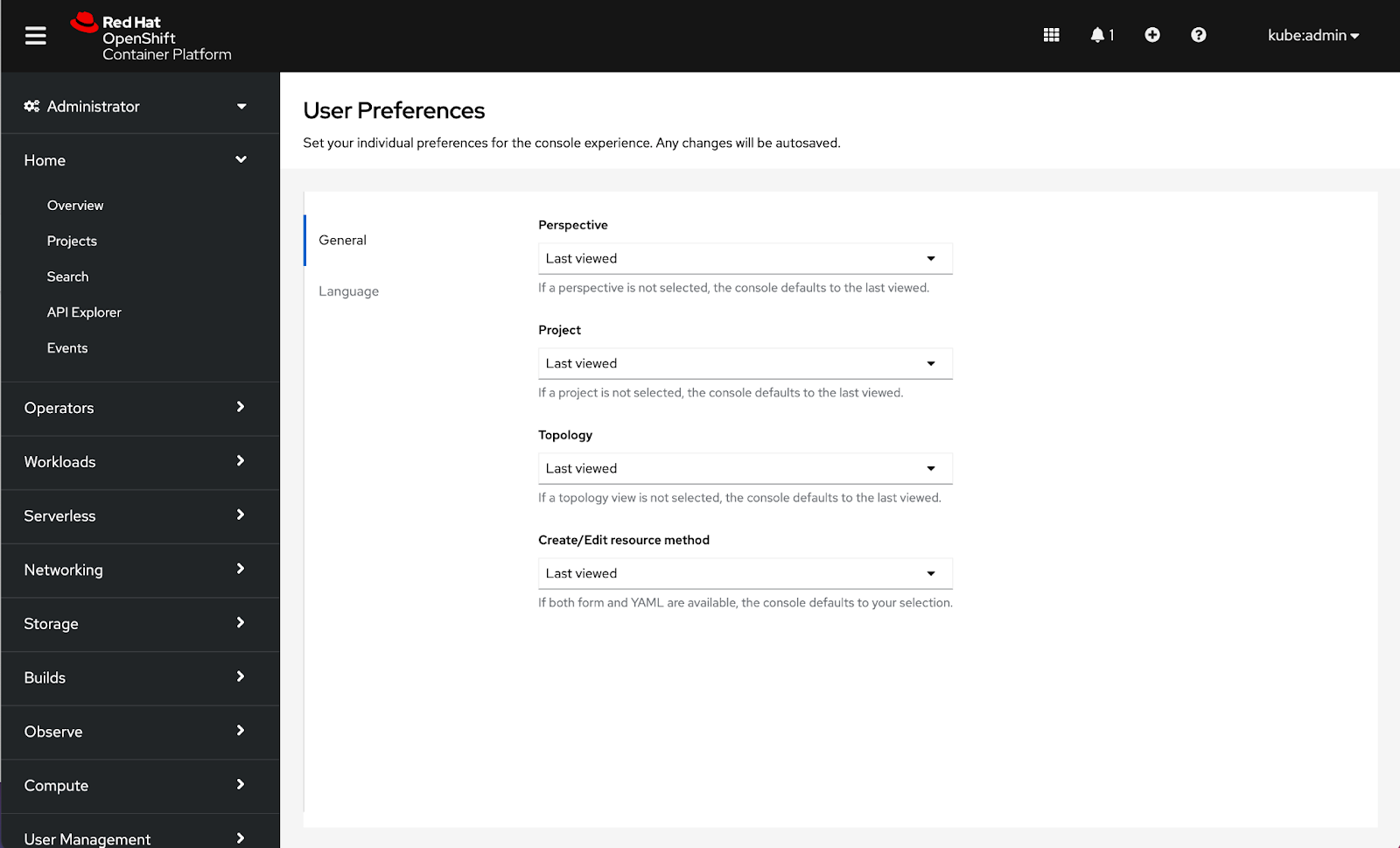 How to configure general console preferences
General preferences will enable users to customize defaults for Perspective, Project, Topology, and Create/Edit resource method.
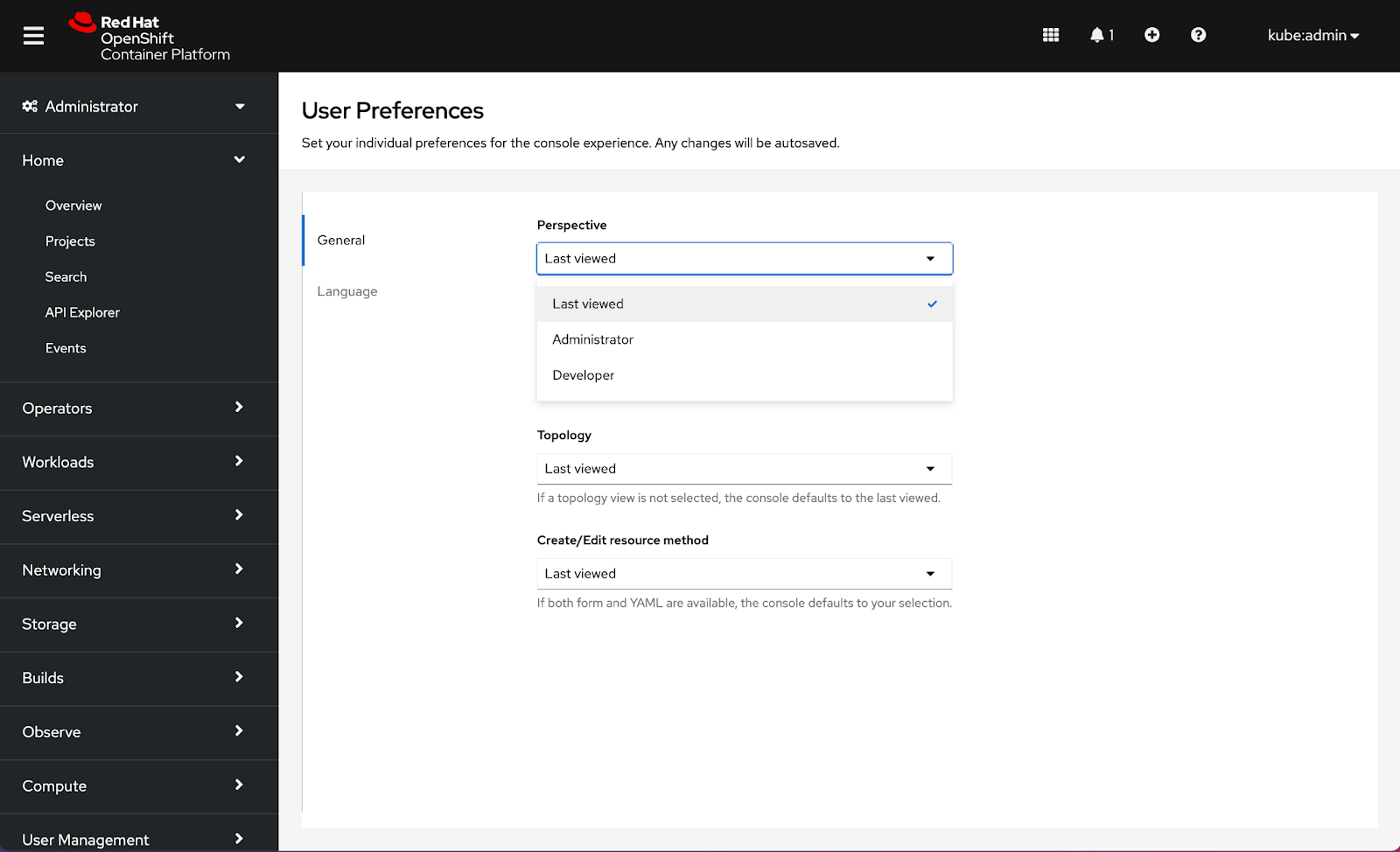
Configuring a Perspective will allow users to select a default perspective for when they log in to the console. RBAC may detect a perspective for the first login, but the console will default to Last viewed until an alternative selection is made. Choices for Perspective include Last viewed, Administrator, and Developer.
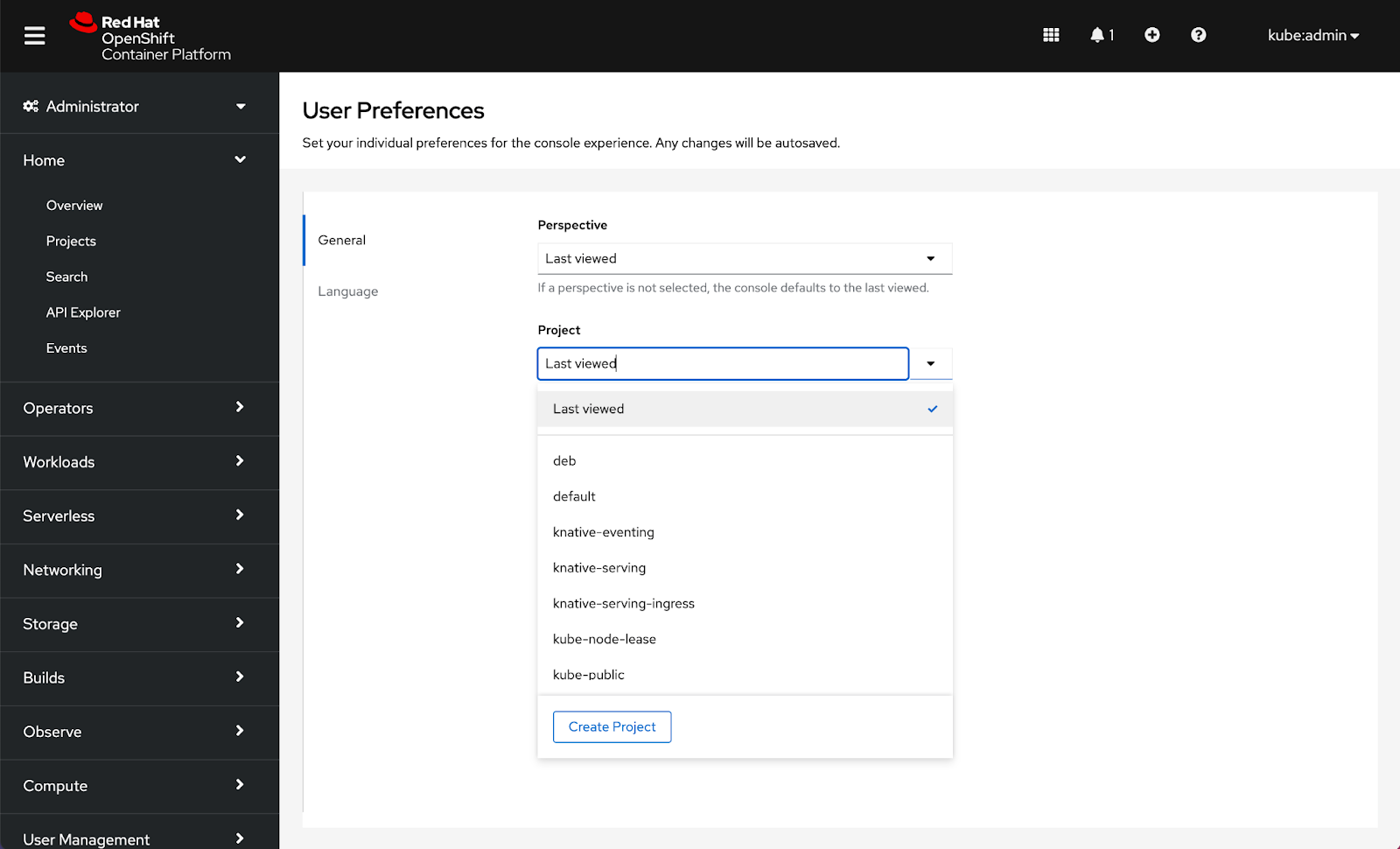
Setting a Project will allow users to select a default project for when they log in to the console. The console will default to Last viewed until an alternative selection is made. Choices that appear in the Project drop-down are controlled by RBAC:
Setting a Topology preference allows users to select a default view to be applied across the console. RBAC may detect a default view for first login, but the console will default to Last viewed until an alternative selection is made. Choices for Topology are Last viewed, Graph, and List:

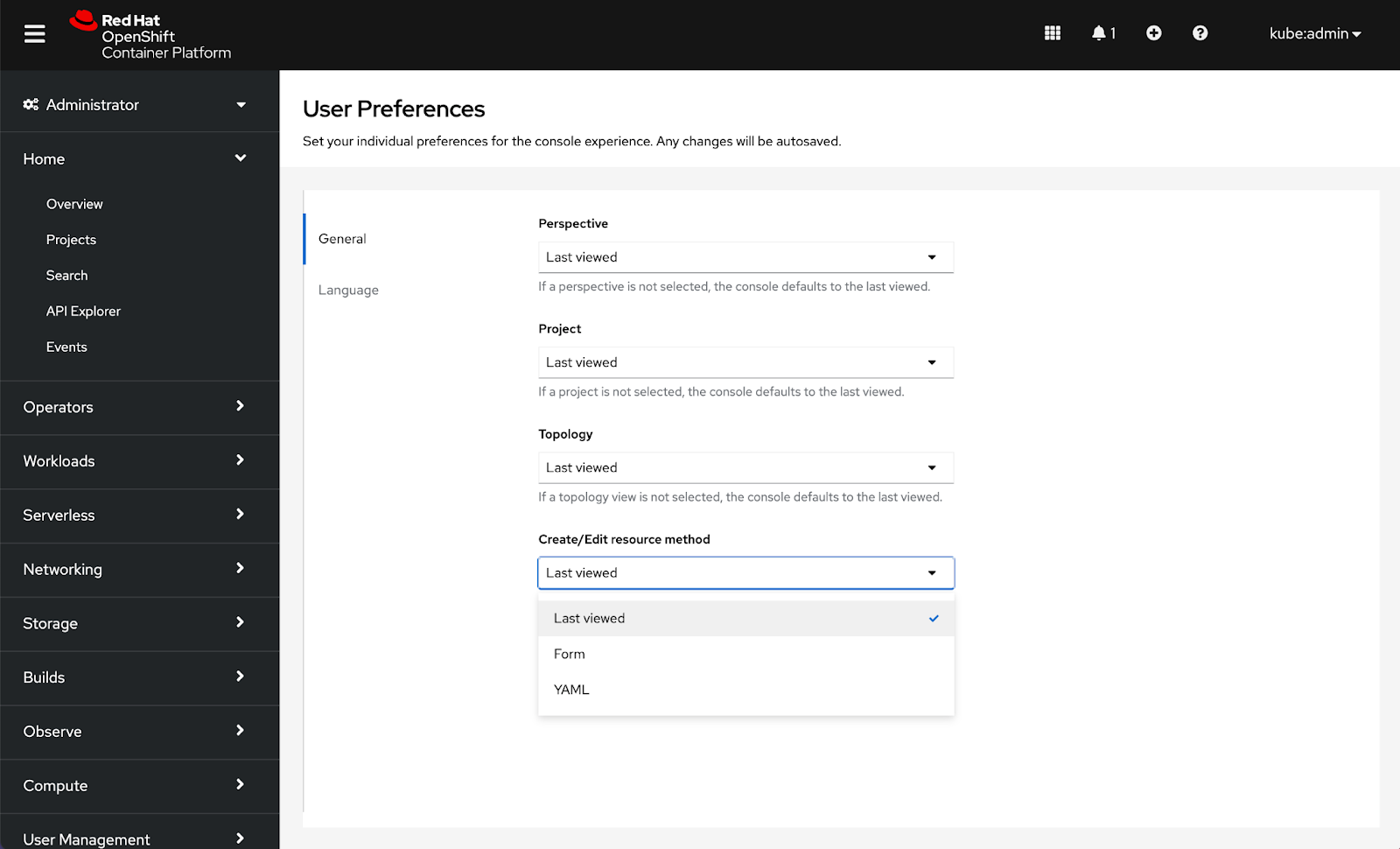
Setting a preferred method to Create/Edit resources will allow users to select a default to be applied across the console whenever both choices are available. The console will default to Last viewed until an alternative selection is made. Choices for Create/Edit resource methods are Last viewed, Form, and YAML:
How to configure language preferences
Language preferences were added in 4.7 and are now located under the Language tab inside User Preferences.
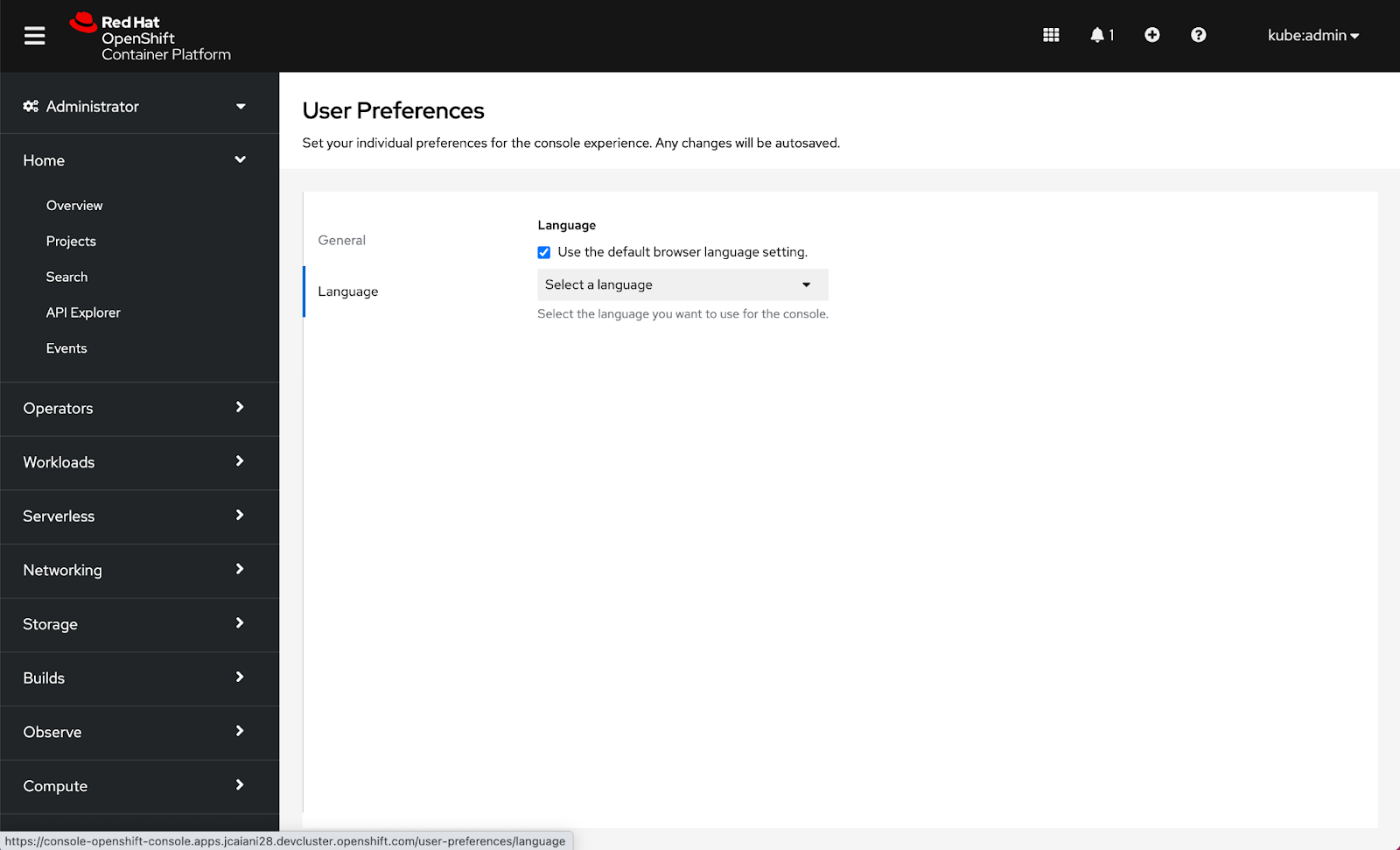
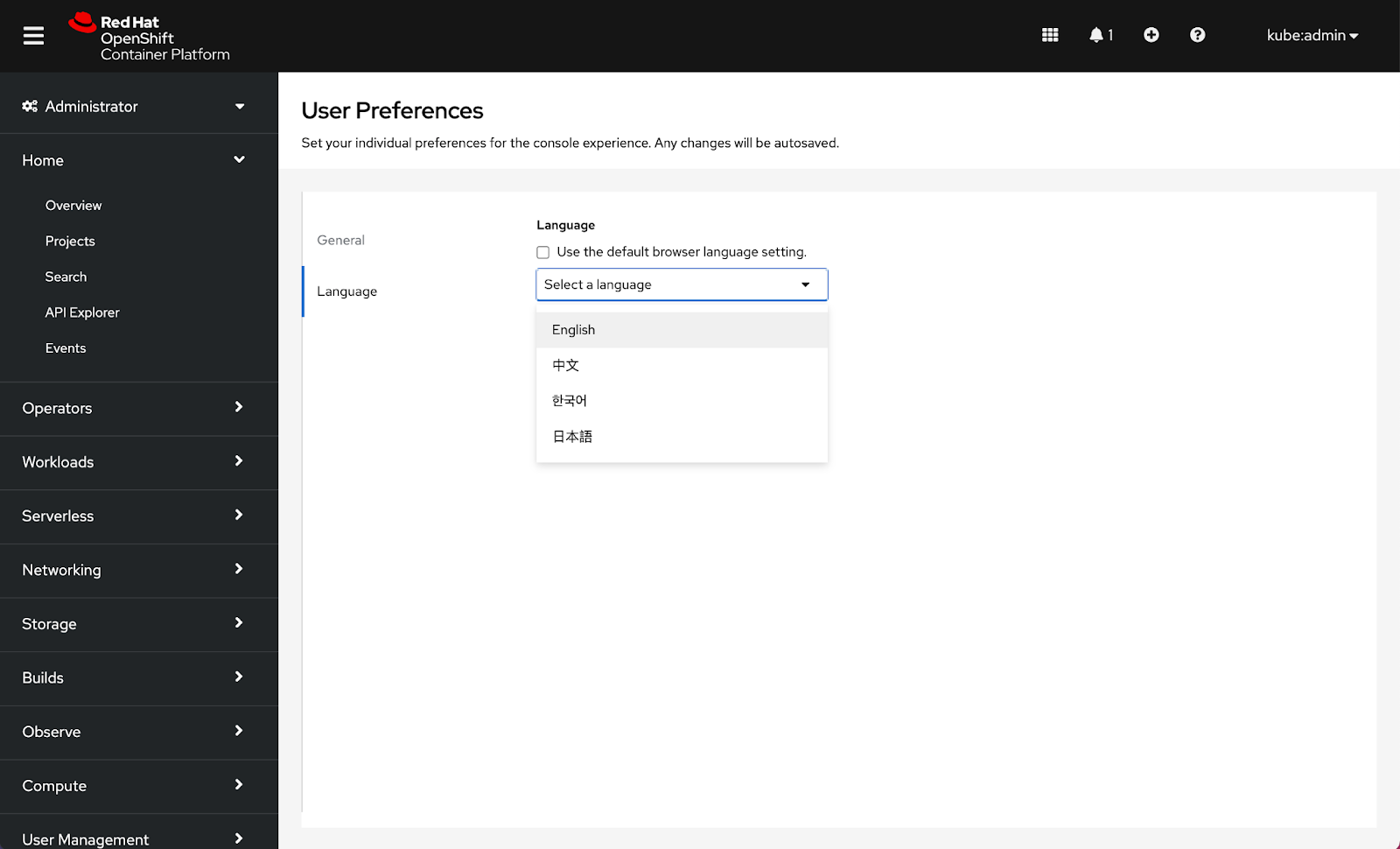
Note: Date format, Time format, Time zone, and Relative timestamps are considerations for additional preferences in the future.
Connect with us
Look for more user preference enhancements in upcoming releases.
We are always growing and evolving our improvements to OpenShift with a customer-first mindset. Be on the lookout for more enhancements in future releases. And do not forget to sign up to participate in future research opportunities to share your OpenShift experiences.
Let us know your thoughts. We would love to connect with users like you. Stay up to speed with the OpenShift design team on our OpenShift Design site, and be sure to catch us on the OpenShift Twitch channel.
執筆者紹介
類似検索
Red Hat パートナーが通信ビジネスにおける究極の資産である理由
エージェント型のパラドックスとハイブリッド AI の事例
Crack the Cloud_Open | Command Line Heroes
Edge computing covered and diced | Technically Speaking
チャンネル別に見る

自動化
テクノロジー、チームおよび環境に関する IT 自動化の最新情報

AI (人工知能)
お客様が AI ワークロードをどこでも自由に実行することを可能にするプラットフォームについてのアップデート

オープン・ハイブリッドクラウド
ハイブリッドクラウドで柔軟に未来を築く方法をご確認ください。

セキュリティ
環境やテクノロジー全体に及ぶリスクを軽減する方法に関する最新情報

エッジコンピューティング
エッジでの運用を単純化するプラットフォームのアップデート

インフラストラクチャ
世界有数のエンタープライズ向け Linux プラットフォームの最新情報

アプリケーション
アプリケーションの最も困難な課題に対する Red Hat ソリューションの詳細

仮想化
オンプレミスまたは複数クラウドでのワークロードに対応するエンタープライズ仮想化の将来についてご覧ください
