
This post was originally published by Sebastian Faulhaber on OpenSourcers.com.
Install Ansible Service Broker Addon into Your CDK Installation
Start your Red Hat Container Development Kit (CDK) environment with registration (this is important, as yum gets used during Addon installation).
export MINISHIFT_ENABLE_EXPERIMENTAL=y

minishift start --service-catalog
Clone the addon repository and install Ansible Service Broker Addon:
git clone https://github.com/minishift/minishift-addons.git

cd minishift-addons/add-ons/

minishift addon install ansible-service-broker

minishift addon apply ansible-service-broker
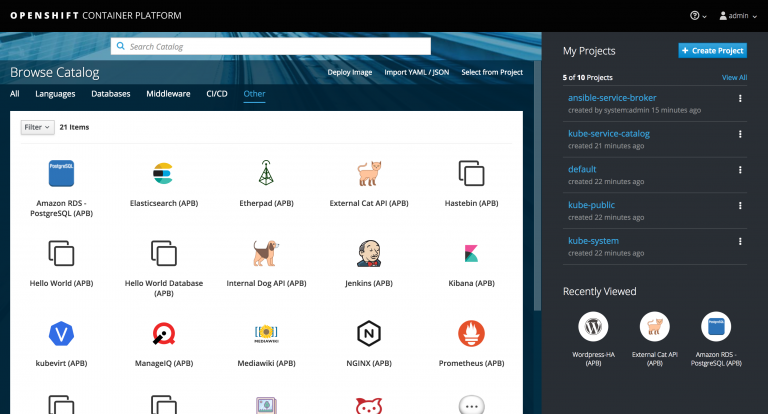
When logging in to your CDK console, you should already see the preinstalled Ansible APBs:
Install the ABP Command Line on Your Client Machine
Configure your shell to use the Minishift Docker daemon:
eval $(minishift docker-env)
Fetch the APB command line script and make it available in your PATH:
wget https://raw.githubusercontent.com/ansibleplaybookbundle/ansible-playbook-bundle/master/scripts/apb-docker-run.sh && mv apb-docker-run.sh apb && chmod +x apb
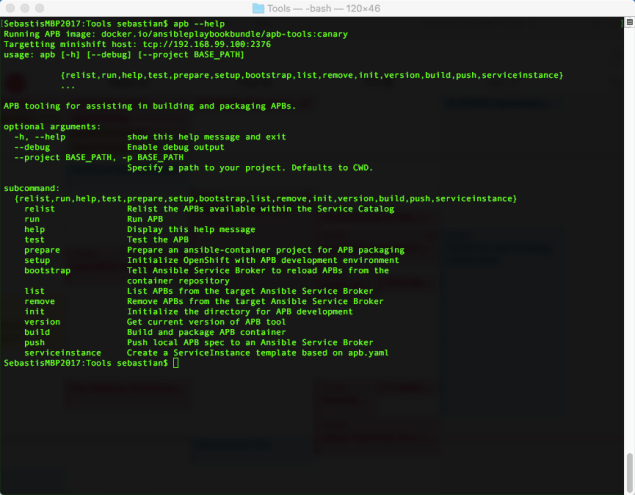
Verify that your installation works:
apb --help
If everything went well, you should see something like this:
Test the Connection Between ABP CLI and CDK
You will need special permissions to work with the broker on your CDK installation. Therefore, we need to execute the following:
oc adm policy add-cluster-role-to-user cluster-admin developer

oc login -u developer
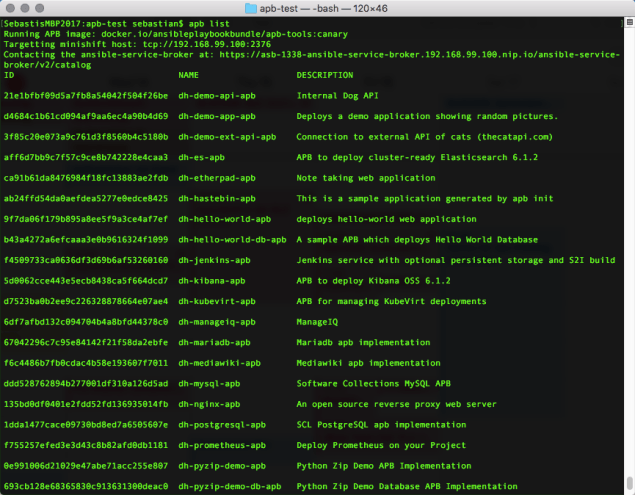
Now let’s see if we can list the preinstalled APBs:
apb list
Configure Ansible Service Broker to Pull Images from Local Registry
In the default config of our Ansible Service Broker, the APBs are pulled from https://registry.hub.docker.com/. We need to change this to our local registry running within CDK.
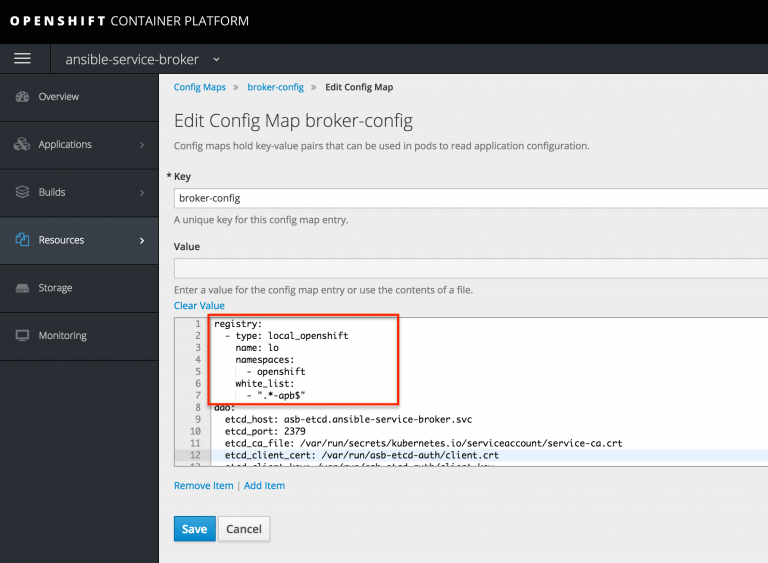
registry:

- type: local_openshift

name: lo

namespaces:

- openshift

white_list:

- ".*-apb$"
The Ansible Service Broker pod now needs to be restarted in order to pull in the new configuration.
Create your first APB
First, we use the CLI to scaffold our new service:
apb init sample-service-apb

cd sample-service-apb
Now we locally build our APB. After the process has completed, the newly built APB docker image should appear in your local Docker registry:
apb build
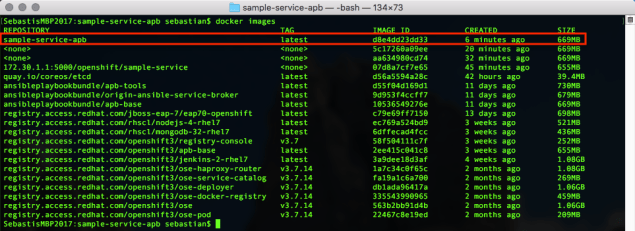
Finally, we need to push the Docker image to our Service Broker inside CDK:
apb push
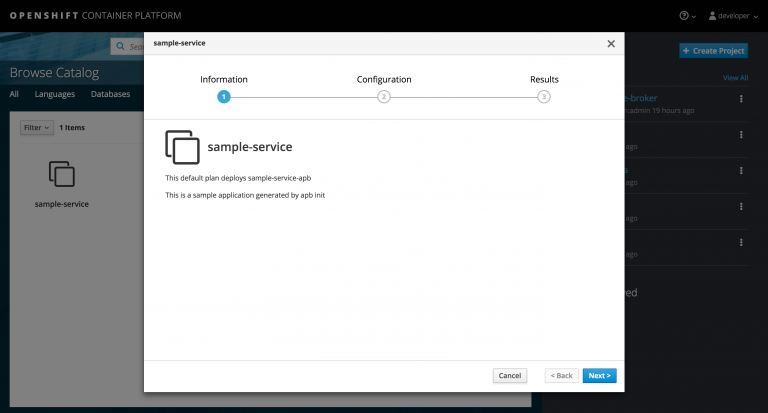
Now you should be able to see your first APB in your CDK’s service catalog:
References
Learn more about Ansible Playbook development and the Minishift Addon from these resources:
執筆者紹介
類似検索
Service Mesh を使用した Red Hat OpenShift での仮想マシンの管理
パッチ適用が追いつきませんか?最後の防衛線としてのゼロトラスト
Scaling with Orchestrators | Compiler
Container Roundup | Compiler
チャンネル別に見る

自動化
テクノロジー、チームおよび環境に関する IT 自動化の最新情報

AI (人工知能)
お客様が AI ワークロードをどこでも自由に実行することを可能にするプラットフォームについてのアップデート

オープン・ハイブリッドクラウド
ハイブリッドクラウドで柔軟に未来を築く方法をご確認ください。

セキュリティ
環境やテクノロジー全体に及ぶリスクを軽減する方法に関する最新情報

エッジコンピューティング
エッジでの運用を単純化するプラットフォームのアップデート

インフラストラクチャ
世界有数のエンタープライズ向け Linux プラットフォームの最新情報

アプリケーション
アプリケーションの最も困難な課題に対する Red Hat ソリューションの詳細

仮想化
オンプレミスまたは複数クラウドでのワークロードに対応するエンタープライズ仮想化の将来についてご覧ください
