As you know, a Kubernetes cluster can contain many inter-resource relationships, including resources that are managed by another resource. Modifying a resource, just to find your changes undone, can be a frustrating process. OpenShift is here to help.
To further convey these relationships, OpenShift 4.6 now shows which resources are managed by a particular operator. It also shows a list of resources that relate to cluster operators, which can be useful for troubleshooting. Ready to explore these new features? Let's dive in.
Resources Managed by Operators
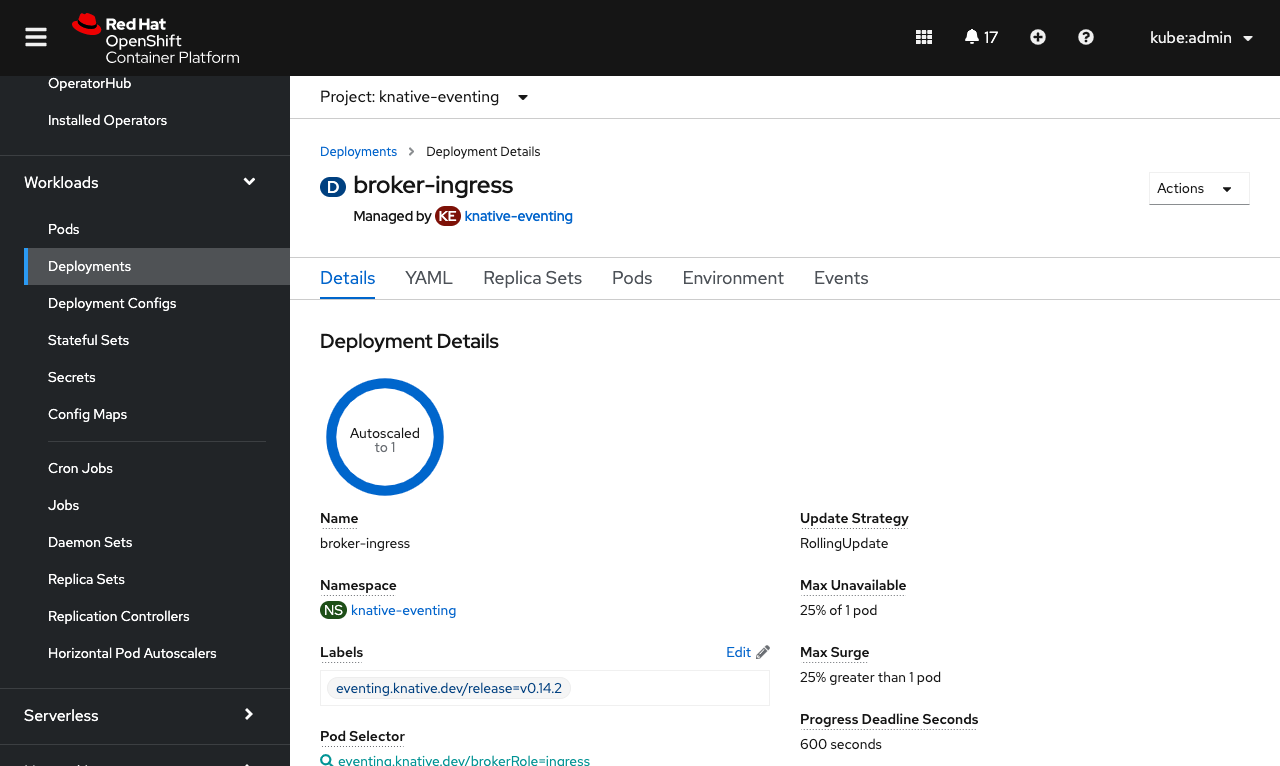
Resources that are managed by a particular operand from an operator are now marked with a Managed by label under their name, to show the relationship. The label also includes a link to the operand for quick navigation to edit that managing resource where you can be sure your changes will stick.
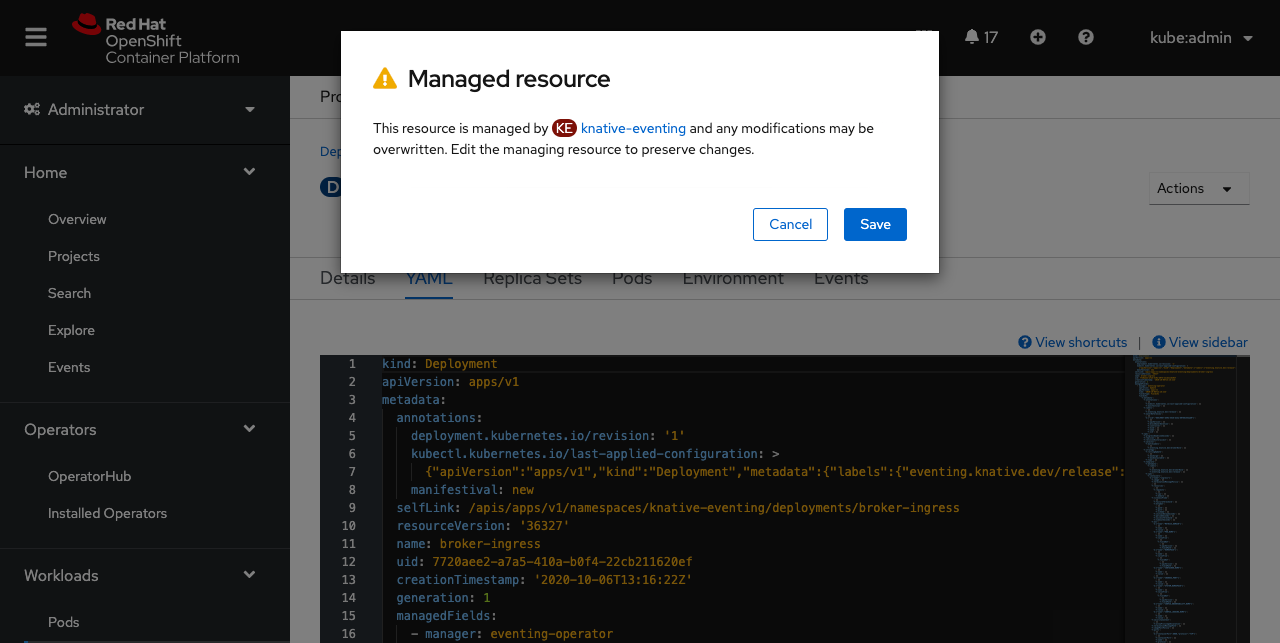
If you find yourself making changes to a resource that is managed, a warning message will appear when the changes are saved. This serves as a friendly reminder to edit the managing resource so that your changes don't become overwritten.
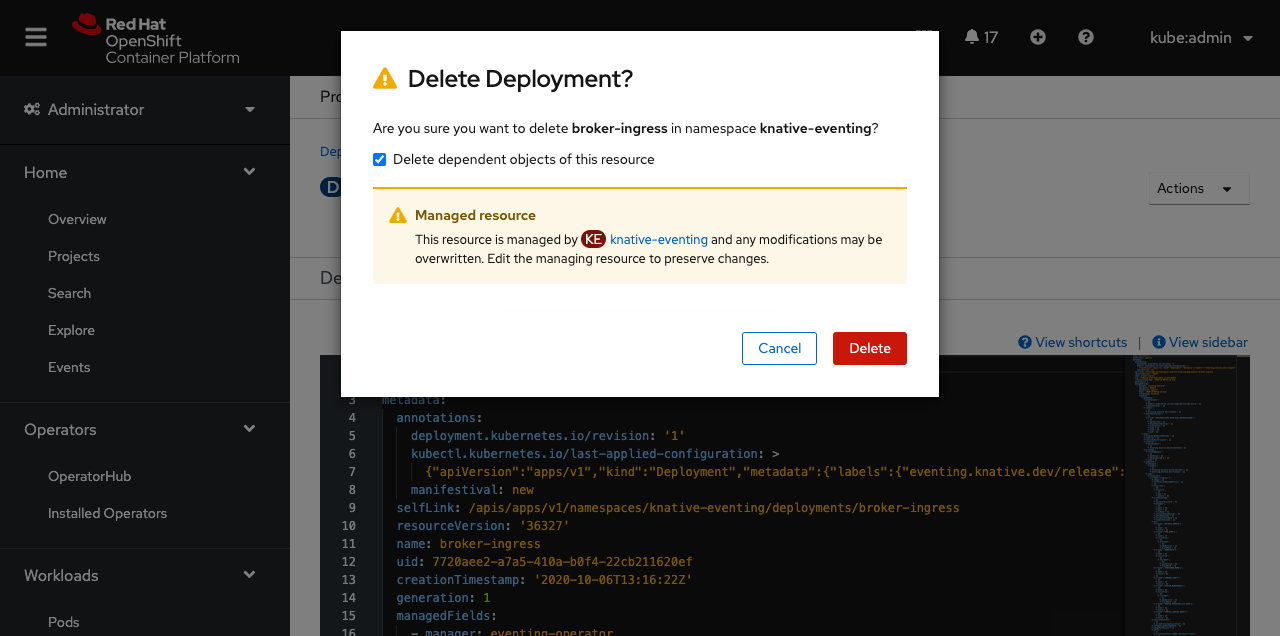
Also, if a managed resource is deleted, an additional warning in the confirmation message appears. This message reminds you that your changes can be overwritten if the managed resource isn't edited. In this case, your resource could reappear if changes are not made to the managing resource.
Cluster Operator Related Objects
Sometimes you may want to know what resources are associated with a particular cluster operator, perhaps for troubleshooting an underlying issue.
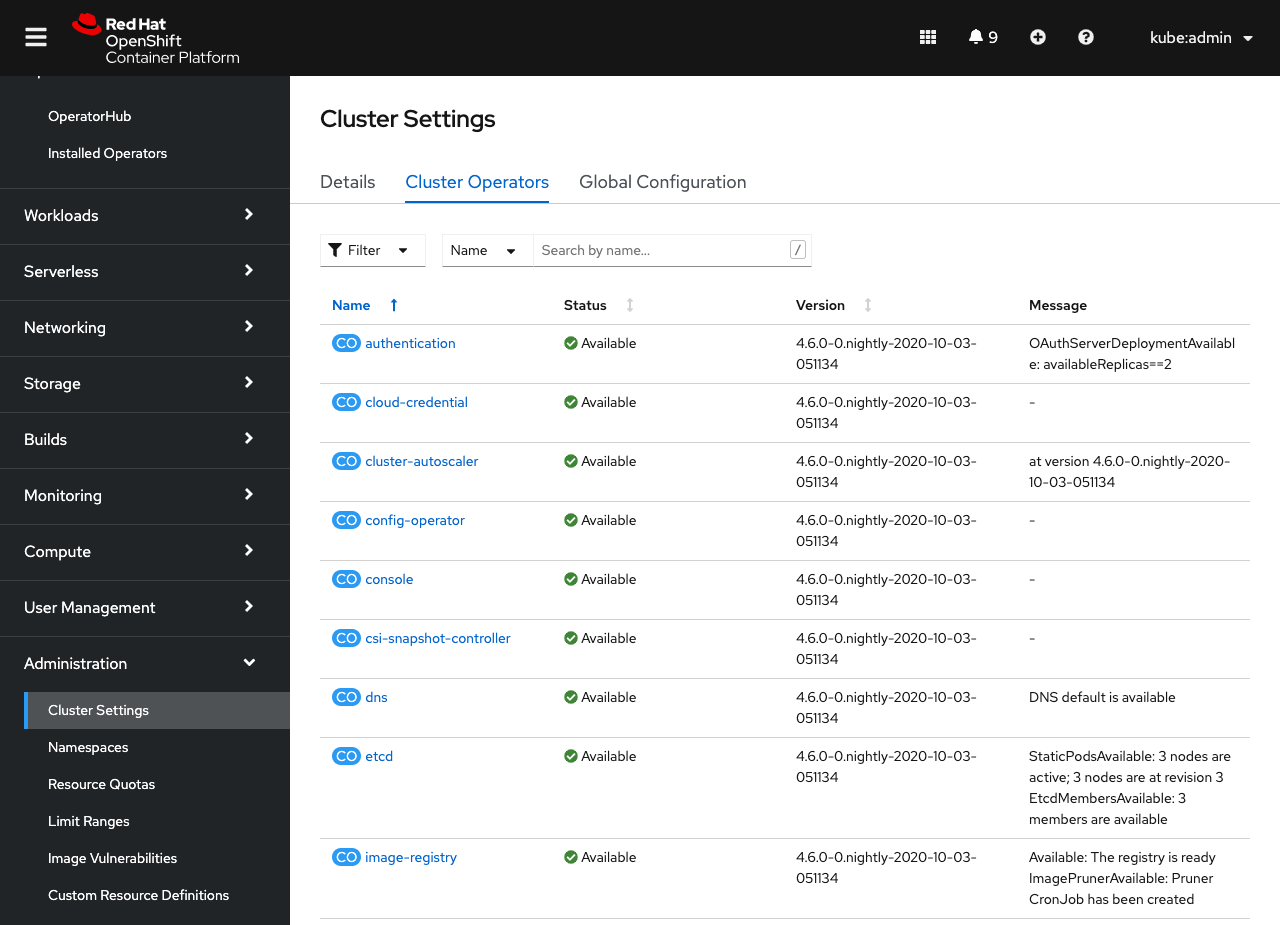
You can access this information from the Cluster Settings page under the Cluster Operators tab.
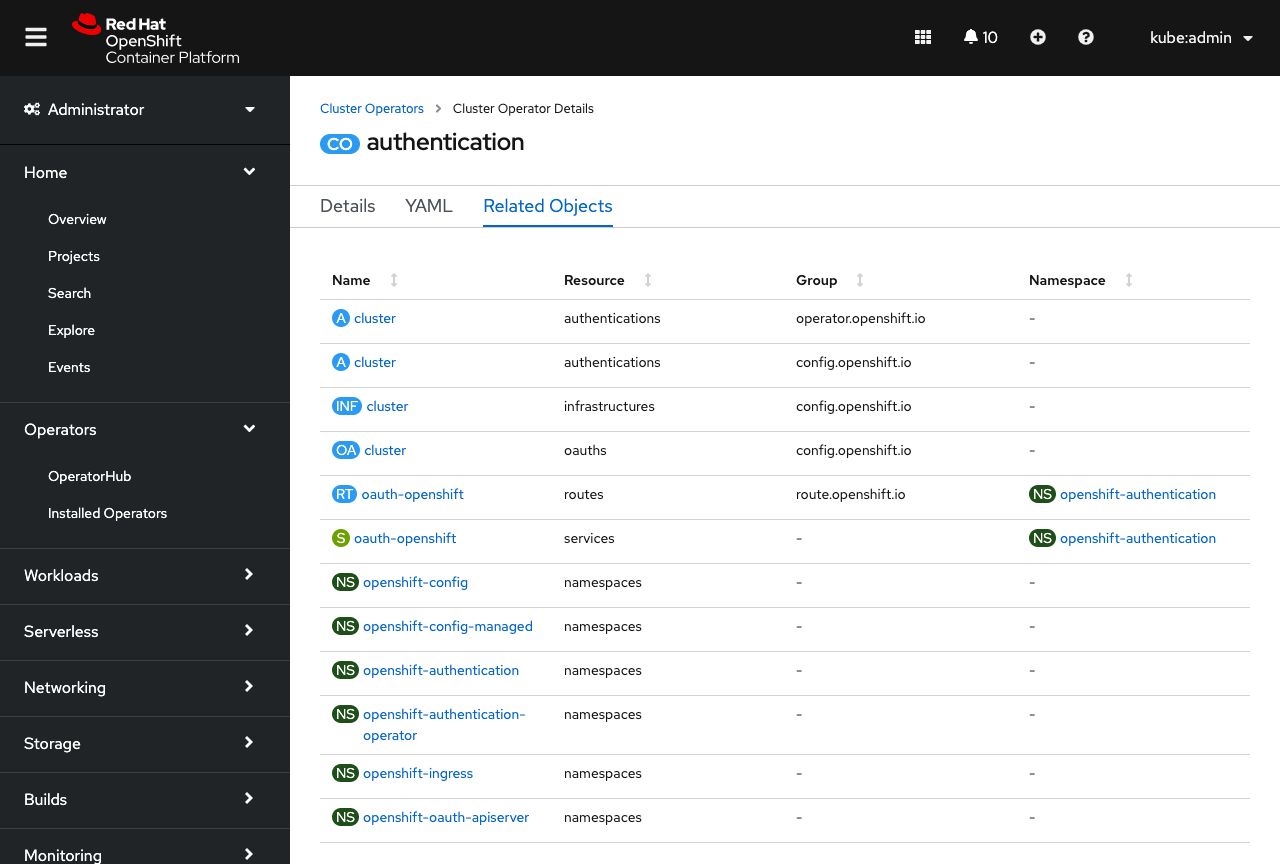
When viewing the details of a cluster operator, you'll now see a new Related Objects tab, which lists out any resources related to that cluster operator. If you ever need to troubleshoot a cluster operator issue, these resources and their logs are a great place to start.
More Relationships
This is just the start of how OpenShift can help you manage your cluster resource relationships. In the future, look for more enhancements around conveying “Managed by” relationships, like relating pods to other workloads.
If you are up for trying out these new features, or if you are just getting started with OpenShift, visit Try OpenShift to get instant access to a cluster.
And, as always, we want to connect with users like you. Learn more about what the OpenShift design team is up to on our OpenShift Design site, and be sure to catch us on the OpenShift Twitch channel.
{{cta('1ba92822-e866-48f0-8a92-ade9f0c3b6ca','justifycenter')}}
執筆者紹介

チャンネル別に見る

自動化
テクノロジー、チームおよび環境に関する IT 自動化の最新情報

AI (人工知能)
お客様が AI ワークロードをどこでも自由に実行することを可能にするプラットフォームについてのアップデート

オープン・ハイブリッドクラウド
ハイブリッドクラウドで柔軟に未来を築く方法をご確認ください。

セキュリティ
環境やテクノロジー全体に及ぶリスクを軽減する方法に関する最新情報

エッジコンピューティング
エッジでの運用を単純化するプラットフォームのアップデート

インフラストラクチャ
世界有数のエンタープライズ向け Linux プラットフォームの最新情報

アプリケーション
アプリケーションの最も困難な課題に対する Red Hat ソリューションの詳細

仮想化
オンプレミスまたは複数クラウドでのワークロードに対応するエンタープライズ仮想化の将来についてご覧ください
