
In this blog post, I explain how you can use Red Hat Offline Knowledge Portal to provide access to Red Hat documentation in environments with limited or no connectivity to the internet.
The Red Hat Offline Knowledge Portal is a secure offline version of Red Hat's proprietary knowledge content for our products. It's a pocket library of our award-winning knowledgebase, product documentation, CVEs, errata, and more that's light enough to run at the edge. Offline Knowledge Portal is useful anywhere Red Hat products are used where connectivity is limited, from intentionally disconnected secure sites to situations with planned intervals of low or no bandwidth. As a single small container image, it is easy to install and use, and is compatible with Red Hat OpenShift, Podman, or any OCI-compliant container runtime.
To get access to all the information included in the Offline Knowledge Portal, you need a Red Hat Satellite subscription to generate an access key.
However, even without a Satellite subscription, the Offline Knowledge Portal provides value to all Red Hat customers, as it provides access to the product documentation, security data API documentation, and product life cycle information, without any access key. All you need to do is:
1. Log in
2. Get the image
Use podman to get the image:
podman pull registry.redhat.io/offline-knowledge-portal/rhokp-rhel9:latest3. Transfer the image and run
Next, transfer the image to the host where you want to run the container. To run it, use podman:
podman run –rm –detach -p 8080:8080 registry.redhat.io/offline-knowledge-portal/rhokp-rhel9:latestAccess the Offline Knowledge Portal from your browser at http://localhost:8080.
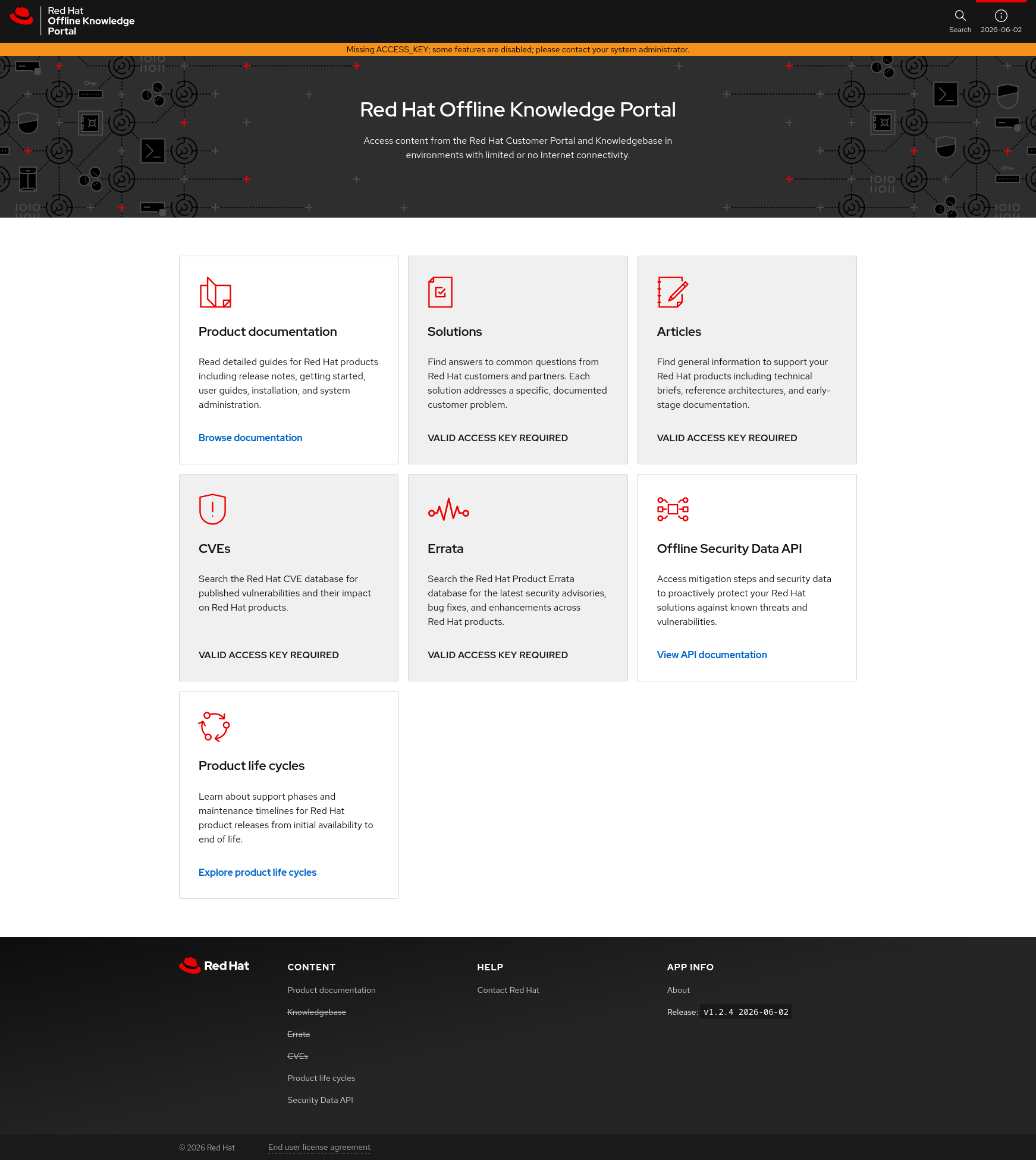
Screenshot of the Red Hat Offline Knowledge Portal with access to product documentation, offline security data API docs, and product life cycles only.
The content that requires a valid access key is marked with a grey background and the text “VALID ACCESS KEY REQUIRED”. You can access all remaining content without a key.
Using this method, you can provide access to Red Hat documentation for your users and peers without granting them internal access to an important system. If you find the content useful, reach out to your sales representative to learn more about Red Hat Satellite subscriptions.
Using Offline Knowledge Portal with an access key to enable all content
To enable access to proprietary content, you need an access key. When you have an active Satellite subscription, just follow the process outlined in our documentation. Those instructions will help you deploy the Offline Knowledge Portal, and it includes the steps to generate and use an access key.
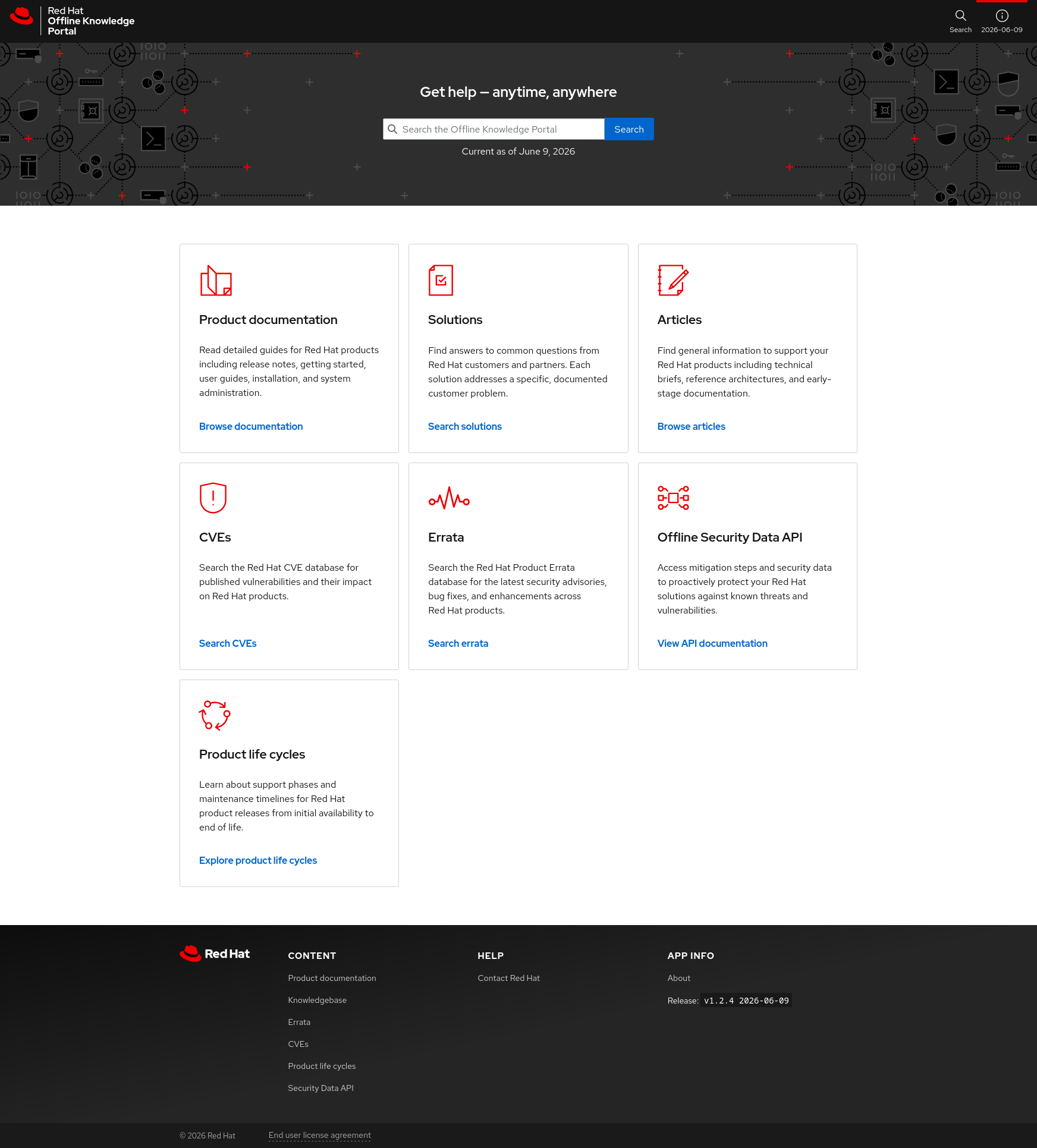
Screenshot of the Red Hat Offline Knowledge Portal with full access to all included content.
Conclusion
Whether or not you have an active Red Hat Satellite subscription, the Offline Knowledge Portal can provide value to all Red Hat customers in environments with restricted or limited network connectivity.
For more information:
Hatville:エッジコンピューティングが実用化されたミニチュアシティ
執筆者紹介
Husband, Father, Firefighter, 1x Engineer, Jedi and Trekkie.
類似検索
vi エディター入門
Red Hat Enterprise Linux のイメージモードを今すぐ使い始めるべき 4 つの理由
Infrastructure At The Edge | Compiler
Operating System Management | Compiler
チャンネル別に見る

自動化
テクノロジー、チームおよび環境に関する IT 自動化の最新情報

AI (人工知能)
お客様が AI ワークロードをどこでも自由に実行することを可能にするプラットフォームについてのアップデート

オープン・ハイブリッドクラウド
ハイブリッドクラウドで柔軟に未来を築く方法をご確認ください。

セキュリティ
環境やテクノロジー全体に及ぶリスクを軽減する方法に関する最新情報

エッジコンピューティング
エッジでの運用を単純化するプラットフォームのアップデート

インフラストラクチャ
世界有数のエンタープライズ向け Linux プラットフォームの最新情報

アプリケーション
アプリケーションの最も困難な課題に対する Red Hat ソリューションの詳細

仮想化
オンプレミスまたは複数クラウドでのワークロードに対応するエンタープライズ仮想化の将来についてご覧ください
