
The Ghost blog setup relies on their custom ghost-cli to install everything that’s needed. We’re going to use the Red Hat OpenShift Source-to-Image (S2I) build process to encapsulate everything needed for the install, and then package the whole deployment into an easily shared and reproduced OpenShift Template.
Video sped up for the sake of brevity. Full install process takes ~3 minutes to build and deploy the application.
Installing the Ghost Template
Using the ghost template from a community provided repository, we can have an easily reproducible Ghost blog via a one-click install. First install the template into your project
<span>oc create -f https://raw.githubusercontent.com/openshift-cs/ghost-example/master/ghost_template.yaml</span>
Now you can continue on the command line with oc new-app --template=ghost-template or you can deploy this through the web console
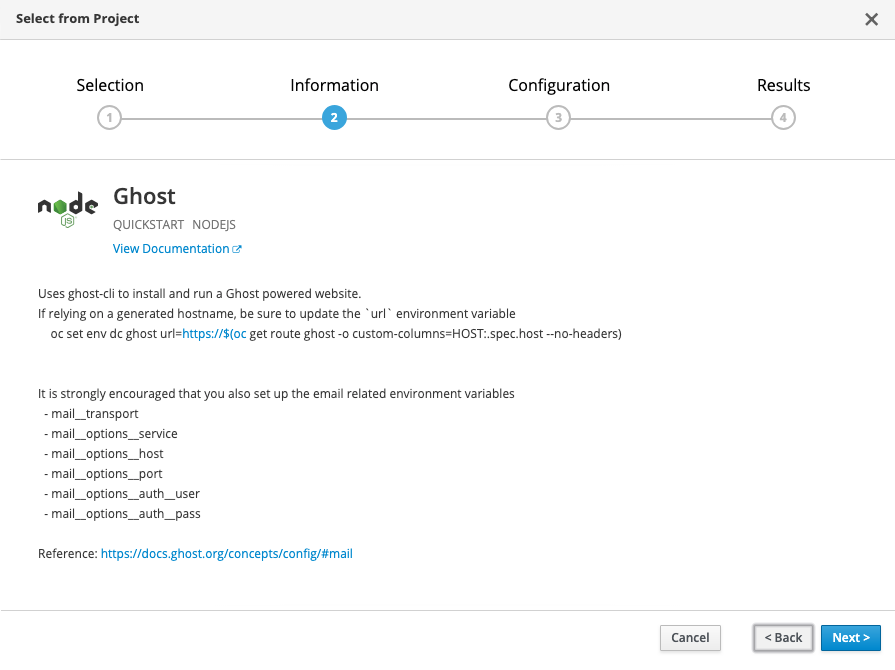
Configuring your Ghost Blog
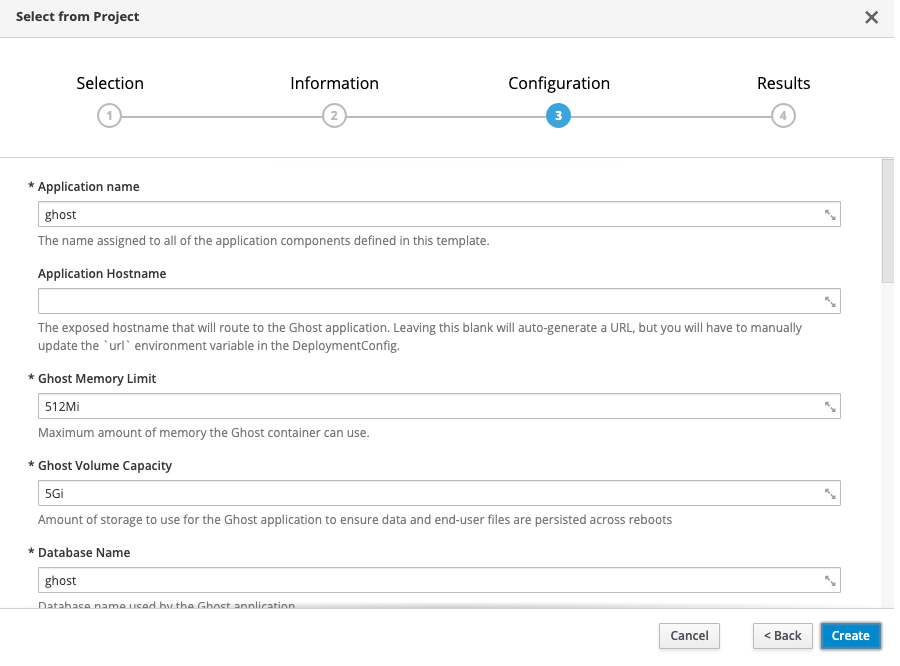
If you don’t want to change any settings, all of the defaults are set up for you to just hit create and go. Using the defaults, this will create the following:
- 1 persistent volume for your MySQL database (1Gi)
- 1 persistent volume for your Ghost blog content (5Gi)
- 1 secret for the MySQL database credentials
- A MySQL deployment
- A Ghost build (using the ghost-cli)
- A Ghost deployment
- A Ghost route
If using a platform like Red Hat OpenShift Online, a default route will be created for you, e.g., https://ghost-ghost-example.b9ad.pro-us-east-1.openshiftapps.com/. Be sure that you update your deployment with this URL by running
<span> </span><span>oc set env dc ghost url=https://$(oc get route ghost -o custom-columns=HOST:.spec.host --no-headers)</span>
If you’re not using a default route, simply provide your custom URL in the “Application Hostname” template parameter, and this will be filled in for you.
That’s it! The OpenShift S2I build system has some amazing capabilities in taking nothing more than a Git repository and deploying a full application. This is simply one use case of that.
執筆者紹介
類似検索
エージェント型のパラドックスとハイブリッド AI の事例
過去を管理するのをやめて、IT の未来を構築しましょう
Crack the Cloud_Open | Command Line Heroes
Edge computing covered and diced | Technically Speaking
チャンネル別に見る

自動化
テクノロジー、チームおよび環境に関する IT 自動化の最新情報

AI (人工知能)
お客様が AI ワークロードをどこでも自由に実行することを可能にするプラットフォームについてのアップデート

オープン・ハイブリッドクラウド
ハイブリッドクラウドで柔軟に未来を築く方法をご確認ください。

セキュリティ
環境やテクノロジー全体に及ぶリスクを軽減する方法に関する最新情報

エッジコンピューティング
エッジでの運用を単純化するプラットフォームのアップデート

インフラストラクチャ
世界有数のエンタープライズ向け Linux プラットフォームの最新情報

アプリケーション
アプリケーションの最も困難な課題に対する Red Hat ソリューションの詳細

仮想化
オンプレミスまたは複数クラウドでのワークロードに対応するエンタープライズ仮想化の将来についてご覧ください
