
Red Hat OpenShift Container Platform is one of the popular and mature platforms for developing and managing container deployments. While it has many built-in security features, Aqua provides an additional layer of security both in development as well as for protecting containerized applications in runtime.
Installing Aqua on OpenShift
Aqua can be natively deployed in an OpenShift environment by deploying pods, services, and Daemonsets.
You start by deploying the Aqua Command Center components:
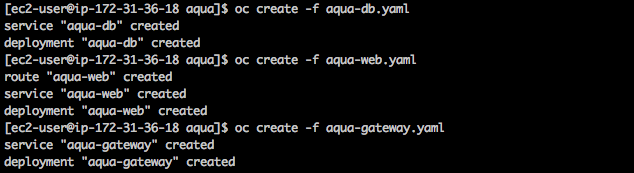
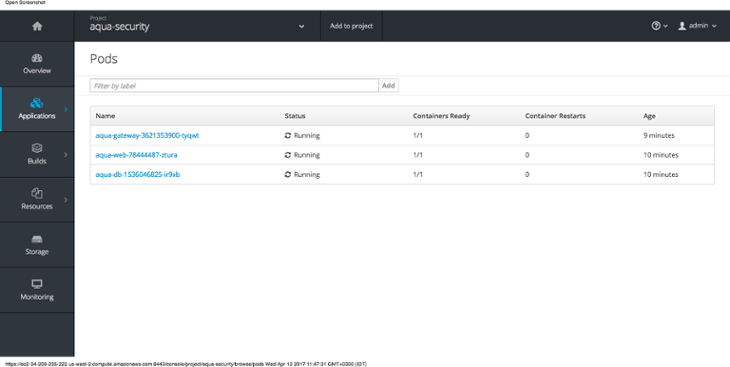
You can then verify that pods are running:
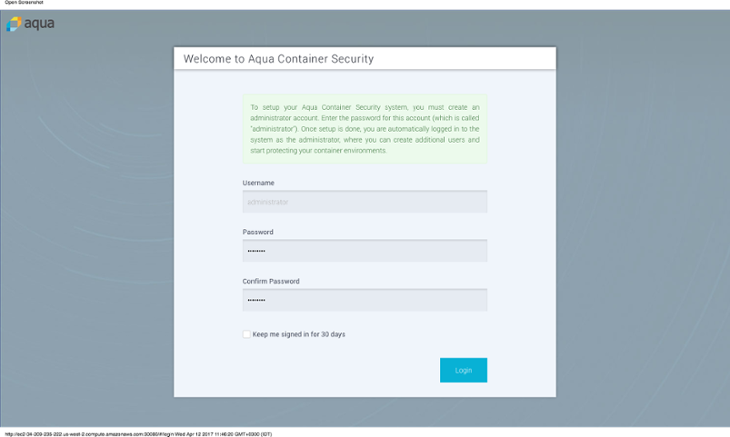
And login to the Aqua Command Center:
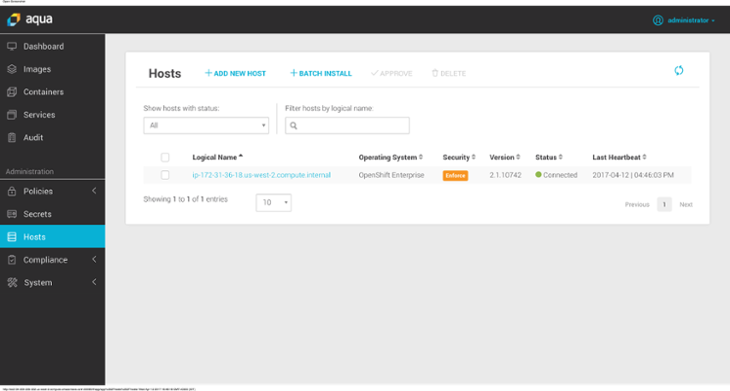
You then deploy the Aqua Enforcer container through Daemonset - this will ensure that Aqua Enforcer is running on every node in the OpenShift cluster:

Container Image Assurance
With Aqua, you can control which images will be allowed run in your OpenShift environment by defining image assurance policies. These policies can define the security level that containers running in OpenShift environment should have.
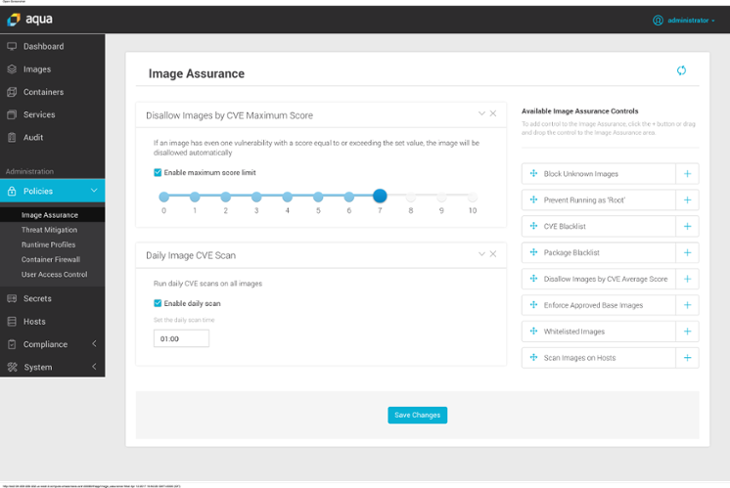
The outcome is that all images in the OpenShift environment will be assessed for security quality, which includes scanning them for known vulnerabilities, insecure configurations, and embedded secrets. If an image does not pass the security assessment then it will be marked as “disallowed” for running, and will not be able to run on the cluster.
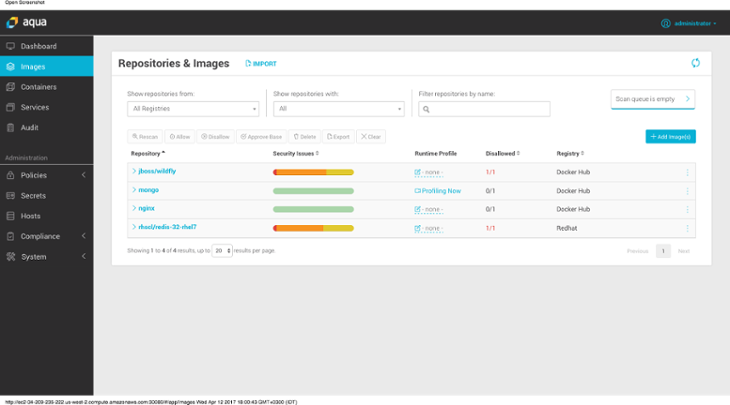
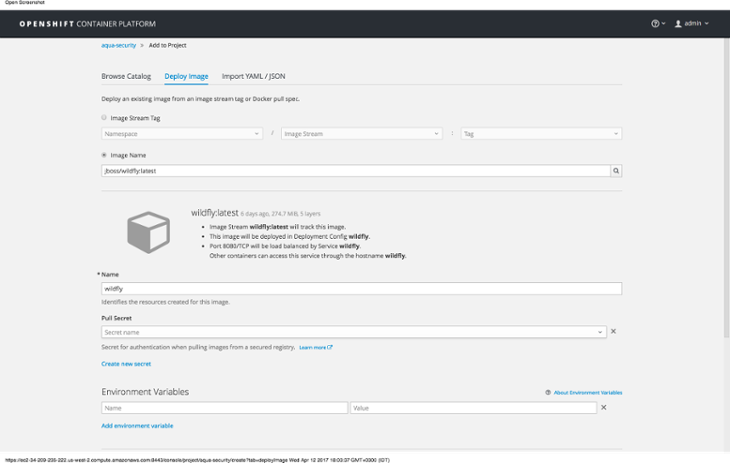
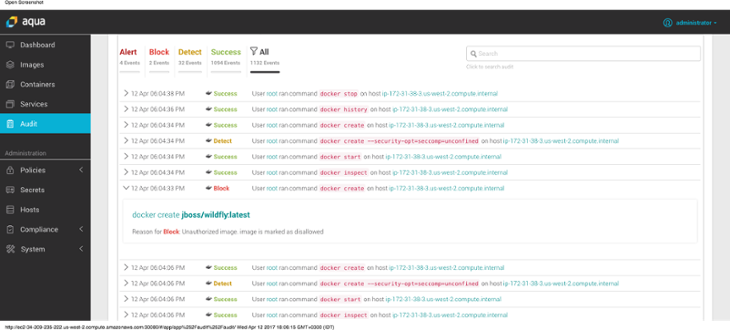
For example, trying to run “jboss/wildfly” image on the OpenShift cluster will fail as the image vulnerability score is too high.

Runtime Controls
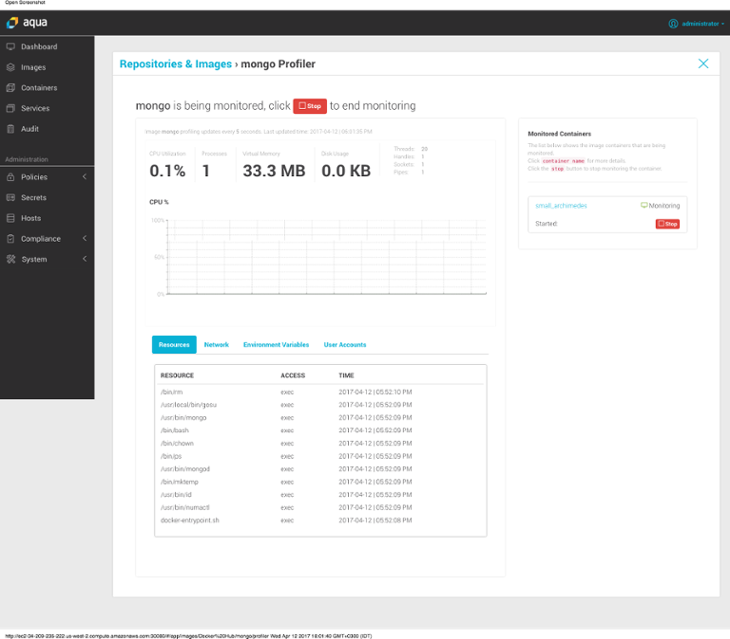
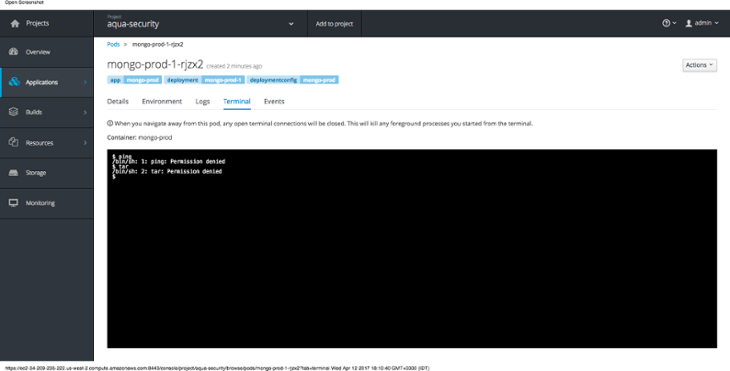
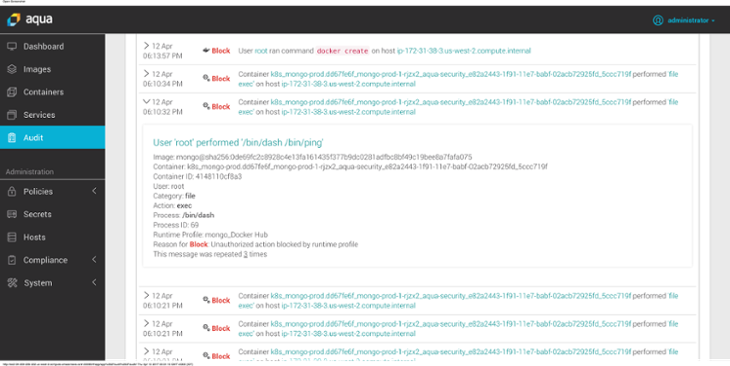
Aqua automatically profiles containers running in an OpenShift cluster to limit their abilities to the least needed privileges, based on actual application use. This means that if a container will try elevating privileges through user impersonation, running an unauthorized process or accessing an unauthorized file - the operation that violates the policy would be blocked and reported:
As you can see, if the container tries to run a process that was not allowed under the profile, that actions will be blocked and the event will be logged.
To Learn More
Access our resource center, the Aqua page on OpenShift Hub, or ask us for a demo!
執筆者紹介
類似検索
Red Hat がパートナーによるビジネス価値の最大化を支援する 5 つの新しい方法
Red Hat パートナーが通信ビジネスにおける究極の資産である理由
You Can't Automate Buy-In | Code Comments
You Can’t Automate Expectations | Code Comments
チャンネル別に見る

自動化
テクノロジー、チームおよび環境に関する IT 自動化の最新情報

AI (人工知能)
お客様が AI ワークロードをどこでも自由に実行することを可能にするプラットフォームについてのアップデート

オープン・ハイブリッドクラウド
ハイブリッドクラウドで柔軟に未来を築く方法をご確認ください。

セキュリティ
環境やテクノロジー全体に及ぶリスクを軽減する方法に関する最新情報

エッジコンピューティング
エッジでの運用を単純化するプラットフォームのアップデート

インフラストラクチャ
世界有数のエンタープライズ向け Linux プラットフォームの最新情報

アプリケーション
アプリケーションの最も困難な課題に対する Red Hat ソリューションの詳細

仮想化
オンプレミスまたは複数クラウドでのワークロードに対応するエンタープライズ仮想化の将来についてご覧ください
