
I'm testing and developing in an OpenShift All-in-One cluster in a VM. I needed my local working branch of a git repository cloned in my VM. I compiled bits and pieces of my web search into this post, so hopefully when the next developer searches the title of this blog they'll find this!
Substitute in the commands below:
  REPO=repoToClone

  WORKING_BRANCH=workingBranchName

  BARE_REPO="$REPO-bare"

  PATH_TO_REPOS=/path/to/your/repo

  REPO_PATH=/path/to/your/repo/$REPO

  BARE_REPO_PATH=/path/to/your/repo/$BARE_REPO

  PUBLIC_DNS_OF_VM

  VM_USER=output of 'echo ${USER}' from VM
Run these commands while ssh'd into the VM. I recommend putting these in a script so you can easily sync your local repositories to your VM whenever necessary:
sudo mkdir -p $PATH_TO_REPOS

sudo chown -R $USER:$USER $PATH_TO_REPOS

cd $PATH_TO_REPOS

git init --bare $BARE_REPO

git clone $BARE_REPO_PATH $REPO_PATH

cd $REPO

touch file.txt && git add . && git commit -m 'added a file so I could create a working branch'

git push origin master
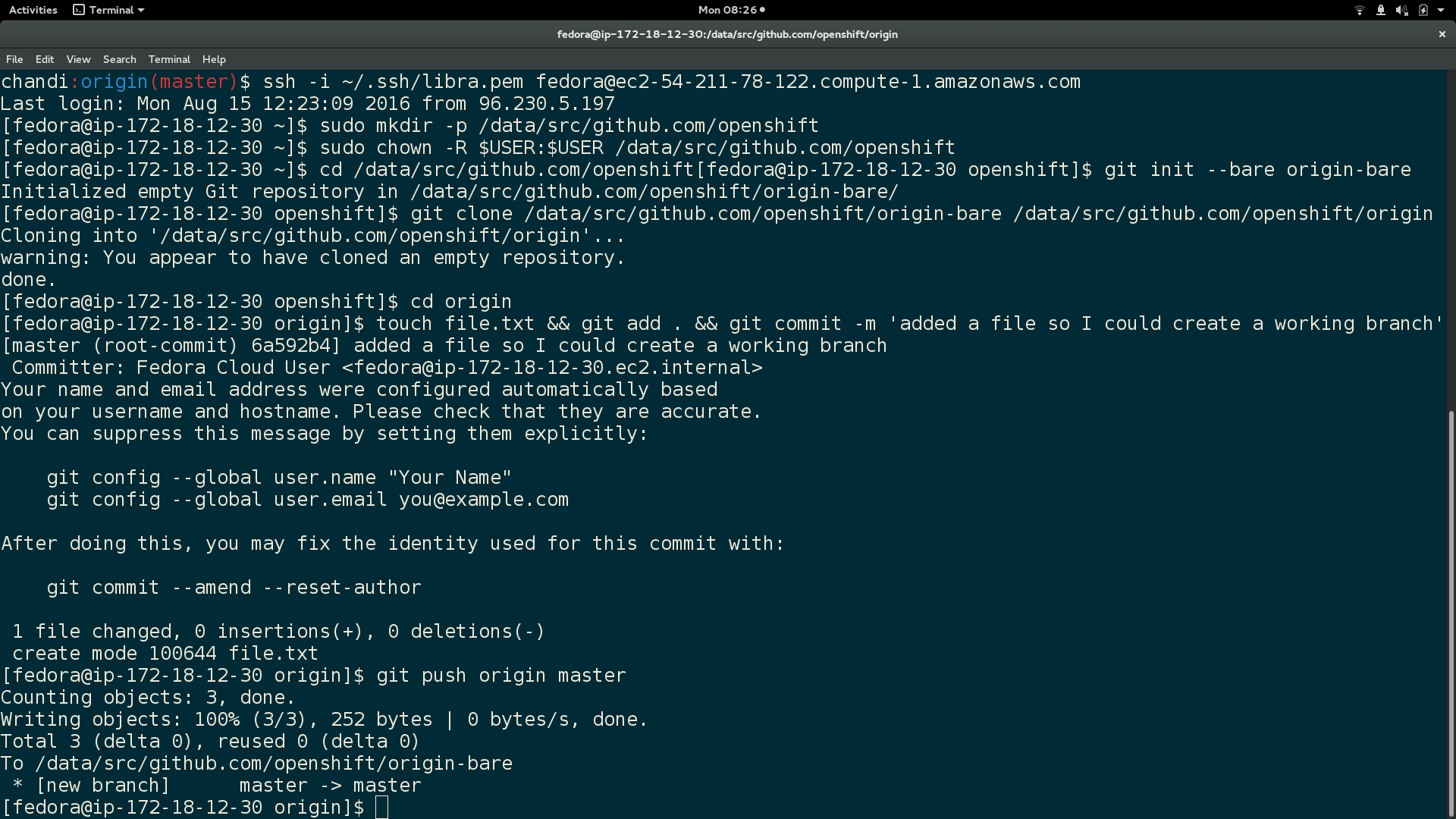
Here is output of the above commands:
In local machine, clone your git repository to the VM $BARE_REPO:
  cd $REPO_PATH

  git push -q ssh://$VM_USER@$PUBLIC_DNS_OF_VM$BARE_REPO_PATH --force --verbose
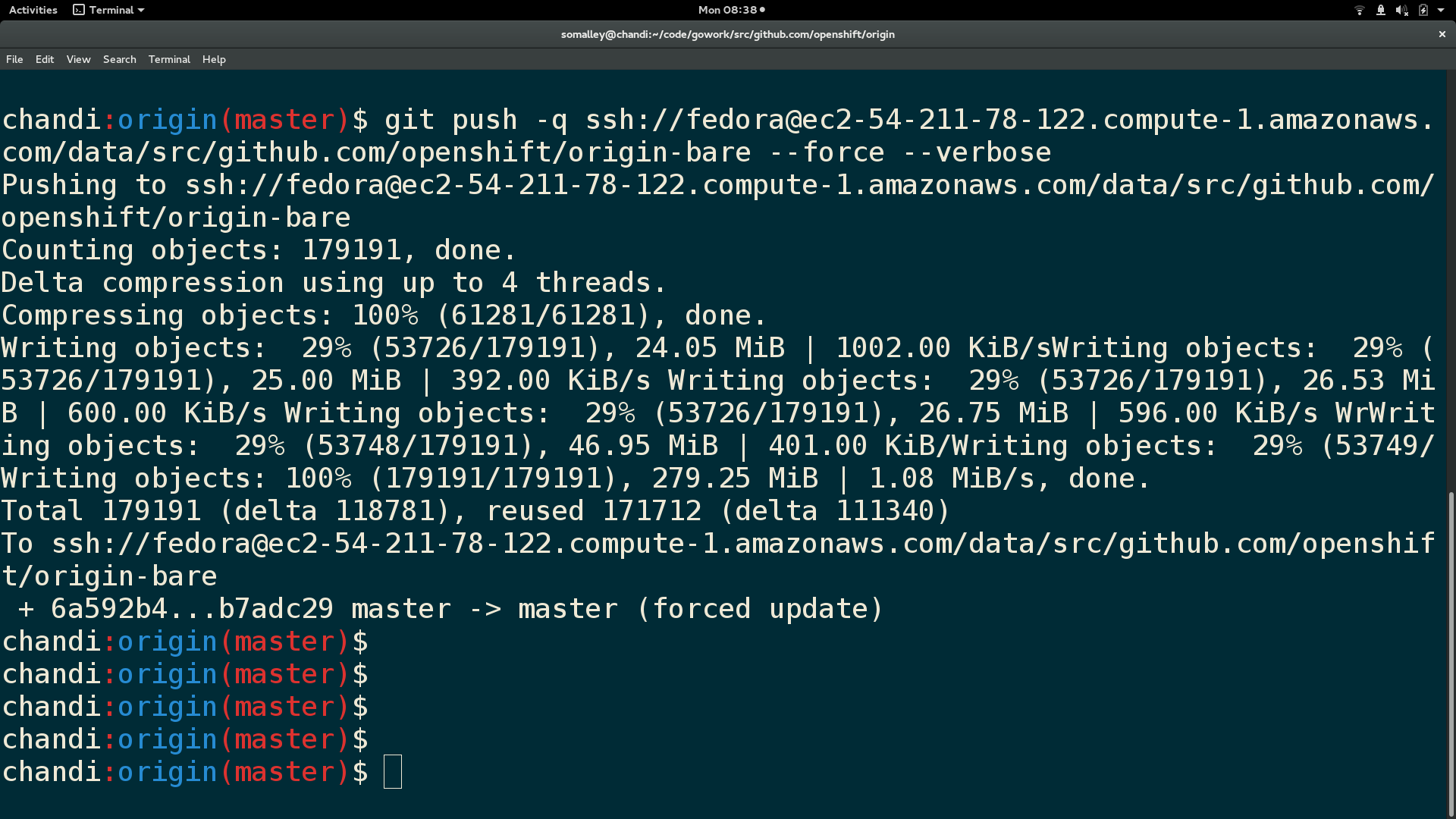
Here is output from the git push:
SSH back into VM and run these:
  cd $REPO_PATH

  git pull (this will open a git vim window, enter 'wq' to continue merge)

  git checkout $WORKING_BRANCH
Finally, here is a screenshot of the repository contents and branch name in the VM:

You now have your current local working branch of a git repository cloned to your VM :)
About the author
Sally Ann O'Malley is a Principal Software Engineer, Emerging Technologies, Office of the CTO at Red Hat. She uses her talent for sparking excitement around new tools and ideas to integrate innovative solutions into Red Hat's portfolio. Sally is an organizer for DevConf.US, an annual open source conference, and an instructor within Boston University's Faculty of Computing and Data Sciences.
More like this
The playbook behind Red Hat’s most successful OpenShift deployments
Introducing the external secrets management console plug-in
Fail Better | Command Line Heroes
Gladys Perkins | Command Line Heroes
Browse by channel

Automation
The latest on IT automation for tech, teams, and environments

Artificial intelligence
Updates on the platforms that free customers to run AI workloads anywhere

Open hybrid cloud
Explore how we build a more flexible future with hybrid cloud

Security
The latest on how we reduce risks across environments and technologies

Edge computing
Updates on the platforms that simplify operations at the edge

Infrastructure
The latest on the world’s leading enterprise Linux platform

Applications
Inside our solutions to the toughest application challenges

Virtualization
The future of enterprise virtualization for your workloads on-premise or across clouds
