
In my previous article, I introduced Rust, explained how to install it, and created a simple Rust project. With the help of a container and OpenShift's "import from Git" functionality, you can onboard a Rust application onto OpenShift quickly.
[ Keep Rust syntax and tips on hand with this free Rust cheat sheet. ]
You can find the Rust project used in this example in my GitHub repository. The code is based on a repo created by the development team at Actix, a web framework for Rust. The most important files inside the repo include the dockerfile, Cargo.toml, and src/main.rs:
- The
dockerfilepulls the latest Rust image and runs thecargo buildcommand. - The
Cargo.tomlfile includes the Actix web dependency and package information. - The
main.rsscript contains the web server code, which displays "Hello, Openshift!" on port 8080.
Onboard Rust using OpenShift Web Console
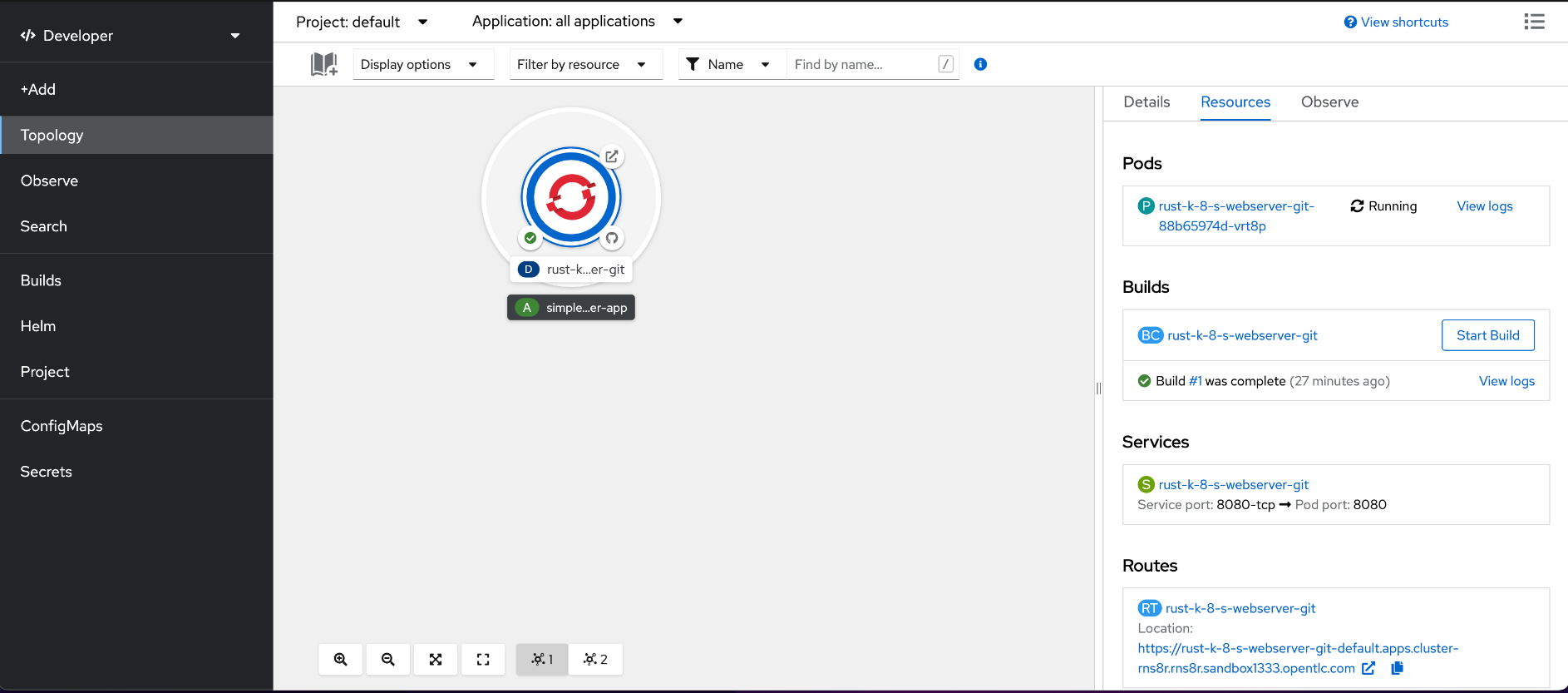
- Log into the OpenShift Web Console.
- Click on Developer on the left sidebar at the very top.
- Click the Add button.
- Select the Import from Git option.
- Add the Git repository URL:
https://github.com/nnlama/rust_k8s_webserver - Click Create.
Cargo builds the project in five to 10 minutes. You must have these OpenShift resources:
- One pod in the completed stage to build the Rust application
- One pod in the running stage to run the Rust web server
- One service
- One route to expose the Rust application
Access the route to the application under the Networking tab on the OpenShift Web Console. Copy and paste the URL into your local browser to see a "Hello OpenShift!" message.

Congratulations! You have successfully onboarded your first Rust application on OpenShift. If you are interested in contributing to the Rust community, please visit the Rust Programming Language Handbook and Rustaceans.org for more information on becoming an official Rustacean.
About the author
Nicole Lama is a first-generation Panamanian-American with a bachelor's in biomedical sciences and a master's in bioinformatics and computational biology. Since 2015, she has worked with academics, tech startups, and Fortune 500 companies to help meet their data extraction, transformation, mobilization, storage, analytics, and visualization needs. She specializes in Python, machine learning, and open source technology.
More like this
The playbook behind Red Hat’s most successful OpenShift deployments
Introducing the external secrets management console plug-in
Consoles | Command Line Heroes
Bad Bosses | Compiler: Tales From The Database
Browse by channel

Automation
The latest on IT automation for tech, teams, and environments

Artificial intelligence
Updates on the platforms that free customers to run AI workloads anywhere

Open hybrid cloud
Explore how we build a more flexible future with hybrid cloud

Security
The latest on how we reduce risks across environments and technologies

Edge computing
Updates on the platforms that simplify operations at the edge

Infrastructure
The latest on the world’s leading enterprise Linux platform

Applications
Inside our solutions to the toughest application challenges

Virtualization
The future of enterprise virtualization for your workloads on-premise or across clouds
