Red Hat OpenShift
One platform. Any workload. Any infrastructure.

Introduction to Containers and Kubernetes
What are containers?
Containers package an application and its dependencies in an isolated package of code (a ‘container’) for easy movement and execution.
They are lightweight, quick to deploy, start, update, or retrieve, and easily duplicated for scaling across multiple environments, while ensuring consistency.
This agility shortens software lifecycles and reduces time-to-market of new features or corrections.
Container Benefits Across Teams
ISVs & In-house Developers
- Faster, more consistent deployments
- Deploy to any location K8s runs
- Less friction for upgrades / add-ons
IT Architects
- Faster scale out
- Shorter test cycles
- Fewer deployment errors
IT Operations
- Higher quality releases
- Efficient replacement of VMs
- Easier application management
Container Management At Scale = Kubernetes
Kubernetes is an open source container orchestration platform that helps manage distributed, containerised applications at massive scale. You tell Kubernetes where you want your software
to run, and the platform takes care of almost everything it takes to deploy and manage your containers.
Kubernetes aligns with software development practices and workflows, including DevOps and continuous integration/continuous deployment (CI/CD). Developers can focus more on the
software itself and less on the underlying infrastructure. Improvements to software reach users faster.
* According to a Gartner® research, "By 2029, more than 80% of commercial off-the-shelf (COTS) vendors will offer their software in container format, up from less than 30% in 2023."
* Reference: Gartner, A CTO’s Guide to Containers and Kubernetes: Top 10 FAQs, 22 January 2024.
GARTNER is a registered trademark and service mark of Gartner, Inc. and/or its affiliates in the U.S. and internationally and is used herein with permission. All rights reserved.
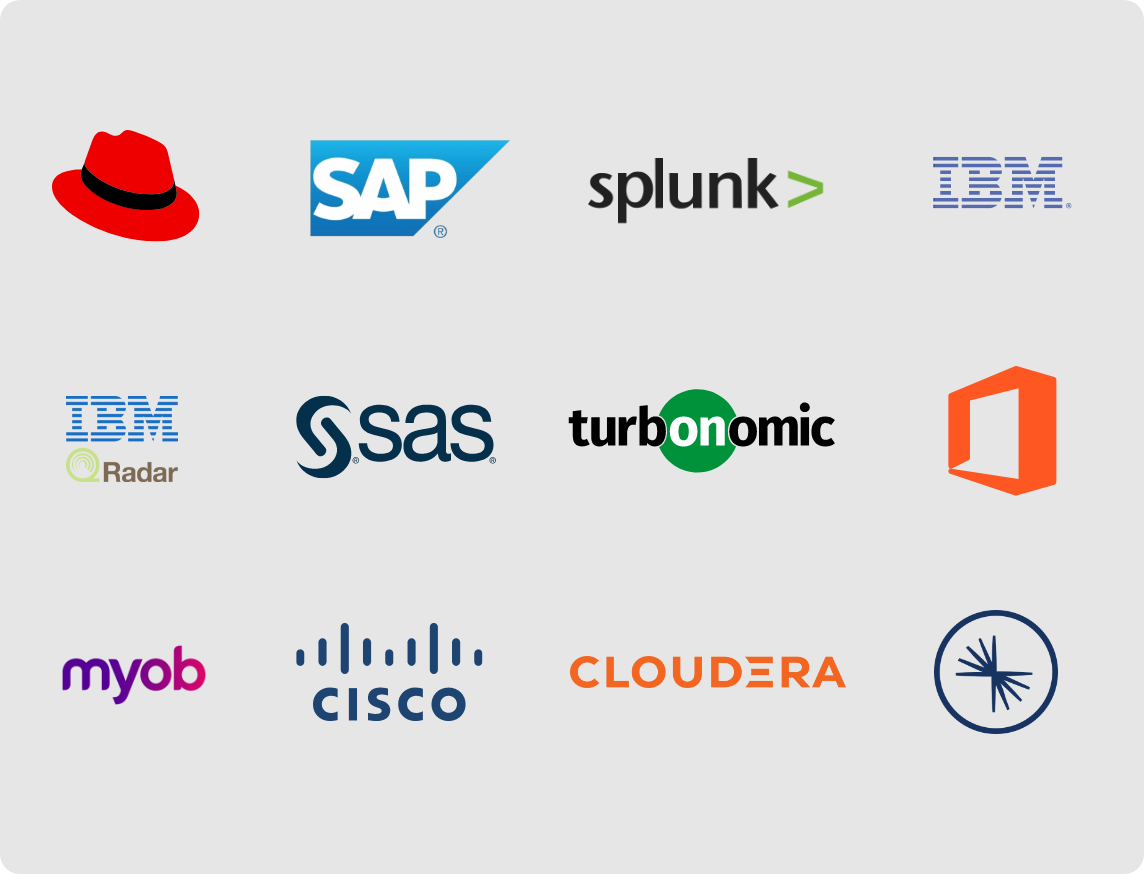
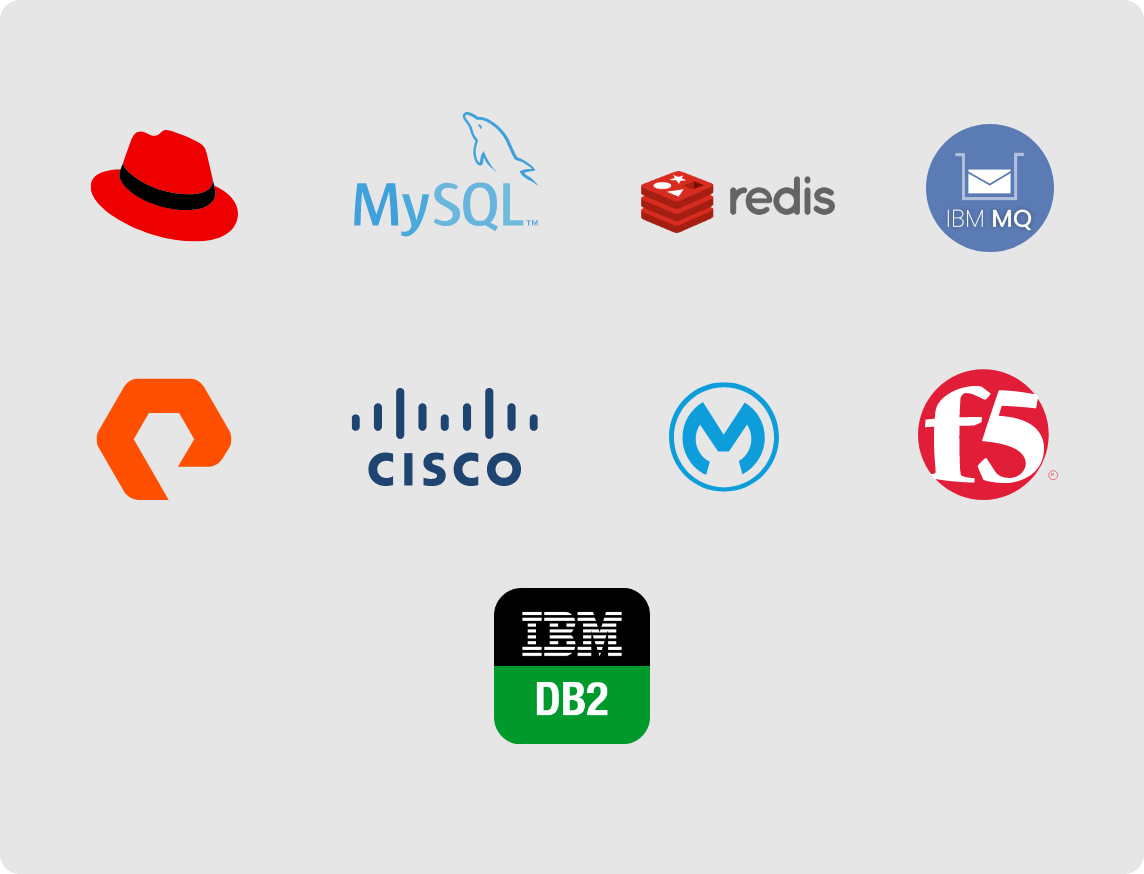
Many Organisations Rely on COTS (Commercial off-the-shelf) Software*:
Fully fledged business
applications ready to go
Application building blocks /
Application foundation
* Not an exhaustive list; for illustrative purposes only.
Why Containerise COTS Applications?
Technical Benefits
- Rapid scalability in milliseconds or seconds.
- Containers are more lightweight than VMs.
- Fewer IT resources are needed for deployment.
- Easier disaster recovery for containerised applications.
Operational Benefits
- Simplified management with a shared services platform.
- Less technical knowledge required for COTS applications.
- High uptime with outsourced OpenShift management.
Cost Benefits
- Minimised platform costs with shared services.
- Shared infrastructure resources providing better usage and resilience.
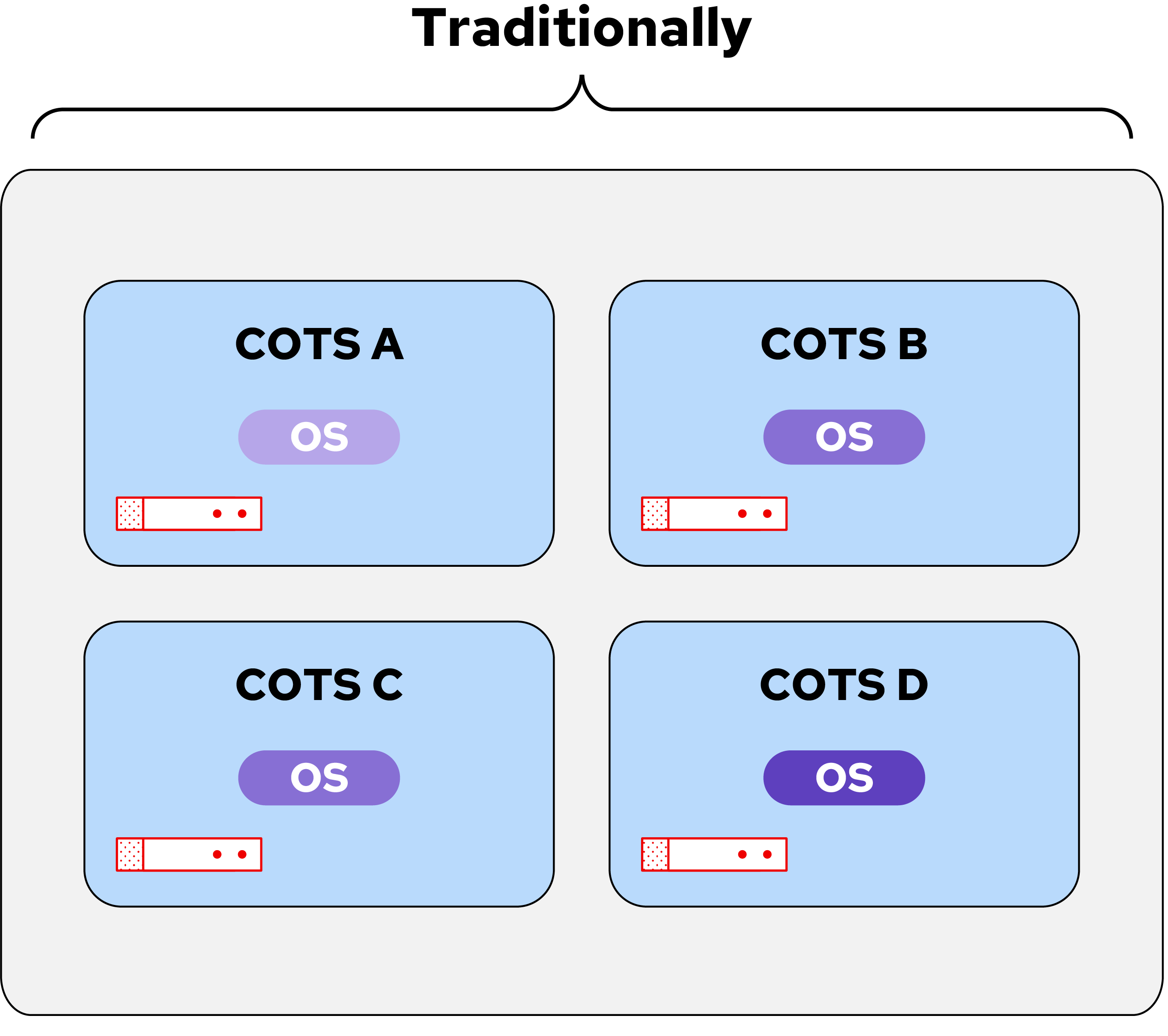
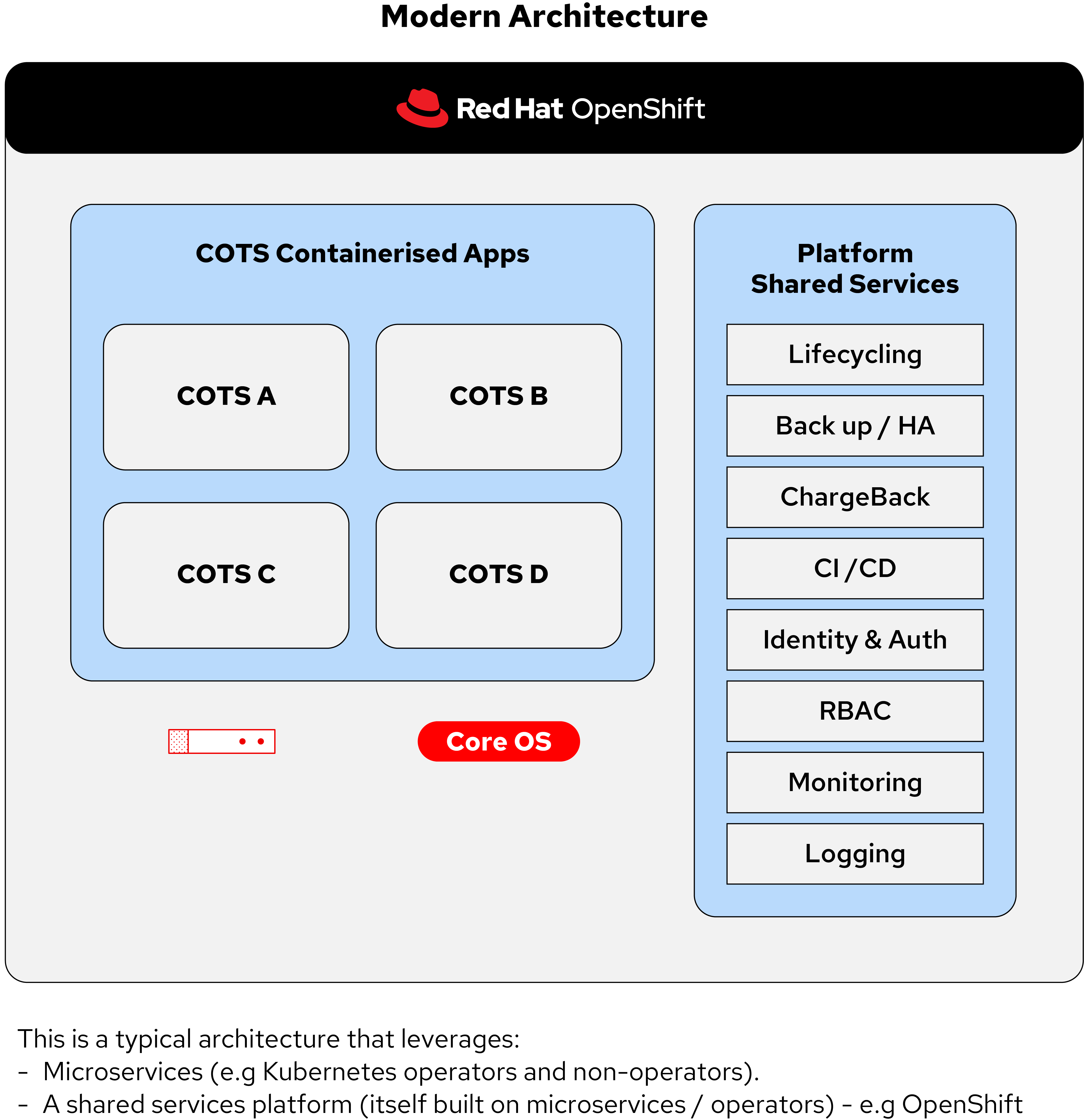
Kubernetes as a Modern Architecture for COTS and In-house Applications
Introducing a Key Agent - Operators in Kubernetes
What is an Operator?
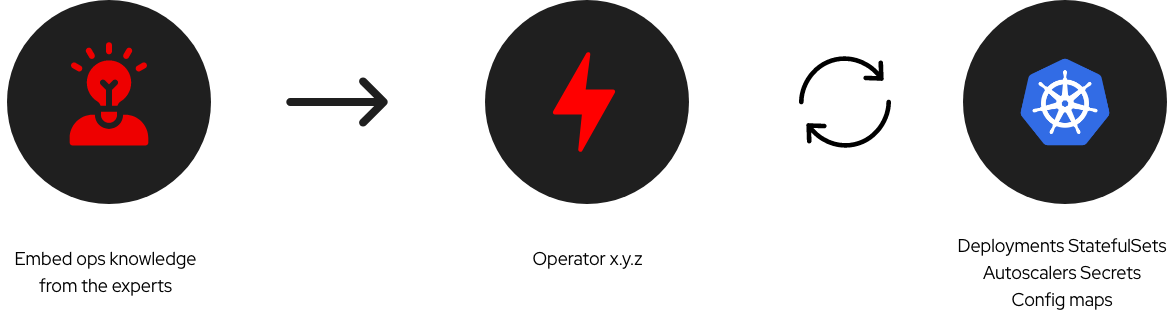
A Kubernetes operator is an application-specific controller that extends the functionality of the Kubernetes API to create, configure, and manage instances of complex applications on behalf of a Kubernetes user.
Here's an example of how an Operator works:
Read the following blog post to learn about:
- Operators and components in Kubernetes and OpenShift
- How Kubernetes and OpenShift work together
- The enhanced value Kubernetes and OpenShift offer beyond native Kubernetes resources
Reference Architectures
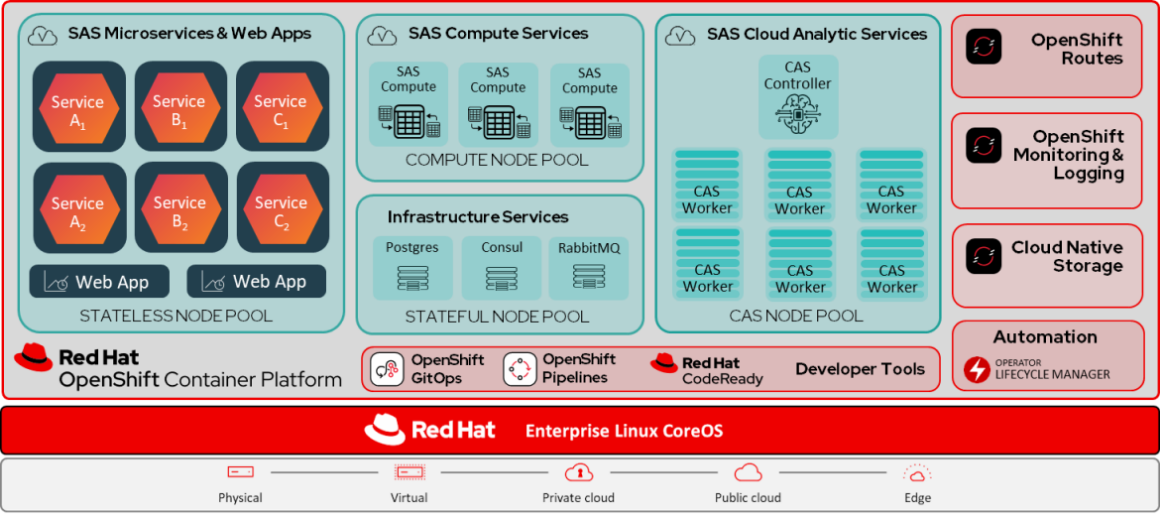
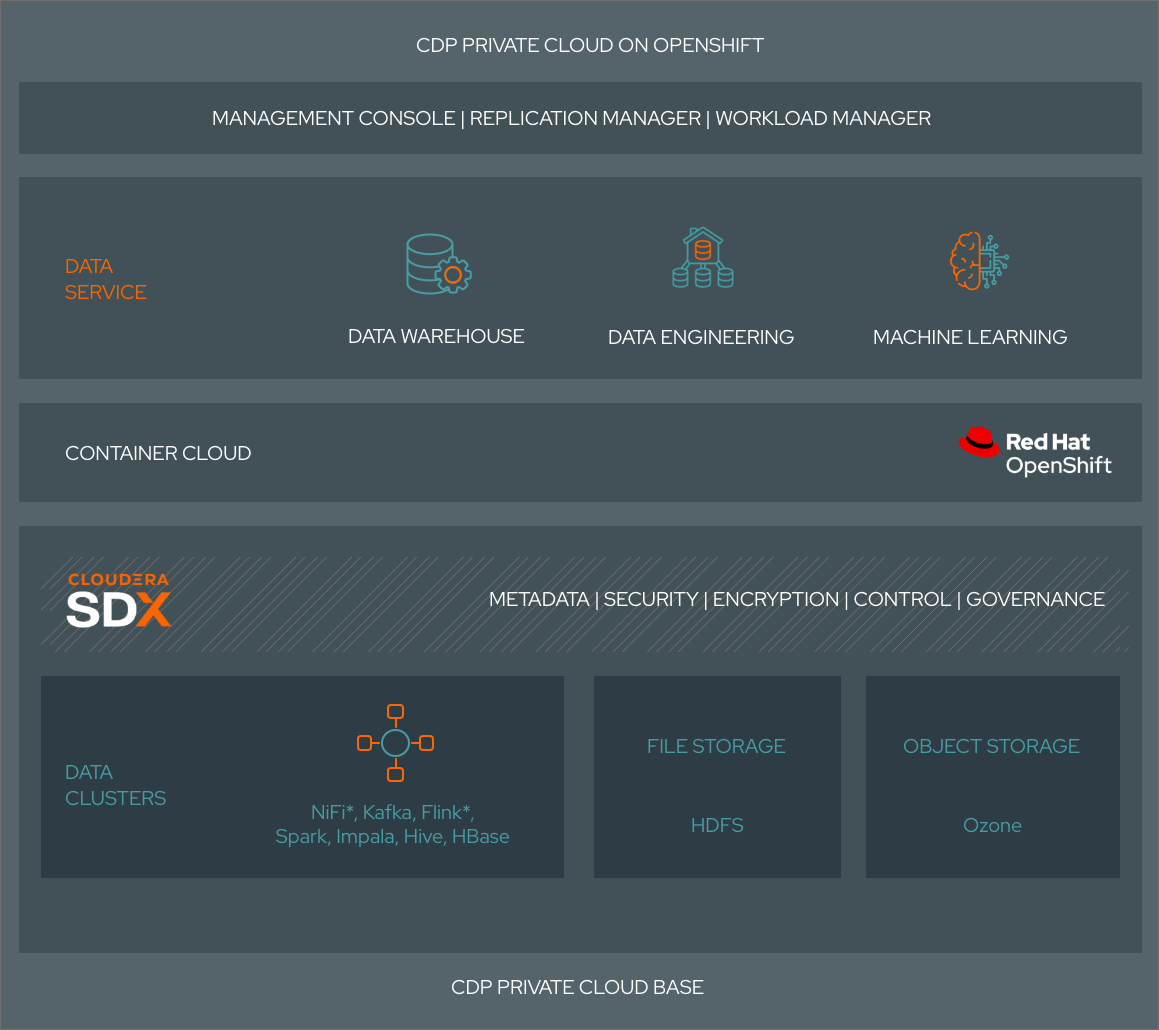
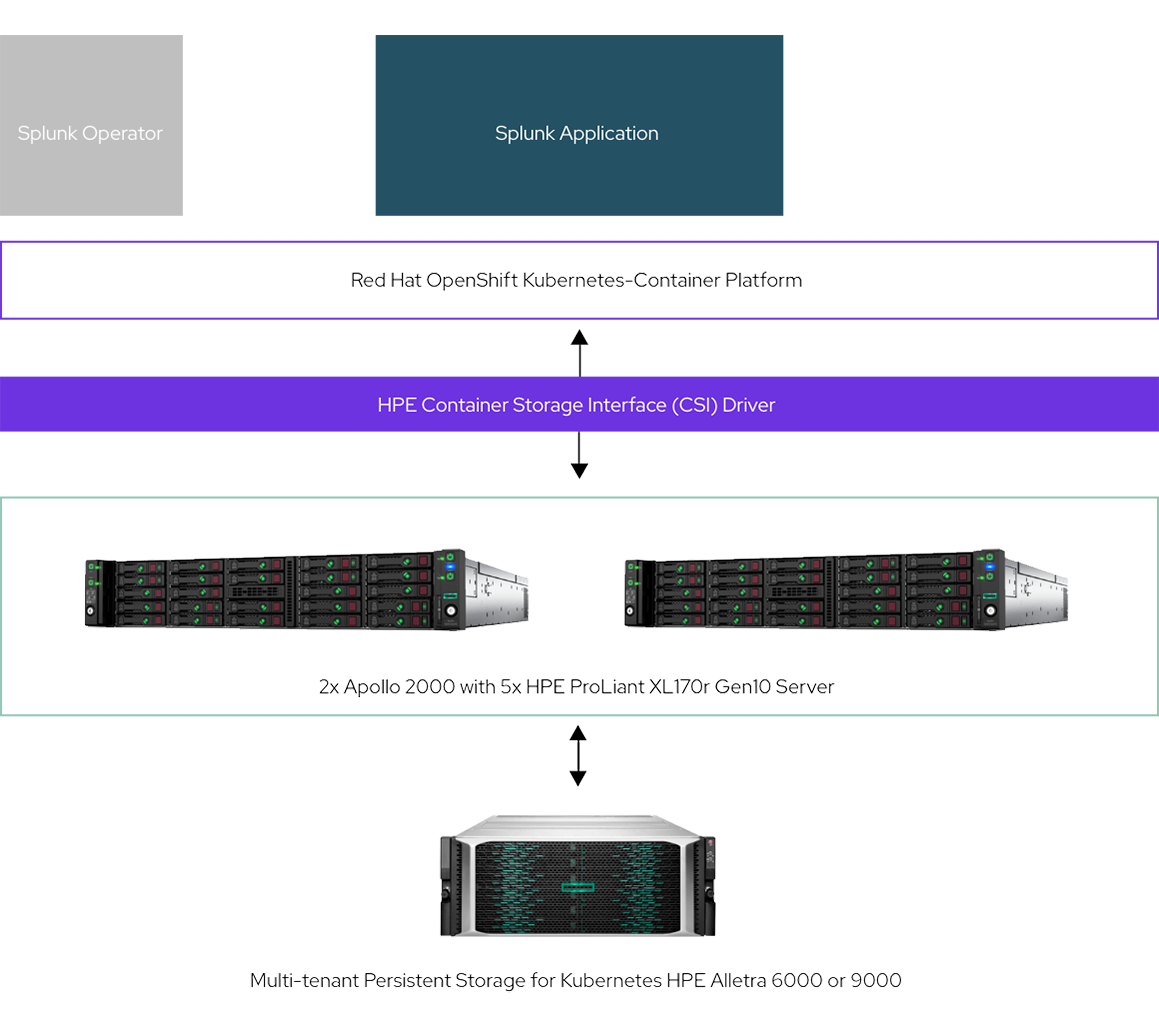
Application modernisation is a journey. Start your journey with our curated reference architectures.
Need more insights? Get in touch with a Red Hatter for additional reference architectures and personalised guidance for your app modernisation journey.
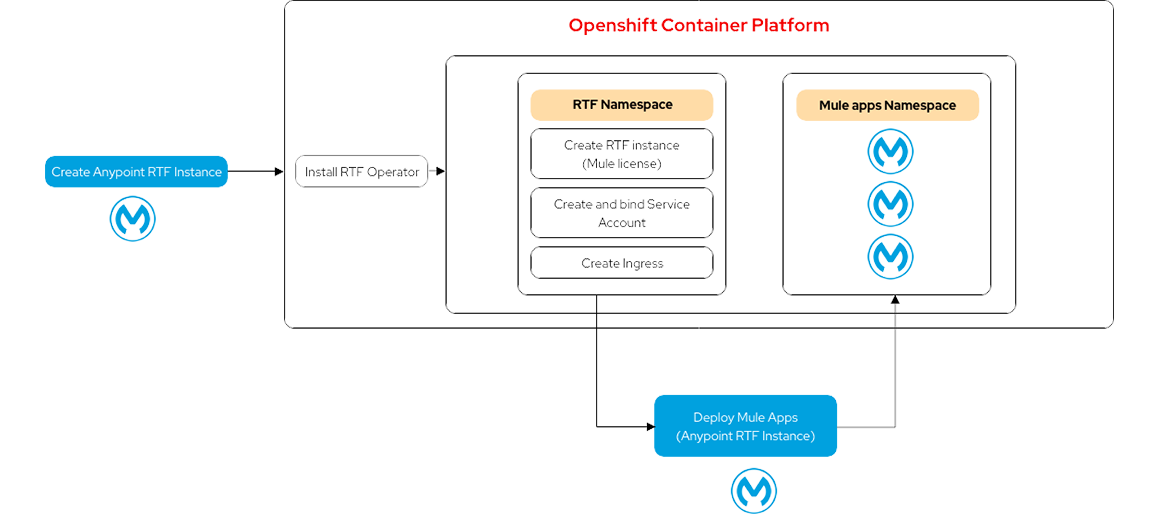
Select on any of the tiles below to open the architecture diagram in a new tab.
Mulesoft
SAS
Cloudera
Splunk
Case Study
Discover how a leading Turkish e-commerce retailer decreased system reliability incidents by 97%, improved developer productivity and time to market, and enhanced its reputation for technology innovation by managing VMs and containers on a single platform.
OpenShift - One Platform, Dual Functionalities
Your app modernisation journey doesn’t have to start with containers right away. There are multiple routes to reach your destination—begin by moving your VMs to OpenShift and take the first confident step toward app containerisation.
Red Hat OpenShift Virtualization, included with Red Hat OpenShift, lets you run virtual machines and containers on a single platform.
Key Features & Benefits
Unified Management
Use the OpenShift web console to deploy, manage, and monitor both containers and VMs in a consistent user experience.
Flexibility and Agility
Turn VM-based applications into containerised microservices, with a phased modernisation journey.
Streamlined Operations
Reduce operational overhead by managing VMs and containers within the same platform.
Scalability and High Availability
Scale containerised applications and VMs to meet growing demand without downtime.
Security and Compliance
Benefit from OpenShift’s security features, and integrated security scanning, applied to both containers and VMs.
Cost Optimisation
Optimise resource usage with mixed workloads on shared infrastructure, without the need for separate hardware.
Red Hat named a Leader in the 2024 Gartner® Magic Quadrant™ for second consecutive year
Red Hat was named a Leader in the Gartner 2024 Magic Quadrant for Container Management. This year, Red Hat was positioned furthest on the Completeness of Vision axis.
Discover how much you can save with a single platform for both container and VM workloads. Enter your details below, and our technical experts will contact you soon to help you begin your modernisation journey.
