
What is Cirrus CLI? The following description is taken from the Cirrus CLI GitHub page description:
Cirrus CLI is a tool for running containerized tasks reproducibly in any environment. Most commonly, Cirrus tasks are used as part of continuous integration workflows but can also be used as part of local development process as a hermetic replacement of helper scripts/Makefiles. Cirrus CLI runs your tasks locally the same way they are executed in CI or on your colleague's machine. Immutability of containers ensures the tasks will be executed the same way years from now regardless what versions of packages you'll have locally.
Cirrus CLI supported Docker from its inception, but requiring a container daemon that runs as root and provides access to the less-privileged users sometimes is not an option: For example, when building on a shared machine, isolating nested containers, or simply being security-conscious about what runs on your desktop.
And even though Docker introduced the rootless mode about a year ago, its user experience is currently lacking in our opinion, mostly due to missing packaging and a history of Docker being a daemon. Podman, on the other hand, began as a daemonless container engine, and its installation process covers virtually all distros.
On top of that, when investigating Podman as an additional option for running Cirrus tasks, we realized that it's a little step towards disrupting the software monoculture because, in the end, its software quality increases. New standards and building blocks like the Rootless Containers project emerge that pave the way for the software's future.
Rootless containers are powered by... namespaces?
The Linux namespaces is the most important cornerstone of what makes containers work on Linux. They're highly Linux-specific, to the point that a separate Linux VM is spun up when you run containers on Windows and macOS.
Namespaces allow granular resource separation. For example, if a process is attached to a specific PID namespace, it only sees other processes attached to the same namespace. Or if a FUSE filesystem is mounted to root (/) while being in a separate mount namespace, the host won't suddenly crash due to missing binaries.
One of the trickiest namespaces is the user namespaces. User namespaces essentially allow one to be a root inside that namespace, but appear as a normal user from the outside. Since most container images expect to run as root for certain operations, implementing user namespaces is crucial for rootless containers.
Let's see what happens when multiple users launch their build commands using Docker without user namespaces enabled:
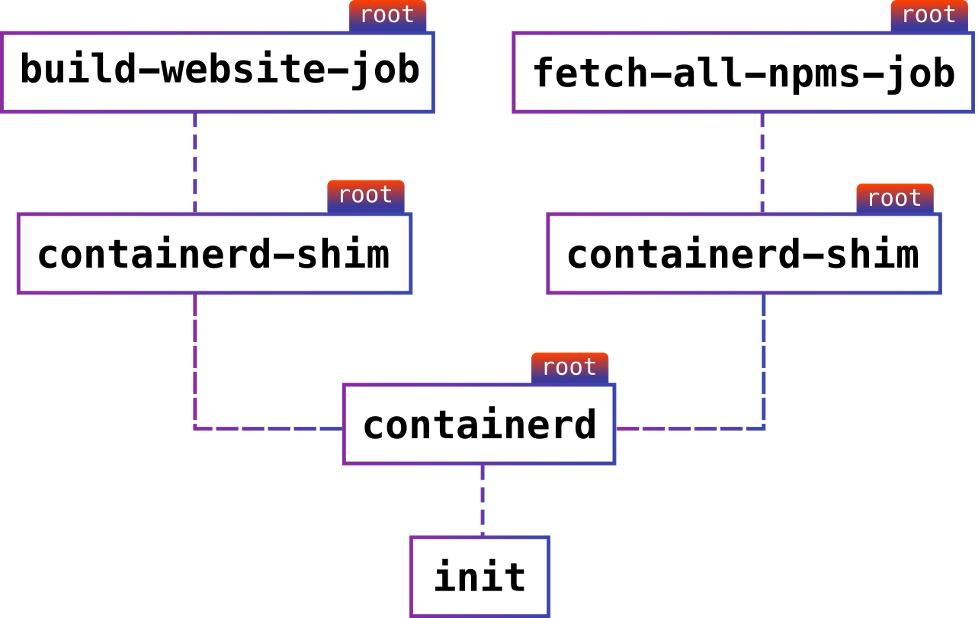
When observing these process's IDs from the container host, all jobs run under root, despite being started by different users. The same applies to containerd. And while you actually could have passed it the --userns-remap flag, the container would still run as root and will be a single point of failure.
Things run like that in the default mode because implementing rootless containers is not trivial.
The user namespaces themselves are probably one of the most complex configurations to implement and produce many security-related bugs. Some distributions like Debian even opted to disable them by default some time ago.
[ In case you missed it: Basic security principles for containers and container runtimes ]
How Podman solves rootless execution difficulties
Starting a container without root privileges involves some compromises and workarounds.
For example, as a user, when you create a network namespace (which should come with a user namespace), you only get a lo interface. Normally, a container engine also creates a veth device pair and moves one of its ends back to the host to connect it to a real network interface or bridge (for inter-container communication).
However, connecting interfaces on the host requires you to be a root in the host's namespace, so that's not possible. Podman works around this by using slirp4netns, a network stack that routes the packets between the container and the monitor itself, instead of using the Kernel facilities. Thus, it requires no superuser privileges.
Due to the complexities involved with user namespaces, you also can't use certain filesystems normally available to the host's root. One of those filesystems is OverlayFS, which greatly helps with de-duplicating container image layers and improves the container experience. However, one can still use FUSE. The Podman team implemented fuse-overlayfs, which is used if installed, falling back to simply extracting the image contents into a directory at the cost of performance.
Now, if we run the same jobs we ran before, but with Podman, the result looks like this:

Note that nothing runs as root now, and there's no single point of failure if a container engine crashes for some reason.
Integrating with Podman
When you start a new build with cirrus run, it spawns the Podman process under the hood and talks to it via the REST API, which was introduced recently as a successor to the old Varlink API.
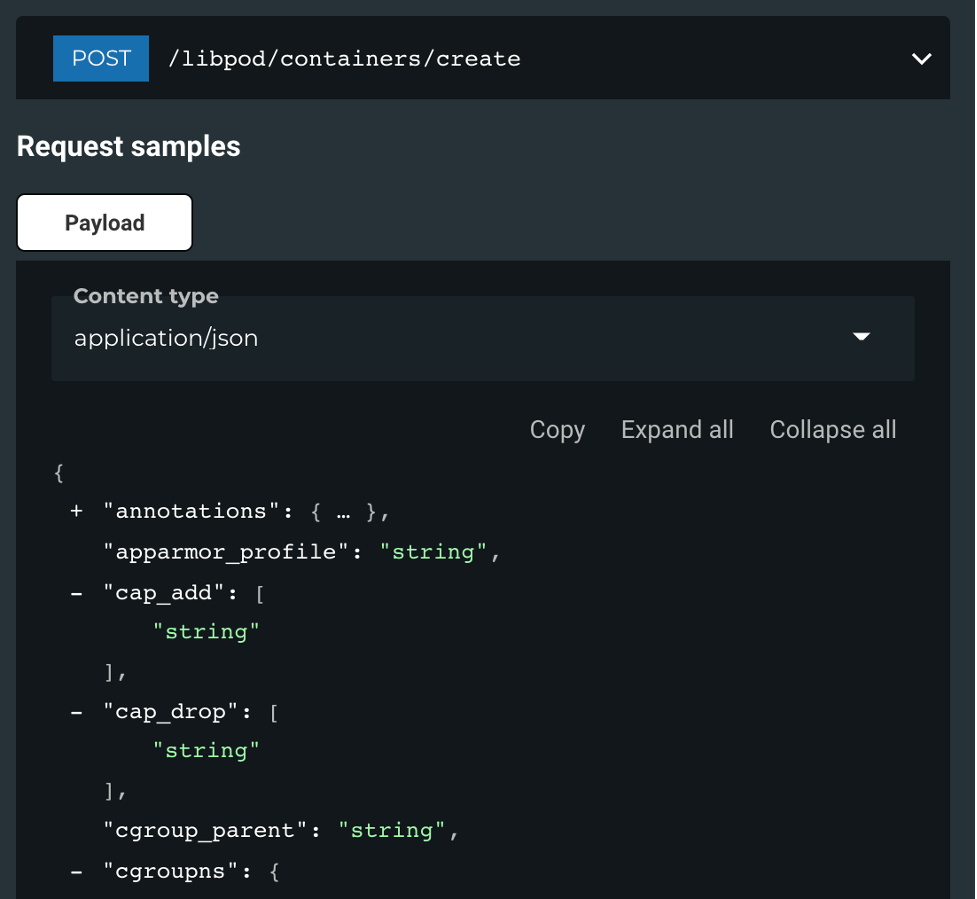
The API itself closely resembles Docker Engine API, which allows for clean abstraction for both APIs in the same codebase.
In fact, the very same Podman endpoint offers a Docker Engine API compatibility layer, but it is still a work in progress at the time of writing.
Enabling Podman in the CLI
If you don't have Podman installed yet, follow the instructions for your Linux distribution and then read the rootless tutorial.
CLI supports Podman version 0.17.0 and later. You can enable it by passing the --container-backend=podman flag:
cirrus run --container-backend=podman Lint
Note that if you do not have Docker installed on your system, you don't even need to specify anything—everything works automatically.
[ Getting started with containers? Check out this free course. Deploying containerized applications: A technical overview. ]
Wrap up
Rootless builds are an important component of container deployments. Cirrus CLI works with Podman to provide this functionality. Use these two utilities to better manage and secure your container environments.
執筆者紹介
Software Engineer at Cirrus Labs working on developer tools, cyclist, analog photography lover.
類似検索
Service Mesh を使用した Red Hat OpenShift での仮想マシンの管理
金融サービスにおけるポスト量子セキュリティを今すぐ始めるべき理由
Scaling with Orchestrators | Compiler
Container Roundup | Compiler
チャンネル別に見る

自動化
テクノロジー、チームおよび環境に関する IT 自動化の最新情報

AI (人工知能)
お客様が AI ワークロードをどこでも自由に実行することを可能にするプラットフォームについてのアップデート

オープン・ハイブリッドクラウド
ハイブリッドクラウドで柔軟に未来を築く方法をご確認ください。

セキュリティ
環境やテクノロジー全体に及ぶリスクを軽減する方法に関する最新情報

エッジコンピューティング
エッジでの運用を単純化するプラットフォームのアップデート

インフラストラクチャ
世界有数のエンタープライズ向け Linux プラットフォームの最新情報

アプリケーション
アプリケーションの最も困難な課題に対する Red Hat ソリューションの詳細

仮想化
オンプレミスまたは複数クラウドでのワークロードに対応するエンタープライズ仮想化の将来についてご覧ください
