





Model Context Protocol (MCP) is quickly becoming the standard for connecting AI agents to external tools and data. With the recent technology preview of the MCP server for Red Hat OpenShift, organizations can give AI agents controlled access to their clusters. Deploying and managing MCP servers at scale introduces its own operational challenge: how do you treat MCP servers as first-class infrastructure?
Today, we're making the MCP lifecycle operator available as a developer preview (v0.1.0). MCP lifecycle operator is a Kubernetes-native operator that provides a declarative API to deploy, manage, and safely roll out MCP servers on OpenShift and Kubernetes.
Why an operator for MCP servers?
Running an MCP server in a container is straightforward. Running it in production is not. You need health checks, role-based access control (RBAC), configuration management, service discovery, and lifecycle automation. The MCP lifecycle operator handles all of this through a single custom resource: MCPServer.
When you create an MCPServer resource, the operator automatically:
- Creates a Deployment with security-hardened defaults (non-root, read-only filesystem, dropped capabilities)
- Exposes the server via a Service with a cluster-internal discovery URL
- Validates that referenced ConfigMaps and Secrets exist before rolling out
- Injects a default readiness probe so containers are not marked Ready until they are listening on the configured port
Deploying the MCP server
Let's walk through a concrete example. Deploying the MCP server for OpenShift using the operator with proper RBAC for read-only cluster access.
First, install the operator with this manifest file. After that, apply the following manifests for creating the MCP server and its configuration:
---
# ServiceAccount for the MCP server
apiVersion: v1
kind: ServiceAccount
metadata:
  name: mcp-viewer
  namespace: default
---
# Grant read-only access using the built-in 'view' ClusterRole
apiVersion: rbac.authorization.k8s.io/v1
kind: ClusterRoleBinding
metadata:
  name: mcp-viewer-binding
roleRef:
  apiGroup: rbac.authorization.k8s.io
  kind: ClusterRole
  name: view
subjects:
  - kind: ServiceAccount
    name: mcp-viewer
    namespace: default
---
# Server configuration
apiVersion: v1
kind: ConfigMap
metadata:
  name: openshift-mcp-server-config
  namespace: default
data:
  config.toml: |
    log_level = 5
    port = "8080"
    read_only = true
    toolsets = ["core", "config"]
---
# MCPServer resource
apiVersion: mcp.x-k8s.io/v1alpha1
kind: MCPServer
metadata:
  name: openshift-mcp-server
  namespace: default
spec:
  source:
    type: ContainerImage
    containerImage:
      ref: quay.io/redhat-user-workloads/ocp-mcp-server-tenant/openshift-mcp-server-release-03:latest
  config:
    port: 8080
    arguments:
      - --config
      - /etc/mcp-config/config.toml
    storage:
      - path: /etc/mcp-config
        source:
          type: ConfigMap
          configMap:
            name: openshift-mcp-server-config
  runtime:
    security:
      serviceAccountName: mcp-viewer
This single manifest sets up everything the MCP server needs:
- A ServiceAccount bound to the built-in
viewClusterRole for read-only access to cluster resources - A ConfigMap with the server configuration, setting read-only mode and enabling the
coreandconfigtoolsets - An MCPServer resource that tells the operator which container image to run, how to configure it, and which ServiceAccount to use
After applying, verify the deployment:
kubectl get mcpserversThe operator will report the server's status, including its cluster-internal address (for example, http://openshift-mcp-server.default.svc.cluster.local:8080/mcp). You can connect any MCP-compatible AI client to this endpoint.
What the operator gives you out of the box
The operator applies production-grade defaults automatically. Every MCP server pod runs with the restricted Pod Security Standard, including non-root user, read-only root filesystem, all capabilities dropped, and seccomp profile set to RuntimeDefault. If you don't specify a readiness probe, the operator injects a TCP socket probe on the configured port. Beyond basic health checking, the operator also performs an MCP protocol-level handshake against the server endpoint, verifying that the container is not just running, but is actually serving MCP before marking the resource as Ready.
Configuration changes are validated before rollout. If an MCPServer references a ConfigMap or Secret that doesn't exist, the operator sets the Accepted condition to False with a clear error message rather than creating a broken deployment.
MCP catalog integration
The recently announced MCP catalog is a browsable inventory of MCP servers that can be deployed to the cluster at any given time by both admin and non-admin users. The catalog integrates with the MCP lifecycle operator to deploy and manage available MCP servers from the catalog into the cluster.
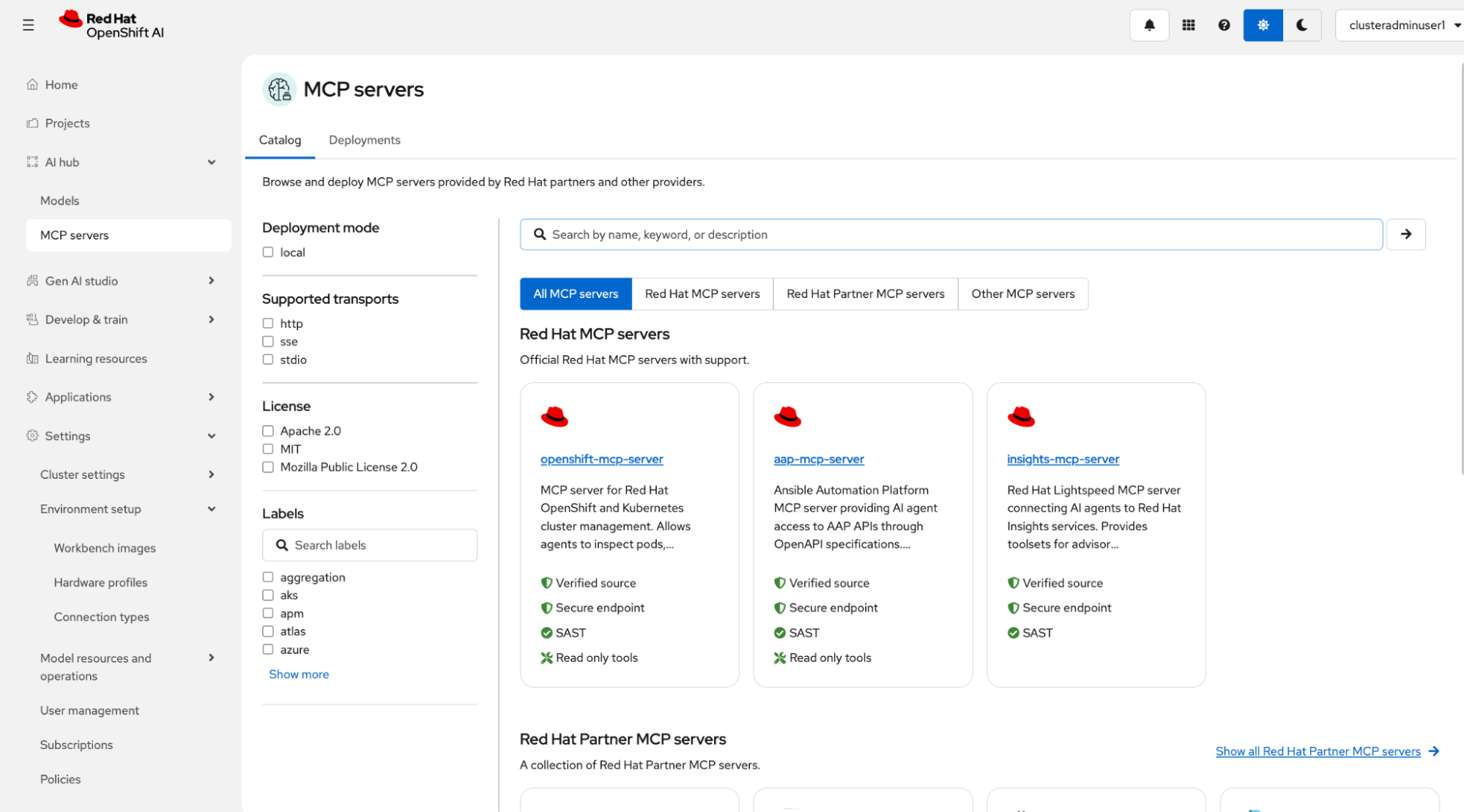
MCP catalog UI showing available MCP servers, a search bar, and filters by options like supported transports and labels.
Within the catalog, you can see a details page for each available MCP server. This page has metadata like artifact OCI URI, version, transport-type, provider, description, tools, and READMEs. Crucially, this page has a “Deploy MCP server” button which allows you to deploy the server to your cluster, creating a MCPServer resource.
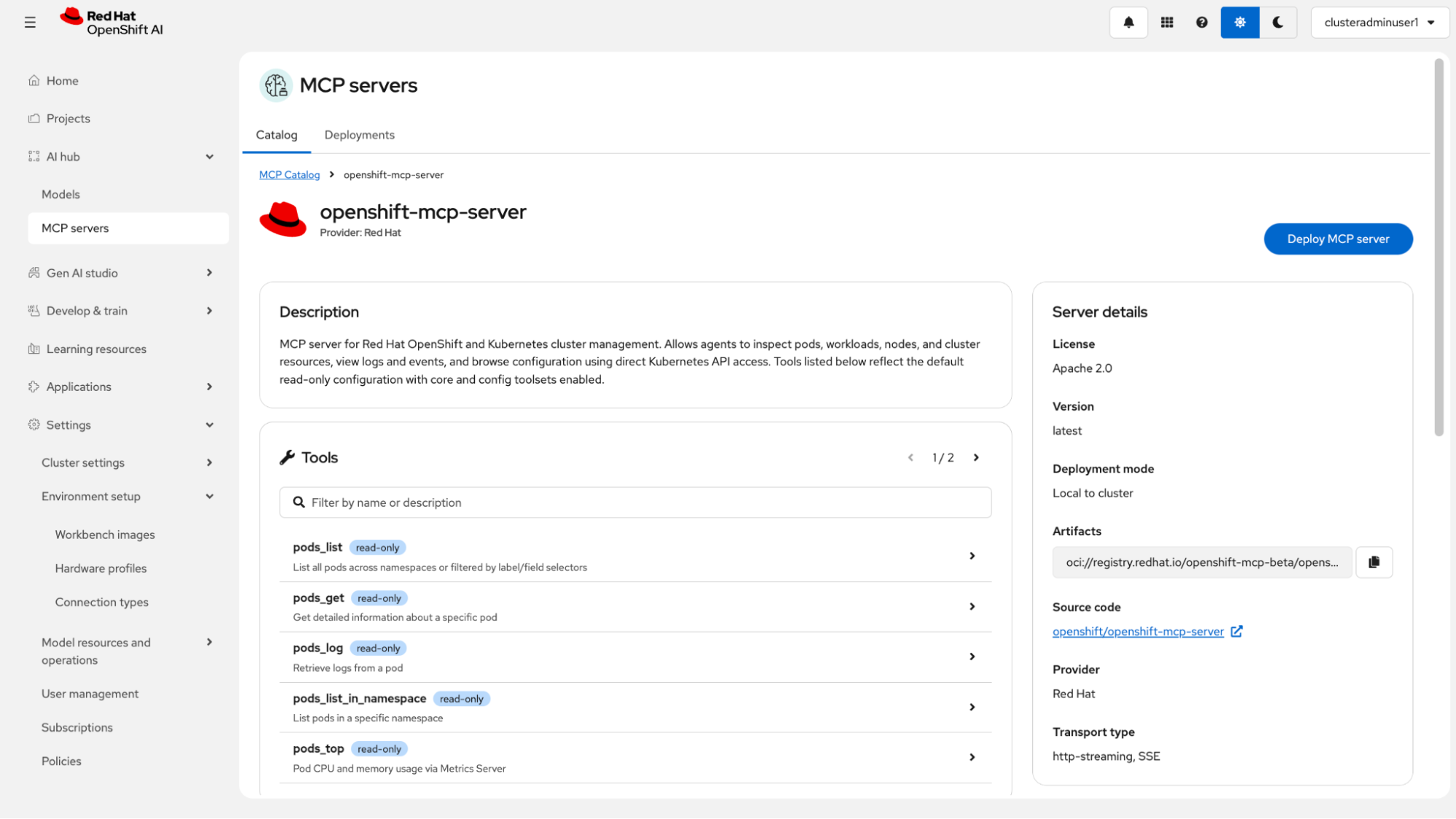
MCP catalog UI showing the details of a single MCP server, including a list of available tools and their descriptions and a “Deploy MCP server” button.
The catalog UI requires the presence of the MCPServer CRD (deployed by the MCP lifecycle operator) to allow server deployment. The “Deploy MCP Server” button will be disabled when the MCP Server custom resource definition (CRD) is absent from the cluster. Users must verify that the MCP lifecycle operator is installed on their clusters.
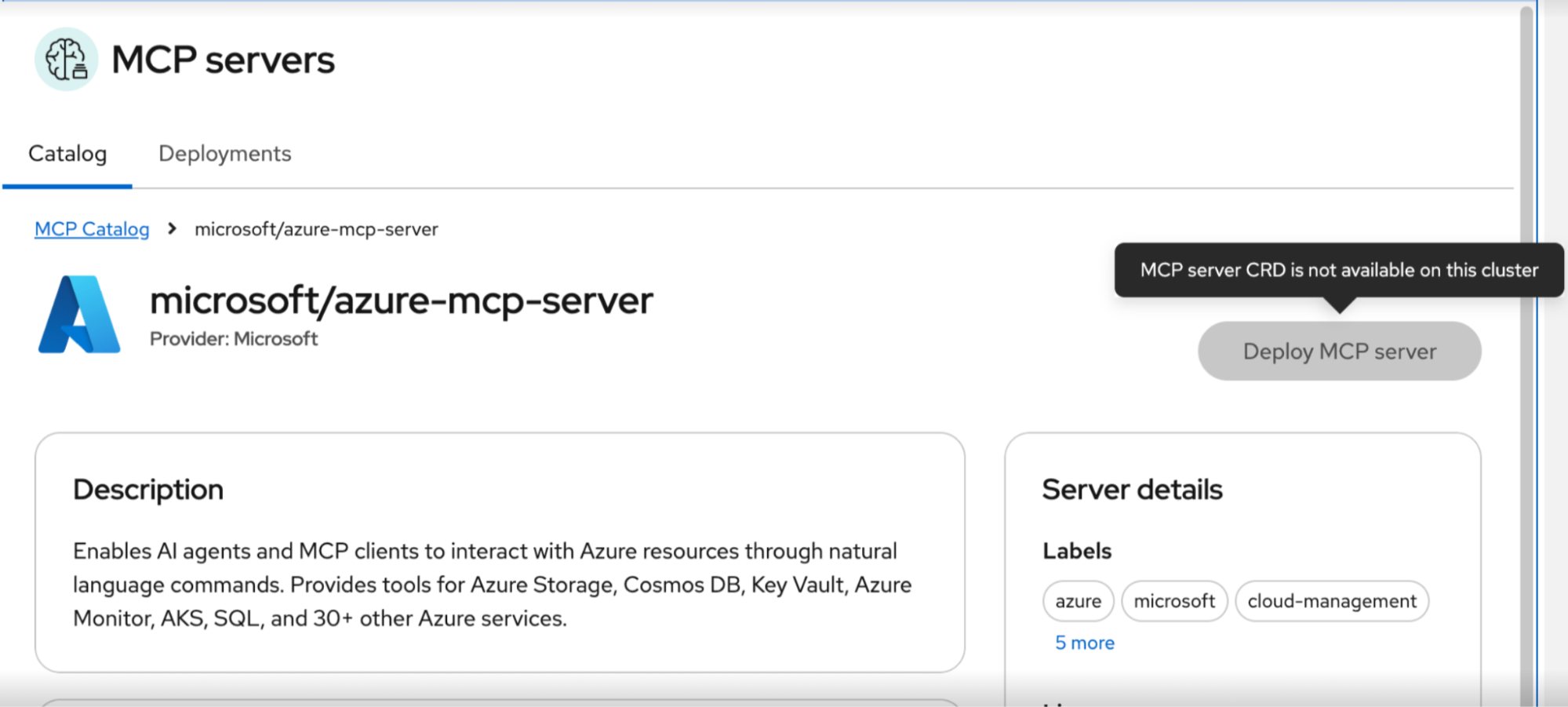
MCP catalog UI showing the details of the Microsoft Azure MCP server, which does not have the option to deploy the MCP server as it is a remote MCP server.
The MCP catalog also has a “Deployments” tab which allows you to see live information about the MCPServer resources that have been deployed in the cluster, such as their status (Available/Pending/Failed), and the URLs to connect to them.
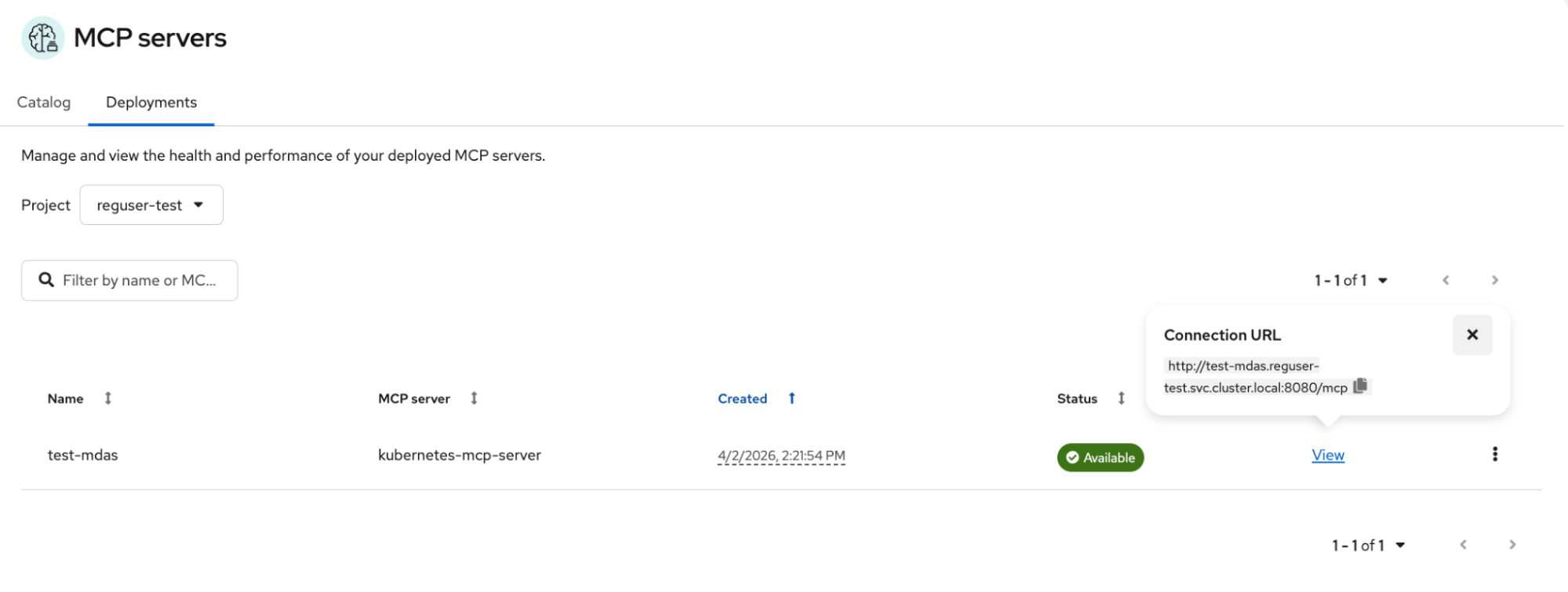
The MCP catalog deployments tab UI showing a running MCP server as well as the URl to connect to it.
You can also delete MCPServer resources from the “Deployments” tab. To delete an MCP server, click on the kebab action and click on “Delete” to open the Delete confirmation modal.

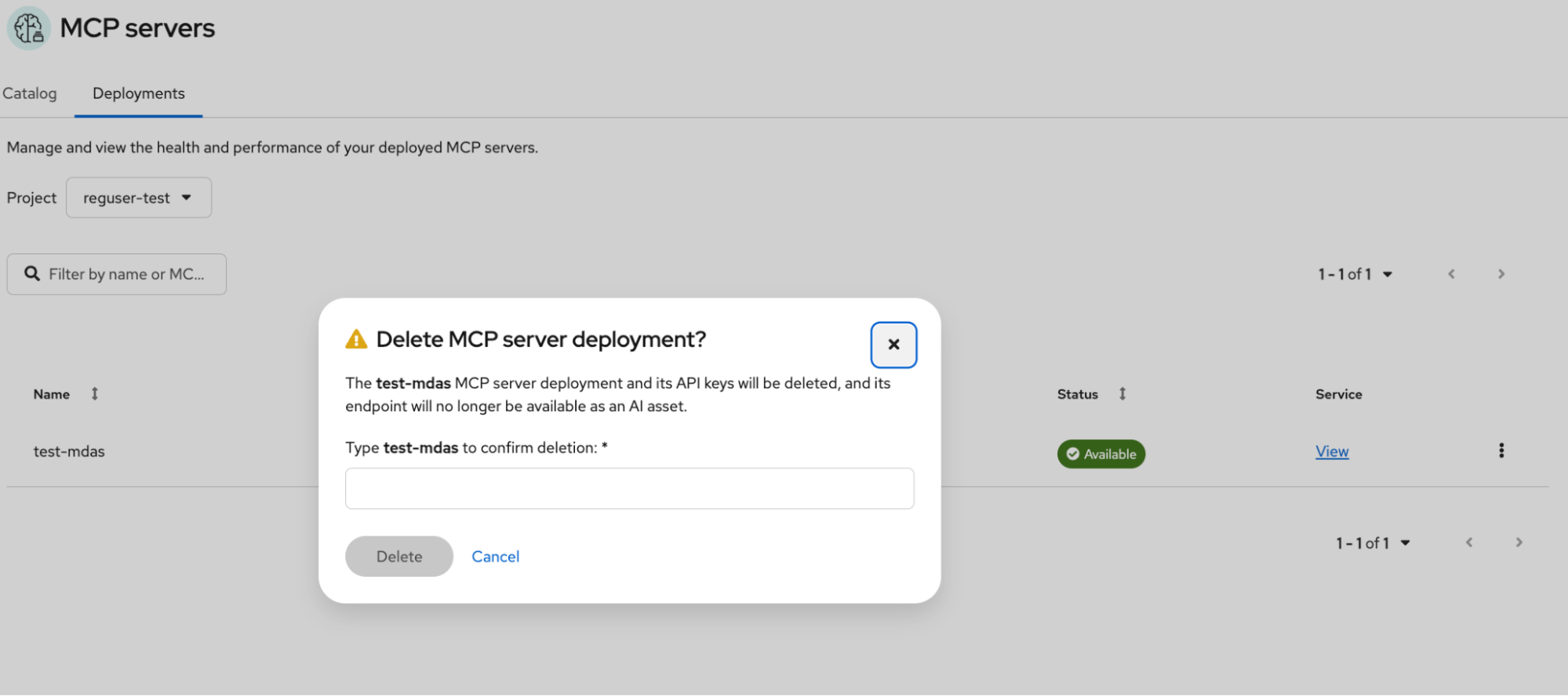
The MCP catalog deployments tab UI showing the confirmation model for deleting a running MCP server.
What's next
The MCP lifecycle operator is part of Kubernetes SIG Apps and is developed in the open. We're actively working on additional features for upcoming releases and welcome community contributions and feedback.
リソース
適応力のある企業:AI への対応力が破壊的革新への対応力となる理由
執筆者紹介
Calum Murray is a Software Engineer focused on Applied AI initiatives for OpenShift. He specializes in building at the intersection of AI and cloud-native infrastructure, including the MCP server for Red Hat OpenShift, MCP evaluations, and Agent Skill evaluations. Previously, he focused on developing OpenShift Serverless.
Calum is an active open source community leader, serving as a Cloud Native Computing Foundation (CNCF) Ambassador and project maintainer.
Matthias Wessendorf works on the Messaging team at Red Hat, focusing on event-driven architectures, data-streaming, and serverless workloads. He is an active contributor to the Knative project. Matthias is a regular speaker at international conferences and is a long standing member of the Apache Software Foundation.
My name is Jaideep, I am a senior software engineer at Red Hat, based out of Toronto. I am interested in Gen AI, Agentic systems, Kubernetes, DevOps and working somewhere in the intersection of those things :)
Ju Lim works on the core Red Hat OpenShift Container Platform for hybrid and multi-cloud environments to enable customers to run Red Hat OpenShift anywhere. Ju leads the product management teams responsible for installation, updates, provider integration, and cloud infrastructure.
Manaswini Das joined Red Hat as an intern in 2019 and is now a Senior Software Engineer in the OpenShift AI Dashboard team. She has been an avid open-source contributor since 2017, an Outreachy alum and a Processing Foundation fellow. She has created two LinkedIn Learning courses till date. She now contributes to Kubeflow and Open Data Hub.
類似検索
asago のご紹介:オープンソースの AI の安全性とガバナンスのオーケストレーション
AI エージェントフレームワークだけでは不十分な理由本番環境に欠けている 7 つのプラットフォーム機能
Can agentic AI patch the internet?
How Red Hat cleared IT debt for scalable AI
チャンネル別に見る

自動化
テクノロジー、チームおよび環境に関する IT 自動化の最新情報

AI (人工知能)
お客様が AI ワークロードをどこでも自由に実行することを可能にするプラットフォームについてのアップデート

オープン・ハイブリッドクラウド
ハイブリッドクラウドで柔軟に未来を築く方法をご確認ください。

セキュリティ
環境やテクノロジー全体に及ぶリスクを軽減する方法に関する最新情報

エッジコンピューティング
エッジでの運用を単純化するプラットフォームのアップデート

インフラストラクチャ
世界有数のエンタープライズ向け Linux プラットフォームの最新情報

アプリケーション
アプリケーションの最も困難な課題に対する Red Hat ソリューションの詳細

仮想化
オンプレミスまたは複数クラウドでのワークロードに対応するエンタープライズ仮想化の将来についてご覧ください
